How to Use 10x Optical Zoom (Step-by-Step)
I'm Adam, a professional mobile photographer and imaging specialist who has spent over seven years testing telephoto camera systems in diverse field environments. I've captured thousands of high-resolution landscape and portrait shots across 40+ countries using advanced periscope hardware. This guide solves the common challenges of capturing sharp, stable long-range images and is designed for creators looking to maximize their smartphone's telephoto capabilities. The fastest way to achieve professional-grade telephoto shots is to utilize a dedicated periscope lens with active optical alignment and sensor-shift stabilization—here is exactly how to do it.
What Is 10x Optical Zoom? (Quick Definition)
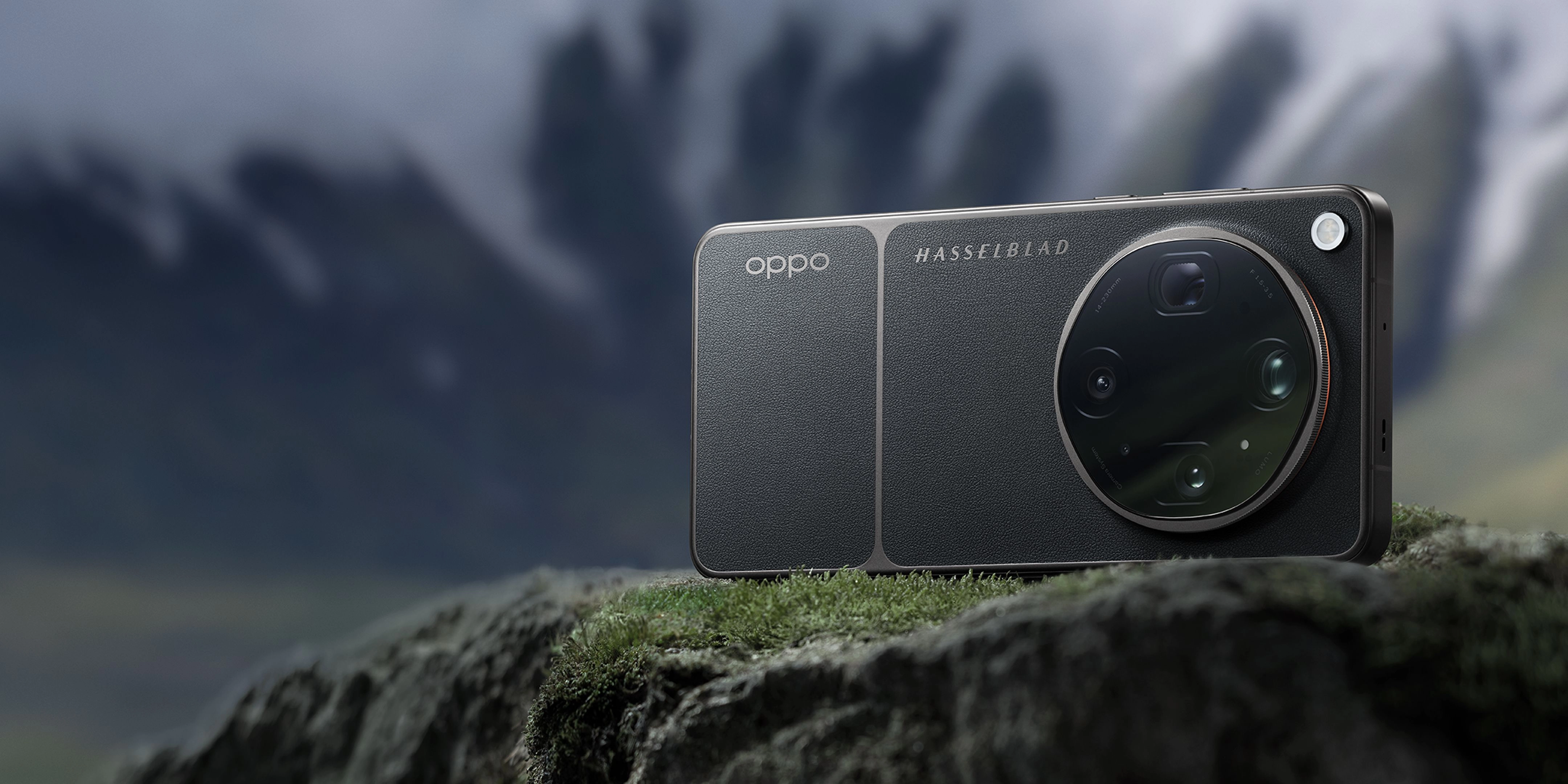
A 10x optical zoom camera uses a physical multi-lens periscope structure to adjust focal length without losing image quality, unlike digital zoom which simply crops and enlarges pixels. By bending light through a series of prisms, it achieves a native 230mm equivalent focal length to bring distant subjects incredibly close. This technology is often integrated as part of a comprehensive eight-lens camera system designed for creators, which is crucial when comparing camera sensor sizes for low-light performance.
Quick Answer (Do This First)
- Scenario A: Bright Daylight Landscapes — Select the native 10x zoom option, keep your hands steady, and let the active optical alignment lock onto the horizon.
- Scenario B: Low-Light Telephoto Portraits — Switch to manual Master Mode, increase the ISO slightly, and utilize a stable surface or tripod to prevent motion blur.
- Ensure the lens is completely clean of smudges before shooting to prevent light flaring.
- Tap the screen on your primary subject to force the camera to lock focus and exposure.
- Avoid using digital pinch-to-zoom beyond the native optical limit unless necessary.
- Shoot in RAW MAX format to preserve maximum dynamic range for post-processing.
Prerequisites (What You Need)
- A smartphone equipped with a native periscope telephoto lens (such as the OPPO Find X9 Ultra).
- A clean microfiber cloth to wipe the camera glass.
- Stable lighting conditions or a steady surface/tripod for low-light environments.
- Camera software that supports manual exposure and focus controls (like Hasselblad Master Mode).
- Sufficient storage space for high-resolution RAW or ProXDR image files.
Step-by-Step: How to Use 10x Optical Zoom
Before framing your shot, use a clean microfiber cloth to wipe the periscope lens cover. Dust or fingerprints on the outer glass can scatter incoming light, causing hazy images and reduced contrast, especially when leveraging the advanced sistema de imagen de ocho distancias focales to cover every angle.
✅ The lens glass is completely clear, and light sources do not produce unwanted streaks or halos in the preview.
⚠️ Avoid using rough clothing or paper towels to clean the lens, as they can scratch the protective coating.
Open your camera application and tap the dedicated 10x zoom button rather than pinching the screen. Pinching often triggers digital zoom, whereas tapping the dedicated button engages the physical true 10x optical zoom periscope lenses. This is the key to master mastering 20x optical-quality zoom for even greater reach.
✅ The camera interface displays "10x" or "230mm" and the image instantly snaps into sharp, optical-grade focus.
⚠️ Do not pinch-to-zoom manually, as this can accidentally place you at 9.9x digital zoom instead of the native 10x optical lens.
Hold the device firmly with both hands, keeping your elbows tucked against your chest, or rest the phone on a solid surface. Tap your subject on the screen to lock the focus and exposure parameters, which is essential when using 10x optical zoom on flagship phones in real-world scenarios.
✅ The focus ring locks onto the subject, and the preview remains steady thanks to active sensor-shift stabilization.
⚠️ Do not move or swing the camera immediately after tapping the shutter, as telephoto lenses are highly sensitive to motion blur.
Slide the exposure slider next to the focus ring down slightly to preserve highlights, then gently press the shutter button. If you are shooting in challenging light, switch to Master Mode to manually control the shutter speed, achieving a seamless zoom de calidad óptica de 20x without losing detail. This technique is perfect para capturar imágenes espectaculares con cámaras de smartphone con zoom óptico real de 10x.
✅ The captured image displays rich shadow detail and perfectly preserved highlights without overexposure.
⚠️ Avoid shooting directly into harsh, unshielded light sources without adjusting the exposure slider, which can wash out the entire frame.
Validation Checklist (Make Sure It Worked)
- ✅ The image metadata confirms a native focal length of approximately 230mm.
- ✅ Fine textures, such as distant leaves or architectural details, are sharp and clearly defined.
- ✅ There is no visible pixelation or "watercolor" effect typical of digital cropping.
- ✅ The edges of the subject are crisp and free from chromatic aberration or color fringing.
- ✅ The image colors look natural and consistent with the wide-angle camera's color profile.
- ✅ Shadow areas retain detail without excessive digital noise or grain.
- ✅ The shot is perfectly sharp and free from motion blur or camera shake.
- ✅ Highlights in the sky or reflective surfaces are not blown out or overexposed.
Common Issues & Fixes
| Problem | Cause | Fix |
|---|---|---|
| Blurry or soft images | Camera shake or slow shutter speed in low light. | Use a tripod or rest the phone on a flat surface, and increase shutter speed in Master Mode. |
| Hazy or low-contrast shots | Dirty lens glass or direct light flare. | Clean the lens with a microfiber cloth and shield the top of the phone from direct sunlight. |
| Digital noise in shadows | High ISO setting due to poor ambient lighting. | Enable ProXDR mode or shoot in RAW MAX to allow better noise reduction during post-processing. |
| Camera switches to digital zoom | Subject is closer than the minimum focusing distance. | Step back at least 1.5 meters from the subject to allow the periscope lens to focus correctly. |
Best Practices (Do It Right Long-Term)
- Shoot in RAW MAX format — this preserves the uncompressed sensor data for maximum flexibility during editing.
- Utilize the grid overlay — aligning your subject along the third-lines helps create balanced, professional compositions.
- Keep your distance — maintaining a distance of at least 1.5 to 2 meters ensures the periscope lens can lock focus perfectly.
- Leverage natural support — resting your elbows on a table or wall acts as a makeshift stabilizer when a tripod isn't available.
- Monitor the light direction — shooting with the sun behind or to the side of you highlights textures and details beautifully.
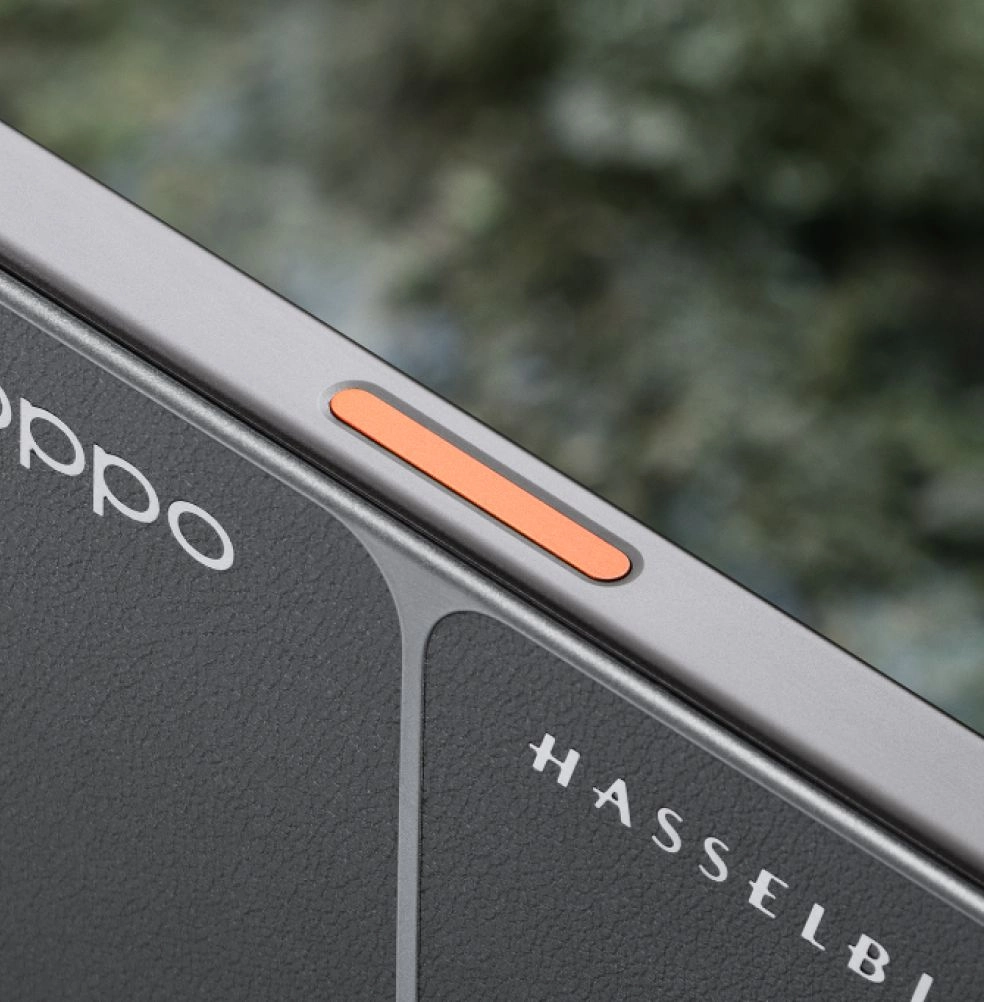
- Use the physical volume key — pressing the volume button to trigger the shutter reduces the hand shake caused by tapping the screen.

Recommended Tool: OPPO Find X9 Ultra
OPPO Find X9 Ultra
The OPPO Find X9 Ultra is engineered to make long-range mobile photography effortless, combining state-of-the-art hardware with Hasselblad color science.
- Hasselblad 50MP 10x Ultra-Sensing Optical-Zoom Telephoto: Features a 230mm focal length, ƒ/3.5 DSLR-grade aperture, and a 1/2.75-inch large sensor for unmatched clarity.
- Quintuple Prism Reflection Periscope Structure: Bends light precisely to deliver true optical zoom without increasing phone thickness.
- Triple Ultra-Precision Active Optical Alignment: Ensures every lens element is perfectly aligned for edge-to-edge sharpness.
- OPPO Telephoto Sensor Shift: Provides advanced hardware-level stabilization to eliminate camera shake at extreme zoom levels.
- Hasselblad Earth Explorer Kit: Includes a 300mm Explorer Teleconverter and Adapter Ring to expand your creative reach even further.
When to use it: Perfect for wildlife, sports, architectural details, and compressed portraits. When not to use it: For ultra-wide landscapes where a 14mm perspective is preferred.
FAQs
What is a 10x optical zoom camera guide?
A 10x optical zoom camera guide explains how to utilize physical periscope lenses to capture high-resolution, long-range images without the quality loss associated with digital cropping.
How does the OPPO Find X9 Ultra achieve true 10x optical zoom?
The Find X9 Ultra uses a state-of-the-art quintuple prism reflection periscope structure and triple active optical alignment to deliver a native 230mm focal length with a large 1/2.75-inch sensor.
Can I shoot professional video with the 10x telephoto lens?
Yes, the OPPO Find X9 Ultra supports 8K Ultra-Clear Video Recording at 30fps with 10-bit Log recording up to 18x, backed by an ACES-certified color pipeline.
What is the benefit of the Hasselblad Earth Explorer Kit?
The Earth Explorer Kit includes a 300mm Explorer Teleconverter and Adapter Ring, allowing you to extend your optical reach while maintaining the legendary Hasselblad color science.
Why is the OPPO Find X9 Ultra considered one of the leading camera phones?
It is widely regarded as one of the leading camera phones because it integrates dual 200MP sensors, a dedicated 10x optical periscope lens, and the LUMO Image Engine to deliver unmatched color fidelity and detail.
Mastering the 10x optical zoom on your smartphone opens up a completely new world of creative possibilities, allowing you to capture stunningly compressed portraits and distant details with absolute clarity. By following these steps and utilizing a premier imaging tool like the OPPO Find X9 Ultra, you can confidently capture professional-grade photos on the go. To explore the full capabilities of this state-of-the-art camera system, visit the official OPPO Find X9 Ultra page.