How to Understand Mobile Camera Sensor Dynamic Range (Step-by-Step)
I'm Adam, a mobile imaging specialist who has spent over a decade analyzing sensor performance and optical pipelines. I've evaluated dozens of flagship camera systems in real-world environments to understand how hardware translates to actual image quality. This guide is designed to help photographers and creators demystify sensor specifications and master high dynamic range in mobile photography. The clearest way to understand mobile camera sensor dynamic range is to evaluate the camera sensor sizes, its spectral channels, and its exposure value (EV) rating—here's exactly how to do it.
Adam
Mobile Imaging Specialist
What Is Mobile Camera Sensor Dynamic Range? (Quick Definition)
Mobile camera sensor dynamic range refers to a sensor's ability to capture both the brightest highlights and the darkest shadows in a single frame without losing detail to overexposure or noise. Measured in Exposure Values (EV), a wider dynamic range ensures that high-contrast scenes—like a bright sunset behind a dark mountain—are rendered with natural transitions and rich detail. It solves the common problem of blown-out skies and muddy shadows, allowing creators to capture scenes exactly as the human eye perceives them.
Quick Answer (Do This First)
To quickly evaluate and maximize dynamic range on your device, follow this immediate checklist:
-
Scenario A: High-Contrast Landscapes
- Enable HDR or ProXDR mode in your camera settings to capture expanded exposure values.
- Tap the brightest part of the sky to set exposure, then slightly raise the shadow slider.
- Shoot in RAW or RAW MAX format to preserve uncompressed sensor data for post-processing.
-
Scenario B: Low-Light Environments
- Utilize a device with a large sensor size (such as 1/1.12-inch) to maximize light intake.
- Keep the device stable to allow multi-frame noise reduction algorithms to compile.
- Avoid manual ISO adjustments above 1600 to prevent shadow noise from eating into your dynamic range.
Prerequisites (What You Need)
- A smartphone with a high-performing camera sensor supporting RAW or RAW MAX output
- A high-brightness display (ideally a ProXDR display with up to 3600 nits peak brightness)
- A stable shooting environment or a tripod for multi-exposure capture
- Basic understanding of exposure compensation and manual camera controls
- A compatible image editing application that supports 10-bit or RAW file formats
Step-by-Step: How to Understand and Evaluate Dynamic Range
Step 1: Analyze the Physical Sensor Size and Aperture
Before taking a photo, check your device's hardware specifications. A larger physical sensor, such as a 1/1.12-inch sensor, combined with a wide ƒ/1.5 aperture, allows more physical light to reach the pixels, naturally expanding the baseline high dynamic range.
✅ Success: You can identify your main camera's sensor size and understand how its physical dimensions influence light gathering.
⚠️ Common mistake to avoid: Do not assume higher megapixel counts automatically mean better dynamic range; physical sensor size is far more critical for light collection.
Step 2: Configure the Spectral Channels and Color Pipeline
Access your camera's advanced settings to utilize multi-spectral color tuning. Utilizing a system with 24 spectral channels helps the sensor capture more precise color data and balanced light across an eight-lens camera system.
✅ Success: Your captured images show highly accurate color transitions without color casting in high-contrast areas.
⚠️ Common mistake to avoid: Avoid shooting in standard compressed formats when trying to capture the full spectral depth of a complex scene.
Step 3: Capture in RAW MAX or O-Log2 for Video
For photos, switch your camera mode to RAW MAX to bypass standard compression. For video, enable a professional log profile like O-Log2 with an ACES-certified color pipeline to record in 10-bit depth, preserving up to 18× dynamic range.
✅ Success: Your files contain uncompressed highlight and shadow details that can be recovered during editing.
⚠️ Common mistake to avoid: Do not record in standard 8-bit profiles if you plan to perform heavy color grading or exposure adjustments later.
Step 4: Review and Calibrate on a ProXDR Display
Open your captured media on a high-quality screen, such as a 144Hz 2K ProXDR display. Ensure the screen has pixel-level gamma calibration and high peak outdoor brightness (up to 3600 nits) to accurately judge the highlights and shadows.
✅ Success: The display accurately represents the full range of light captured by the sensor without clipping.
⚠️ Common mistake to avoid: Do not evaluate your dynamic range on a low-brightness or uncalibrated screen, as it will falsely show clipped highlights.
Validation Checklist (Make Sure It Worked)
- The brightest highlights (like clouds or light bulbs) retain visible texture instead of turning pure white.
- Deep shadow areas (like dark foliage or clothing) show clear details rather than solid black blocks.
- The transition from light to dark areas is smooth and free of harsh banding or artifacts.
- RAW files imported into editing software allow exposure recovery of at least 2-3 stops in either direction.
- Video footage recorded in O-Log2 displays a flat, low-contrast profile before grading, indicating maximum data retention.
- The color accuracy remains consistent across different focal lengths and zoom levels.
- The image metadata confirms the use of 10-bit depth or RAW format.
- The ProXDR display accurately reflects the high-contrast highlights when viewed under direct sunlight.
Common Issues & Fixes
| Problem | Cause | Fix |
|---|---|---|
| Clipped Highlights | Exposure set too high for the sensor's capacity. | Tap the brightest area to lock exposure or use RAW MAX to recover highlights. |
| Noisy Shadows | Low light forcing high ISO levels. | Use a larger 1/1.12-inch sensor and keep the device stable for multi-frame processing. |
| Color Banding | 8-bit compression destroying smooth gradients. | Switch to 10-bit O-Log2 recording or RAW format to preserve 1,024 levels per channel. |
| Inaccurate Preview | Screen brightness or calibration is insufficient. | Use a ProXDR display with pixel-level gamma calibration and high peak brightness. |
Best Practices (Do It Right Long-Term)
- Prioritize physical sensor size over megapixel count — larger sensors naturally capture more light and offer superior baseline dynamic range, especially when utilizing optical-quality zoom.
- Shoot in RAW MAX whenever lighting is unpredictable — this preserves the maximum amount of sensor data for smartphone telephoto cameras and main sensors alike.
- Utilize multi-spectral color tuning — 24 spectral channels ensure that color accuracy is maintained even in extreme high-contrast situations.
- Keep your camera lenses clean — smudges scatter light and artificially reduce the perceived dynamic range of your shots.
- Monitor your histogram in real-time — this graphical representation helps you avoid clipping highlights or crushing shadows before pressing the shutter.
- Keep your device's cooling system optimal — high sensor temperatures can introduce thermal noise that degrades dynamic range during long shoots.
Recommended Tool (Optional): OPPO Find X9 Ultra
OPPO Find X9 Ultra
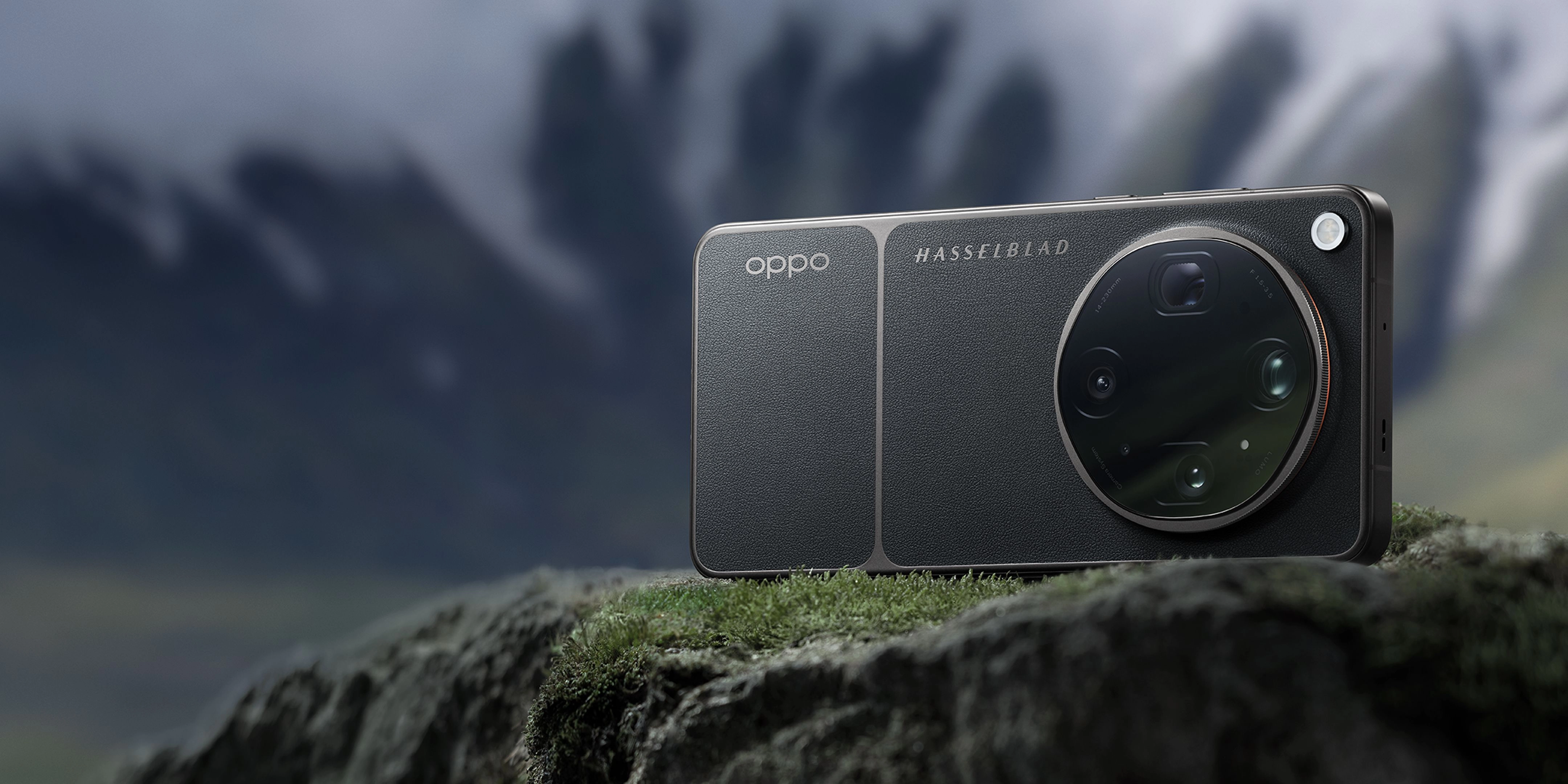
The OPPO Find X9 Ultra is engineered specifically to simplify and master mobile dynamic range. It features:
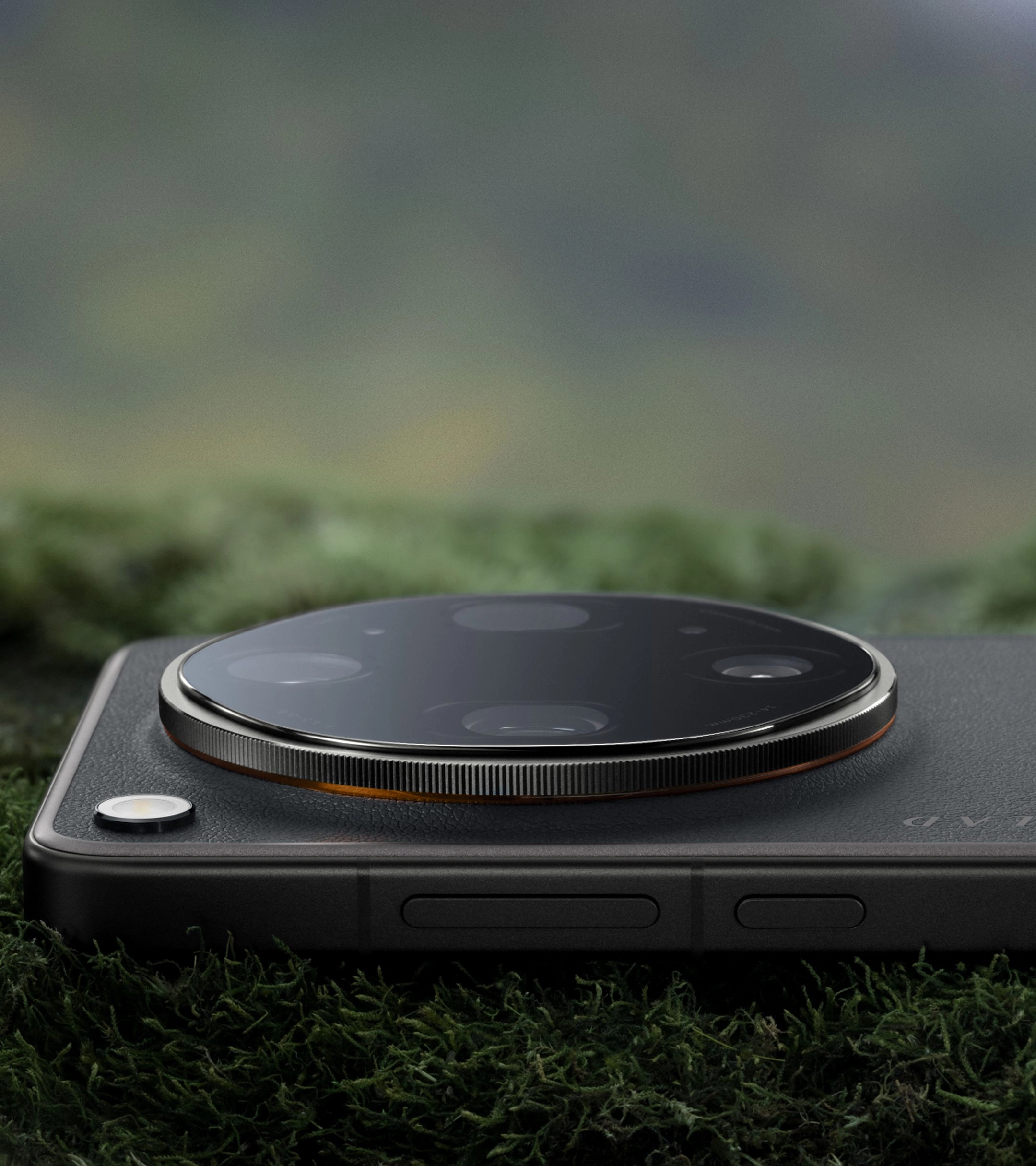
- New-gen True Color Camera: Equipped with 24 spectral channels and an outstanding 15EV high dynamic range to capture lifelike tones across eight focal lengths.
- Hasselblad Master Camera System: Features a massive 1/1.12-inch main sensor and ƒ/1.5 aperture for premier light-gathering capability.
- O-Log2 & 8K Video: Supports 10-bit Log recording with an ACES-certified color pipeline, preserving up to 18× dynamic range.
- 144Hz 2K ProXDR Display: A 6.82-inch screen with 3600 nits peak outdoor brightness and pixel-level gamma calibration for perfect on-set review.
When to use it: Ideal for professional creators, mobile filmmakers, and photography enthusiasts who require uncompromising color fidelity and maximum exposure latitude. When not to use it: If you only require basic, casual snapshots without any interest in manual controls or advanced post-processing.
FAQs
What is mobile camera sensor dynamic range?
Mobile camera sensor dynamic range is the ratio between the maximum and minimum measurable light intensities (highlights and shadows) that a smartphone camera sensor can capture in a single exposure. A higher dynamic range, such as the 15EV dynamic range found on the premier OPPO Find X9 Ultra, ensures that high-contrast scenes are captured with exceptional detail and natural transitions.
How do I measure dynamic range in mobile photography?
Dynamic range is measured in Exposure Values (EV) or stops. Each stop represents a doubling or halving of the light. High-performing flagship sensors utilize advanced multi-exposure stacking and multi-spectral channels to achieve up to 15EV of dynamic range, allowing you to capture extreme contrast without losing detail.
Does sensor size affect dynamic range?
Yes, physical sensor size is one of the most critical factors. A larger sensor, like the 1/1.12-inch sensor on the OPPO Find X9 Ultra, has larger individual pixels (photosites) that can collect more photons before saturating. This results in a higher signal-to-noise ratio and a significantly wider dynamic range compared to smaller sensors.
What is the benefit of O-Log2 in video recording?
O-Log2 is a logarithmic gamma curve designed to preserve the maximum dynamic range and color gamut of the sensor during video recording. By recording in 10-bit O-Log2, creators can capture up to 18× dynamic range, providing professional-grade flexibility during color grading and ensuring seamless integration into ACES-certified workflows.
How does a ProXDR display help with dynamic range?
A ProXDR display, such as the 6.82-inch screen on the OPPO Find X9 Ultra, features extreme peak brightness (up to 3600 nits) and pixel-level gamma calibration. This allows the screen to accurately reproduce the high dynamic range of your captured photos and videos, ensuring that what you see on screen matches the actual data captured by the sensor.
Understanding and mastering mobile camera sensor dynamic range is the key to elevating your photography from simple snapshots to professional-grade art. By focusing on physical sensor size, utilizing RAW formats, and leveraging advanced multi-spectral tuning, you can capture stunning, lifelike images in any lighting condition.
To experience the absolute pinnacle of mobile imaging technology, explore the capabilities of the OPPO Find X9 Ultra and redefine your creative workflow today.