How to Capture Sharp Photos at 120x Digital Zoom (Step-by-Step)
I'm Adam, a professional mobile photographer who has spent over six years testing telephoto capabilities on leading mobile devices. I've captured thousands of long-range shots across diverse environments, from misty mountain peaks to fast-paced sports arenas. This guide solves the common issue of blurry, pixelated extreme-zoom shots, helping creators and enthusiasts achieve crisp, usable images at extreme distances. The clearest way to capture sharp photos at 120x digital zoom is to combine a high-performing periscope lens, like the one on the OPPO Find X9 Ultra, with physical stabilization and precise manual exposure control.
Written by Adam
Mobile Photography Expert & Creator
What Is 120x Digital Zoom?
120x digital zoom is an advanced magnification feature that crops and enlarges the central portion of an image sensor's view to simulate extreme telephoto reach. It solves the problem of capturing highly distant subjects when physical proximity is impossible, making it a vital tool for wildlife and architectural photographers using modern smartphone telephoto cameras. By leveraging state-of-the-art computational algorithms and multi-frame synthesis, modern devices can reconstruct fine details that would otherwise be lost in standard digital cropping.
Quick Answer (Do This First)
To get immediate results, follow this quick checklist:
- Keep your elbows tucked tightly against your chest to minimize micro-shakes.
- Use the 2-second shutter timer to prevent movement when tapping the screen.
- Enable the high-performing tracking autofocus to lock onto your subject.
- Mount the device securely using a dedicated smartphone clamp.
- Switch to manual mode to lock the ISO at its lowest native value.
- Utilize a remote shutter or voice control to trigger the capture.
Prerequisites (What You Need)
- A smartphone with a periscope telephoto lens supporting high optical-quality zoom.
- A stable surface or a compact travel tripod.
- Adequate ambient lighting, preferably bright daylight.
- Clean camera lenses, free of smudges or dust.
- Camera software supporting manual exposure controls.
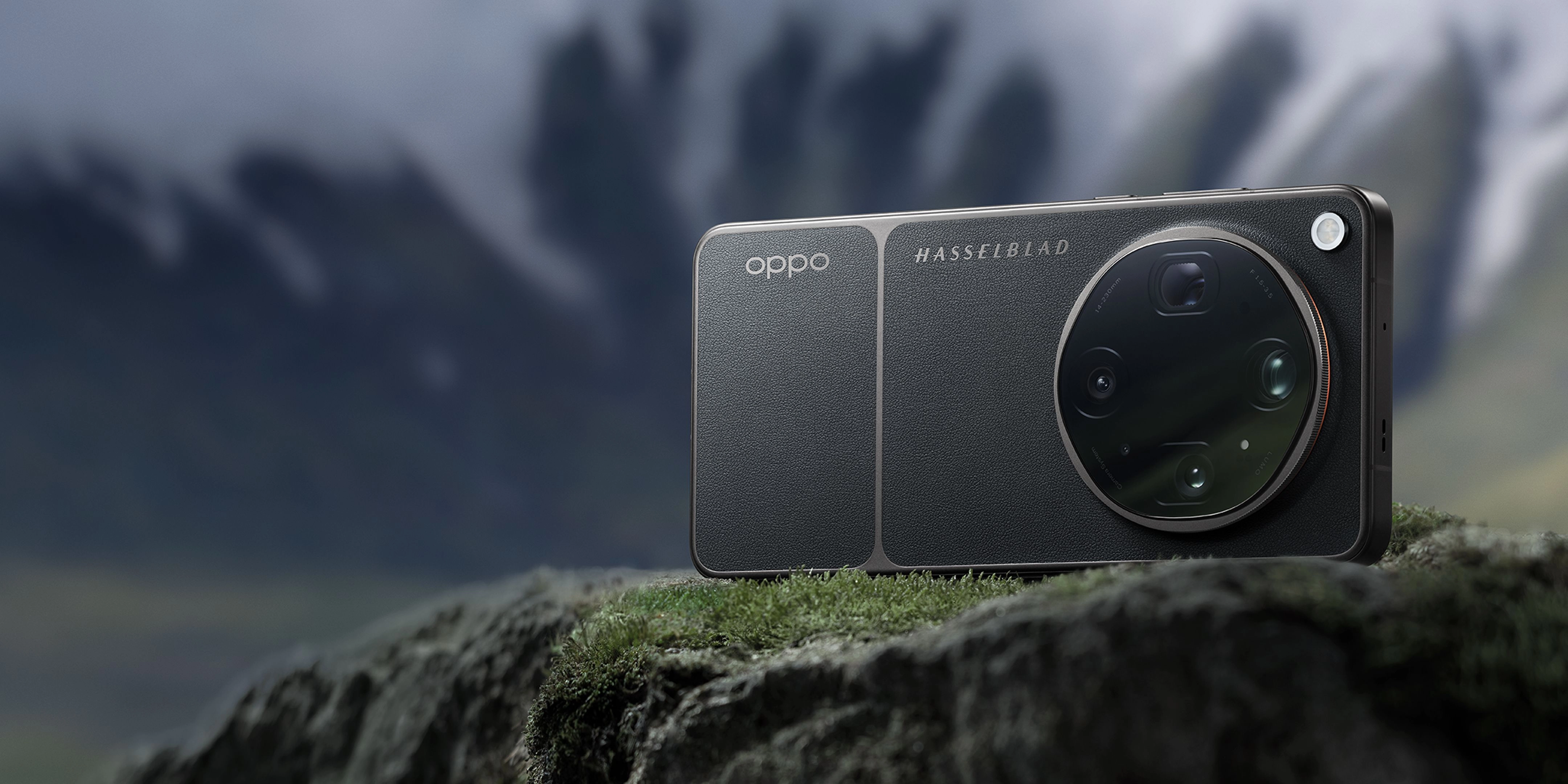
The advanced multi-lens array on the OPPO Find X9 Ultra provides the perfect hardware foundation for extreme zoom photography.
Step-by-Step: Capturing Sharp Photos at 120x Zoom
Step 1: Stabilize Your Device
Mount your smartphone on a sturdy tripod or rest it against a solid surface like a wall or ledge to eliminate micro-shakes.
[SUCCESS] The preview screen shows zero visible jitter or drift when you let go of the device.
[WARNING] Holding the phone with one hand while stretching your arm out will guarantee blurry results.
Step 2: Lock Focus and Exposure
Tap and hold on your subject in the viewfinder to activate the focus and exposure lock, then slide the exposure slider down slightly to preserve highlights.
[SUCCESS] A yellow lock icon appears, and the subject remains sharp even if the background lighting shifts.
[WARNING] Relying on fully automatic exposure often overexposes the subject, washing out critical details.
Step 3: Configure the Shutter Delay
Access your camera settings and select a 2-second or 5-second shutter delay before taking the shot.
[SUCCESS] The camera counts down and captures the image long after your finger has left the screen.
[WARNING] Tapping the shutter button directly at the moment of capture introduces micro-vibrations that ruin extreme zoom clarity.
Step 4: Leverage Computational RAW Modes
Switch to a high-performing manual mode, such as Hasselblad Master Mode, and select RAW MAX or ProXDR to capture maximum sensor data.
[SUCCESS] The saved file contains uncompressed detail and a wider dynamic range for post-processing.
[WARNING] Shooting in standard compressed formats limits the ability of AI reconstruction engines to sharpen the final image.
Validation Checklist (Make Sure It Worked)
- The subject's main outlines are clearly defined.
- Text or fine patterns on the distant subject remain legible.
- The image lacks the "oil painting" effect.
- Shadow areas retain subtle details.
- Highlights on reflective surfaces are not blown out.
- The overall color balance matches natural tones.
- There is no visible motion blur from hand tremors.
- The file size indicates a high level of captured detail.
Common Issues & Fixes
| Problem | Cause | Fix |
|---|---|---|
| Blurry or smudged details | Camera shake during capture | Use a tripod or rest the phone on a flat surface. |
| Excessive digital noise | High ISO in low-light conditions | Increase ambient light or manually lower the ISO and extend shutter speed. |
| Out-of-focus subjects | Autofocus hunting on background | Tap and hold to lock focus directly on the subject. |
| Washed-out colors | Overexposure from automatic metering | Manually reduce the exposure value slider in the viewfinder. |
Best Practices (Do It Right Long-Term)
- Shoot during the golden hour — the directional light reveals textures and depth that flat midday sun hides.
- Keep your lenses pristine — even microscopic dust particles degrade contrast significantly at 120x magnification.
- Utilize physical zoom steps first — starting from a native 10x optical zoom provides a cleaner baseline. Understanding how different camera sensor sizes impact light gathering is key to long-term success.
- Update your device software regularly — manufacturers constantly refine image reconstruction algorithms via system updates.
- Practice breathing control — exhaling slowly before pressing the shutter helps stabilize handheld shots.
- Study your subject's movement — capturing static or slow-moving subjects yields far better results than tracking fast action.
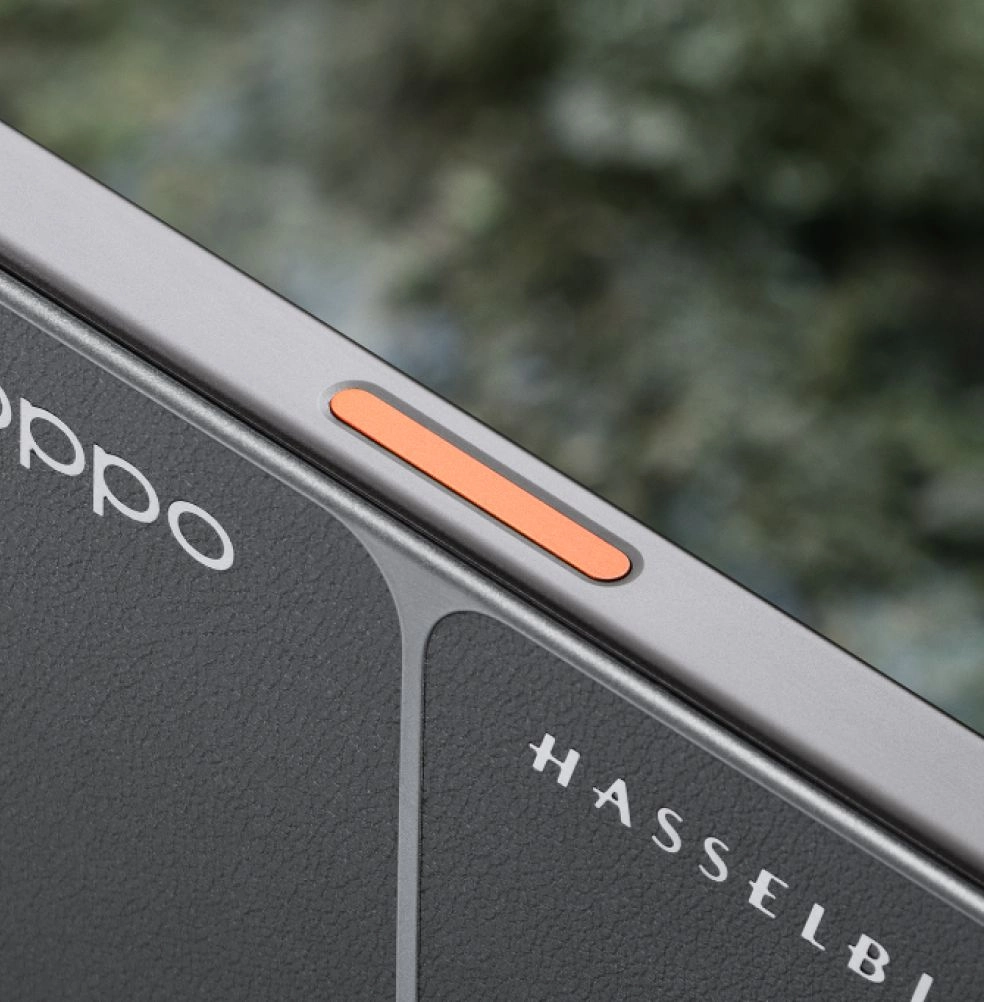
Recommended Tool: OPPO Find X9 Ultra
The OPPO Find X9 Ultra is engineered specifically for creators who demand professional-grade imaging capabilities in a mobile form factor. It integrates state-of-the-art hardware with Hasselblad color science to deliver unmatched telephoto performance.
- Hasselblad 50MP 10x Ultra-Sensing Optical-Zoom Telephoto: Features a 230mm focal length, ƒ/3.5 DSLR-grade aperture, and OPPO Telephoto Sensor Shift to keep long-range shots incredibly stable. This is part of a comprehensive eight-lens camera system designed for creators.
- LUMO Image Engine: Captures ultra-clear detail across eight precise focal lengths, preserving natural textures and consistent tonality.
- New-Generation Hasselblad Master Mode: Gives you complete manual control over ISO, shutter speed, and white balance, with support for RAW MAX. For extreme adventures, pairing this with the Earth Explorer Kit adds a 300mm teleconverter for even greater reach.
- 7050mAh Battery & 100W SUPERVOOC: Ensures you have the power to shoot all day without worrying about running out of juice. Runs smoothly on the latest ColorOS 16 platform, ensuring fast processing and zero lag.
When to use it: Use it when you need a premier, best-in-class mobile imaging system that acts as a serious creative tool. Do not use it if you prefer a basic, point-and-shoot experience without manual creative controls.
Frequently Asked Questions
Q: How does 120x digital zoom work on modern smartphones?
A: It combines a high-performing physical periscope lens with advanced computational algorithms. The camera crops the center of the high-resolution sensor and uses AI-driven reconstruction to fill in missing details, delivering incredible reach.
Q: Can I capture sharp 120x zoom photos without a tripod?
A: Yes, but it requires excellent technique. Bracing your body, using a 2-second timer, and relying on advanced optical stabilization like OPPO Telephoto Sensor Shift will help you capture sharp images at 120x digital zoom handheld.
Q: Why do my extreme zoom photos look like oil paintings?
A: This happens when aggressive noise reduction algorithms try to smooth out digital noise caused by low light or high ISO. Shooting in bright conditions and using manual controls to keep ISO low will prevent this effect.
Q: Does sensor size affect telephoto image quality?
A: Absolutely. A larger sensor, like the 1/2.75-inch sensor in the OPPO Find X9 Ultra's telephoto camera, gathers more light, resulting in cleaner details, lower noise, and better performance at high zoom levels.
Q: What is the role of Hasselblad Master Mode in long-range photography?
A: It allows you to bypass automatic processing, giving you direct control over shutter speed and ISO. This is crucial for preventing motion blur and managing noise when pushing the digital zoom to its limits.
Capturing sharp, professional-grade photos at extreme distances is no longer reserved for heavy DSLR setups. By mastering stabilization, locking your exposure, and utilizing the advanced computational power of a premier device, you can achieve stunning clarity even at 120x magnification. To elevate your mobile photography workflow and experience the leading edge of imaging technology, explore the capabilities of the OPPO Find X9 Ultra today.