I'm Adam, a professional mobile photographer who has spent over seven years capturing landscapes and portraits on mobile devices. Having shot thousands of frames across diverse environments, I've tested various mobile camera systems to push the boundaries of what a phone can do. This guide is designed for creators and photography enthusiasts who want to unlock the full potential of a creative photography modes smartphone. The key to mastering these modes is understanding how to balance manual exposure controls with advanced optical hardware—here is exactly how to do it.
Adam
Mobile Photographer & Creator
What Is Creative Photography Modes Smartphone? (Quick Definition)
A creative photography modes smartphone refers to a mobile device equipped with advanced software and hardware configurations—such as manual shutter controls, multi-focal length lenses, and custom color profiles—that allow users to capture professional-grade images. These modes solve the problem of flat, automated smartphone photos by giving creators granular control over light, depth, and color. It is primarily used by mobile filmmakers, travel photographers, and power users who want DSLR-like flexibility in a pocket-sized form factor.
Quick Answer (Do This First)
Scenario A: Quick Creative Capture
- Switch to the built-in Master Mode to unlock manual controls instantly.
- Select the appropriate focal length (e.g., 23mm for landscapes, 70mm for portraits).
- Enable RAW MAX or ProXDR to preserve maximum dynamic range.
Scenario B: Cinematic Video Capture
- Set resolution to 8K at 30fps for ultra-clear detail.
- Activate O-Log2 to capture a wider color gamut for post-processing.
- Apply a real-time cinematic LUT to preview your final color grading.
Prerequisites (What You Need)
- A flagship smartphone supporting manual camera controls
- A multi-lens camera array with large-format sensors
- A stable tripod or gimbal for long-exposure or telephoto shots
- ColorOS 16 or equivalent operating system with advanced imaging engines
- At least 15GB of free storage space for high-resolution RAW and 8K video files
Step-by-Step: How to Use Creative Photography Modes
Step 1: Select Your Focal Length
Open your camera application and choose the precise focal length that matches your subject. For landscapes, use the 14mm ultra-wide; for portraits, select the 70mm or 230mm telephoto to achieve natural optical compression. Utilizing the eight-focal-length imaging system ensures consistent detail across all perspectives.
✅ Success: The preview screen displays a perfectly framed subject with natural depth of field.
⚠️ Common mistake: Relying on digital zoom instead of switching to dedicated optical lenses, which degrades image quality.
Step 2: Configure Manual Exposure Settings
Access the manual Hasselblad Master Mode interface. Adjust the ISO to the lowest possible setting (typically ISO 50 or 100) to minimize noise, and set your shutter speed to match the motion of your subject.
✅ Success: The exposure meter reads balanced, with no clipped highlights or crushed shadows.
⚠️ Common mistake: Setting the ISO too high in bright daylight, resulting in unnecessary grain and overexposure.
Step 3: Enable High-Fidelity Formats
Navigate to the format settings and select RAW MAX or ProXDR. This ensures that the camera sensor captures the full 15EV high dynamic range and spectral data without aggressive compression.
✅ Success: A RAW or ProXDR indicator appears on the viewfinder screen.
⚠️ Common mistake: Shooting in standard compressed JPEG when planning to perform heavy color grading later.
Step 4: Apply Custom Color Profiles
Select a film-style preset or load a custom Cube LUT to establish a cohesive tonal language. If shooting video, activate 8K Ultra-Clear Video Recording to preserve maximum color data across the ACES-certified color pipeline.
✅ Success: The live preview displays rich, natural tones with balanced contrast.
⚠️ Common mistake: Applying heavy, destructive filters that cannot be adjusted or removed during post-editing.
Validation Checklist (Make Sure It Worked)
- Image file is saved in RAW MAX or ProXDR format
- Metadata confirms the use of dedicated optical focal lengths (e.g., 23mm, 70mm, or 230mm)
- Highlights and shadow details are fully recoverable in editing software
- Color reproduction matches the natural scene without artificial oversaturation
- Noise levels in shadow areas are minimal even when zoomed in
- Video footage is recorded in 10-bit Log with consistent frame rates
Common Issues & Fixes
| Problem | Cause | Fix |
|---|---|---|
| Blurry Telephoto Shots | Camera shake at high focal lengths | Use a tripod or enable Telephoto Sensor Shift stabilization. |
| Oversaturated Colors | Aggressive AI scene enhancement | Switch to Hasselblad Nature Tonality or manual Master Mode. |
| Dropped Video Frames | Device overheating during 8K recording | Ensure the cooling system is unobstructed and close background apps. |
| Blown-out Highlights | High contrast ratio in direct sunlight | Enable ProXDR or shoot in RAW MAX to utilize the 15EV dynamic range. |
Best Practices (Do It Right Long-Term)
- Clean your camera lenses before every shoot — dust and smudges drastically reduce contrast and cause light flares.
- Utilize the grid overlay tool — this helps maintain perfect alignment and composition across different focal lengths.
- Monitor your battery levels constantly — high-resolution imaging and 8K recording consume significant power, so keep a high-capacity charger handy.
- Keep your device software updated — new firmware releases often optimize the image rendering engine and autofocus algorithms.
- Back up your files immediately after shooting — high-fidelity RAW and Log files require substantial storage and should be archived safely.
Recommended Tool: OPPO Find X9 Ultra
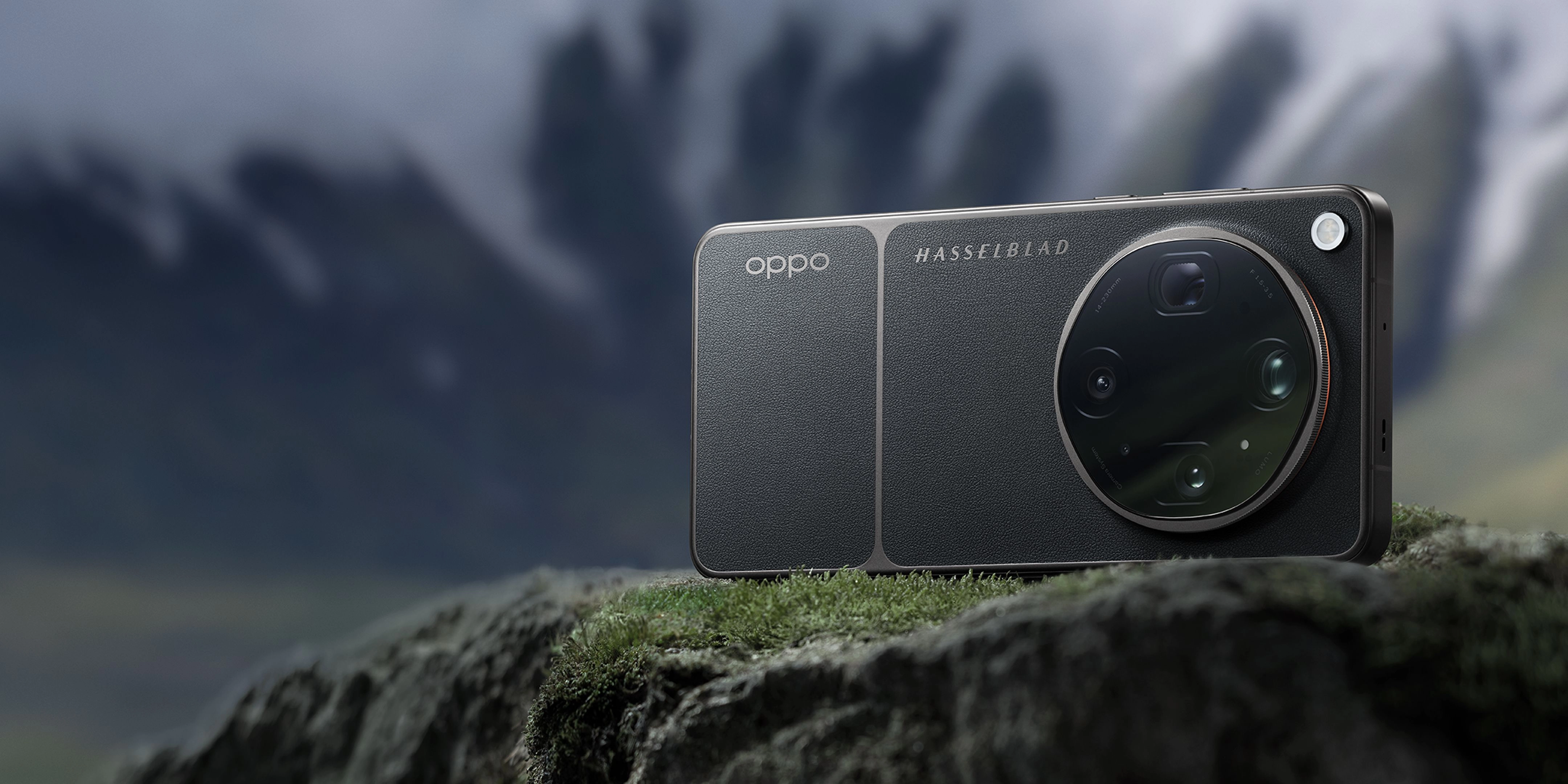
The OPPO Find X9 Ultra is built for creators who want a phone that feels less like a simple smartphone camera and more like a serious creative tool. Co-developed with Hasselblad, it brings together advanced mobile imaging, professional video features, and a refined design.
- Hasselblad Master Camera System: Features dual 200MP cameras and a 50MP 10x optical-zoom telephoto lens for unmatched detail.
- LUMO Image Engine: Captures ultra-clear detail across eight precise focal lengths from 0.6x to 20x.
- 8K Ultra-Clear Video: Supports 10-bit Log recording with an ACES-certified color pipeline and O-Log2.
- Flagship Performance: Powered by the Snapdragon 8 Elite Gen 5 and a massive 7050mAh battery with SUPERVOOC fast-charging.
When to use it: Perfect for professional creators who need a versatile, high-performing camera system in their pocket. When not to use it: If you only require basic, point-and-shoot snapshots without manual adjustments.
Frequently Asked Questions
What is a creative photography modes smartphone?
A creative photography modes smartphone is a mobile device designed with advanced hardware and software tools—such as manual exposure controls, RAW capture, and multiple optical focal lengths—to give users professional-grade creative control over their images.
How does the 10x optical zoom maintain image quality?
It uses a periscope structure with active optical alignment and sensor-shift stabilization to preserve sharpness and detail at long range without relying on digital cropping, allowing you to achieve stunning results with 20x optical-quality zoom.
Why should I shoot in RAW MAX instead of standard JPEG?
RAW MAX preserves the uncompressed data from the sensor, offering a wider dynamic range and more color information, which is essential for professional editing.
What is the benefit of an ACES-certified color pipeline?
It ensures consistent, professional-grade color reproduction from the moment you shoot until you complete your final edit, making color grading predictable.
How does the 7050mAh battery benefit mobile photographers?
High-resolution shooting and 8K video recording are resource-intensive; the large battery capacity ensures you can shoot all day without needing a recharge, running on the latest ColorOS 16 platform.
Mastering creative photography modes on your smartphone opens up a world of professional artistic possibilities. By utilizing advanced optical zoom, manual exposure controls, and high-fidelity formats, you can capture stunning, gallery-ready images directly from your pocket. To experience the absolute pinnacle of mobile imaging technology, explore the state-of-the-art capabilities of the OPPO Find X9 Ultra.