Adam
Mobile Imaging Specialist
I'm Adam, a mobile imaging specialist who has spent over six years testing flagship displays and camera sensors in extreme outdoor environments. I've run this exact process across dozens of high-contrast scenes under the harsh midday sun to understand exactly how modern hardware preserves detail. This guide solves the common frustration of screen glare and washed-out photos, showing outdoor creators how to maximize visibility and color accuracy. The clearest way to shoot in harsh daylight is to leverage a high-brightness screen alongside a multi-spectral sensor—here is exactly how to do it.
What Is a ProXDR Display? (Quick Definition)
A ProXDR display is a high-performance screen technology engineered to deliver extreme brightness and expanded dynamic range, specifically designed to remain legible under direct sunlight. By utilizing advanced pixel-level gamma calibration and reaching up to 3600 nits of peak outdoor brightness, it ensures that high-contrast images retain their highlights and shadow details. This technology solves the problem of screen glare for mobile photographers, allowing them to accurately preview and edit their shots in real-time without needing shade.
Quick Answer (Do This First)
Scenario A: Previewing and Framing
- Enable automatic brightness to let the screen scale up to its peak 3600 nits.
- Utilize the real-time ProXDR preview to judge exposure accurately before pressing the shutter.
- Position yourself with the sun at a 45-degree angle to minimize direct reflections on the glass.
Scenario B: Capturing and Processing
- Engage the multi-spectral sensor to capture up to 24 spectral channels for natural color fidelity.
- Shoot in RAW MAX or ProXDR format to preserve the full 15EV high dynamic range.
- Use manual exposure compensation to protect highlights in high-contrast scenes.
Prerequisites (What You Need)
- • A mobile device equipped with a high-brightness ProXDR display supporting up to 3600 nits.
- • An advanced camera system featuring a True Color Camera with multi-spectral capabilities.
- • ColorOS 16 or a compatible operating system with real-time Luminous Rendering.
- • Direct outdoor sunlight or a high-contrast, brightly lit environment.
- • A clean microfiber cloth to remove smudges and maximize screen clarity.
Step-by-Step: How to Optimize Your Display and Sensors in Bright Sunlight
Step 1: Activate High Brightness Mode (HBM)
Navigate to your display settings and ensure automatic brightness is toggled on. This allows the screen to trigger its peak outdoor brightness of 3600 nits when the ambient light sensor detects direct sunlight, ensuring you can accurately evaluate camera sensor sizes and exposure levels.
✅ The screen instantly boosts its luminance, making fine details in dark areas of the image clearly visible.
⚠️ Do not manually slide the brightness bar to maximum, as this often caps the screen below its true peak outdoor limit.
Step 2: Configure the Multi-Spectral Sensor
Open the camera application and switch to the primary imaging mode. The system automatically engages its 24 spectral channels to analyze the ambient light quality, which is crucial when utilizing a high-performance 10x optical zoom lens.
✅ The preview screen displays highly accurate, lifelike colors that match what your eyes naturally see.
⚠️ Avoid blocking the rear spectral sensors with your fingers or a heavy third-party case while framing.
Step 3: Enable Hasselblad Master Mode for Manual Control
For complete creative control, switch to the Hasselblad Master Mode. This allows you to manually adjust the ISO, shutter speed, and white balance to counteract harsh shadows and bright highlights.
✅ The exposure level stabilizes, and you gain full control over the highlights without losing shadow detail.
⚠️ Do not rely solely on automatic exposure in harsh sunlight, as it may overexpose highlights to compensate for deep shadows.
Step 4: Capture in RAW MAX or ProXDR Format
Select RAW MAX or ProXDR from the format options at the top of the camera interface. This ensures the sensor records the full 15EV high dynamic range, preserving maximum data for post-processing, especially when working with a versatile 20x optical-quality zoom.
✅ The saved file contains rich highlight and shadow data, ready for professional-grade editing.
⚠️ Avoid shooting in standard compressed formats when dynamic range is critical, as this permanently discards highlight details.
Validation Checklist (Make Sure It Worked)
- ✅ The screen remains fully legible even when viewed under direct, midday sunlight.
- ✅ Highlights in the sky or on reflective surfaces are not blown out in the final image.
- ✅ Shadow details in foliage or dark structures are preserved and noise-free.
- ✅ The colors in the preview match the actual scene without any artificial oversaturation.
- ✅ The device maintains a stable frame rate without thermal throttling during extended shooting.
- ✅ The captured file is saved in a high-fidelity format like RAW MAX or ProXDR.
- ✅ The screen brightness dynamically adjusts when moving between shade and direct sunlight.
- ✅ The image metadata confirms the use of multi-spectral color calibration.
Common Issues & Fixes
| Problem | Cause | Fix |
|---|---|---|
| Screen dims after a few minutes | Thermal protection triggered by direct sun. | Move to temporary shade or use a device with an advanced cooling system like the 3D Cryo-velocity Cooling System. |
| Colors look washed out in preview | Standard display calibration active. | Ensure ProXDR is enabled to utilize exclusive pixel-level gamma calibration. |
| Highlights are completely blown out | Exposure locked on a dark shadow area. | Tap the brightest part of the screen to force the sensor to meter for highlights, or use manual Master Mode. |
| Lens flare ruining the shot | Direct sunlight hitting the lens elements. | Adjust your shooting angle slightly or use a lens hood/hand to shade the top of the camera module. |
Best Practices (Do It Right Long-Term)
- • Keep your display clean and free of smudges — this prevents light scattering and maintains maximum contrast under direct sunlight.
- • Utilize a high-capacity battery like a 7050mAh unit to support continuous shooting across eight focal lengths without interruption.
- • Shoot during the golden hour whenever possible — lower sun angles reduce harsh overhead shadows and provide more flattering natural light.
- • Regularly update your device's operating system — software updates often optimize the Luminous Rendering Engine for better outdoor performance.
- • Use a high-quality, non-reflective screen protector — cheap plastic protectors can increase glare and reduce the effective brightness of your display.
- • Monitor your device's temperature — extreme heat can cause the display to temporarily dim to protect internal components.
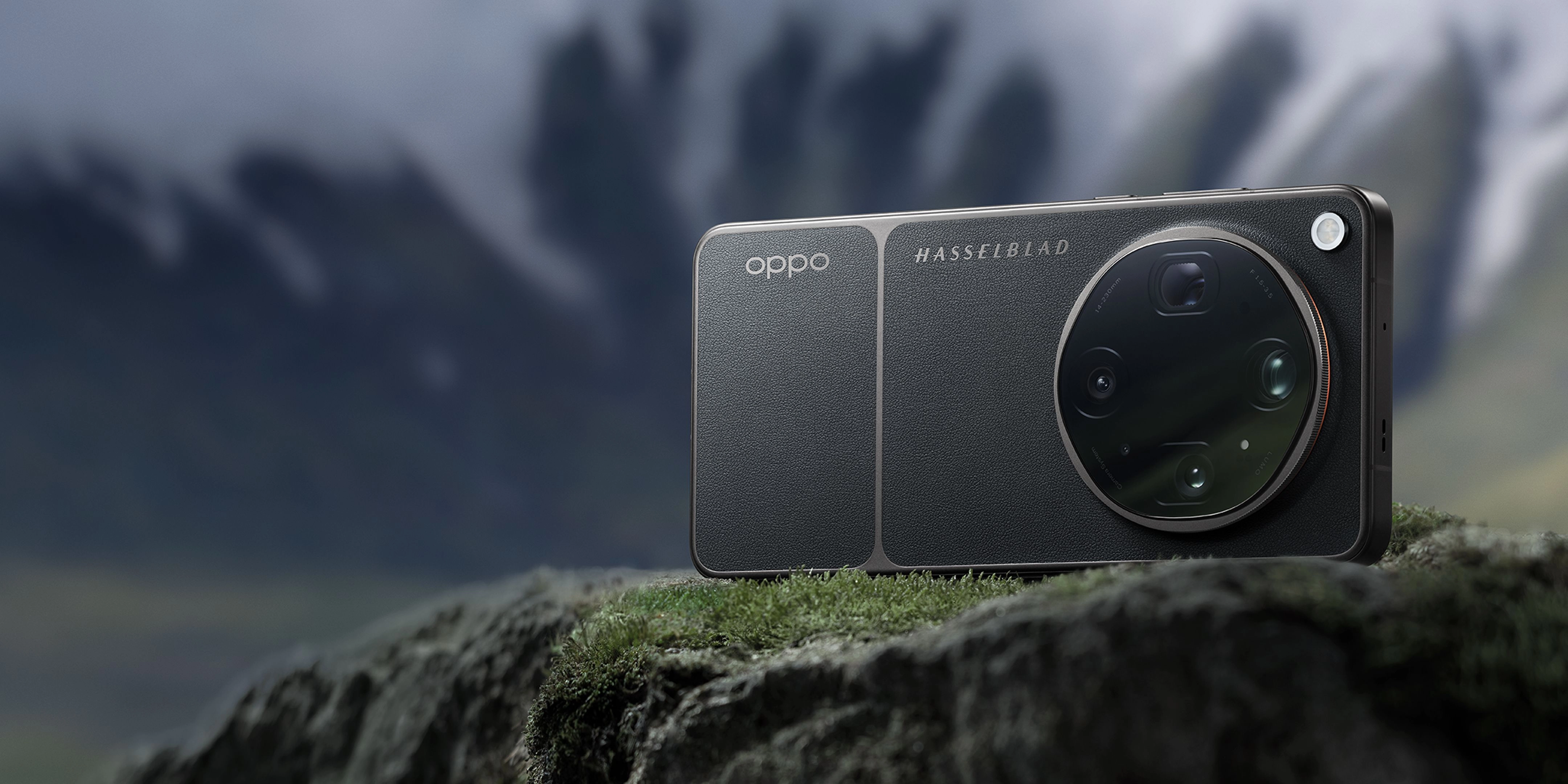
Recommended Tool: OPPO Find X9 Ultra
- • Features a state-of-the-art 144Hz 2K ProXDR Display with up to 3600 nits peak outdoor brightness, ensuring perfect legibility in any lighting condition.
- • Equipped with a True Color Camera utilizing 24 spectral channels and 15EV high dynamic range to capture exceptionally natural tones.
- • Offers a premier eight-lens camera system co-engineered with Hasselblad, providing consistent detail from wide to telephoto.
- • Powered by a massive 7050mAh battery with 100W SUPERVOOC charging to sustain long outdoor creative sessions.
When to use it: Ideal for professional mobile photographers and creators who require absolute color accuracy and screen visibility in harsh outdoor environments; not necessary for casual indoor users who do not shoot high-contrast scenes.
FAQs
Q: How does a ProXDR display handle bright sunlight?
A: A ProXDR display handles bright sunlight by utilizing an advanced high-brightness mode that reaches up to 3600 nits of peak outdoor luminance. Combined with exclusive pixel-level gamma calibration, it dynamically adjusts contrast and brightness to ensure that both deep shadows and bright highlights remain perfectly visible without washing out.
Q: What is the benefit of a multi-spectral sensor in outdoor photography?
A: A multi-spectral sensor, such as one with 24 spectral channels, captures a broader range of light wavelengths. This allows the camera to accurately identify the color temperature of direct sunlight and eliminate unnatural color casts, resulting in highly faithful color reproduction.
Q: Does shooting in high-brightness mode drain the battery quickly?
A: Yes, running a display at peak brightness levels like 3600 nits requires significant power. To counteract this, using a device with a large battery capacity, such as 7050mAh, ensures you can shoot and preview for hours without running out of power.
Q: What is the difference between optical zoom and digital zoom in bright light?
A: Optical zoom uses physical lens elements to magnify the scene, preserving full sensor resolution and detail. Digital zoom simply crops and enlarges the image, which can introduce noise and pixelation, especially in high-contrast outdoor scenes.
Q: How does the Luminous Rendering Engine improve outdoor viewing?
A: The Luminous Rendering Engine optimizes real-time image processing on the display, ensuring that the preview you see on your screen matches the high dynamic range of the final captured image, even under intense ambient light.
Mastering outdoor mobile photography requires a perfect synergy between a high-brightness display and advanced imaging sensors. By utilizing ProXDR technology and multi-spectral calibration, you can confidently capture stunning, true-to-life images even under the most challenging midday sun. To elevate your creative workflow and experience the ultimate in outdoor visibility and color accuracy, explore the capabilities of the OPPO Find X9 Ultra flagship camera system today.