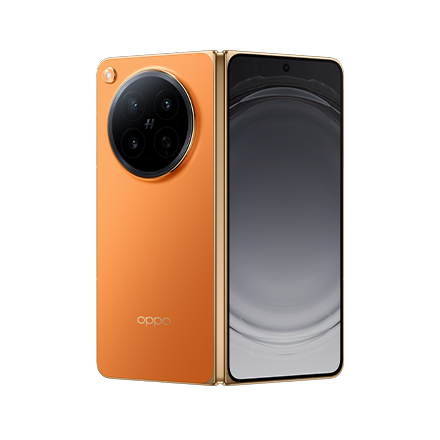

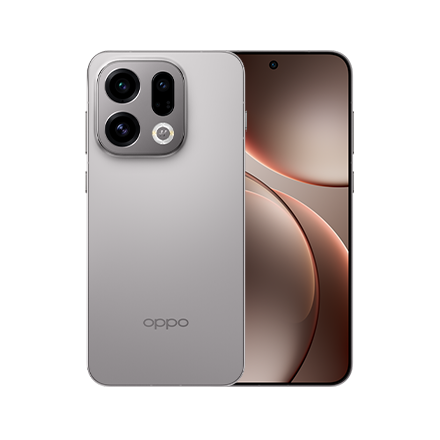
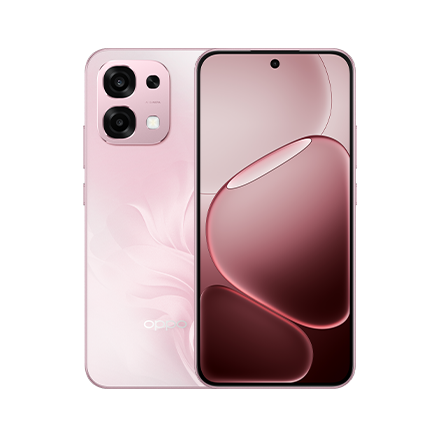






Unfolding New Potential: OPPO Find N6 Redefines Large-Screen Productivity with AI-Driven Innovation

Modern productivity demands more than just mobility; it requires a device that adapts to complex workflows with the same fluidity as a desktop environment. At OPPO, we believe the true potential of the foldable form factor is realized only when sophisticated hardware and intuitive software work in perfect harmony.
This journey reached a significant milestone with Find N3's Boundless View, which liberated multitasking from the rigid, cramped constraints of traditional split-screen layouts. Now, Find N6 takes this evolution even further. By introducing the Free-Flow Window, OPPO expands the capabilities of the large-screen canvas, offering next-level multitasking flexibility experiences.
Complementing this software breakthrough is the redesigned OPPO AI Pen, an intelligent accessory empowered by AI to bridge the gap between creative inspiration and professional execution. By fundamentally optimizing how users engage with multiple active windows and intelligent tools, Find N6 transcends the definition of a smartphone, converting the foldable experience into a portable workstation designed for the modern professional.
Free-Flow Window: A New Era of Multitasking Mastery
Find N6 debuts Free-Flow Window, a sophisticated multitasking solution that empowers users to manage complex workflows with next-level flexibility. This system allows for a primary full-screen app to run alongside three Free-Flow Windows, or for the management of four independent Free-Flow Windows simultaneously. To ensure a truly personalized workspace, users can freely adjust the position, size, and even the aspect ratio of every window, tailoring the layout to the specific needs of their task.1
Unlike traditional mobile overlays that often "freeze" background tasks, every window in the Free-Flow environment remains fully active. This ensures real-time data synchronization across all open apps, creating a live multitasking ecosystem where information flows without friction.
The system provides intuitive, direct control over various workflows. For instance, a professional can monitor a live video feed while keeping research documents and social media apps active in floating windows, adjusting their sizes on the fly. Focus can be shifted instantly: double-tapping a Free-Flow Window swaps its position with the full-screen app, while content can be moved between apps via simple drag-and-drop motions.
This experience is further refined by its seamless integration with Boundless View. A four-finger pinch-out expands the workplace of Free-Flow Window to Boundless View for deep, focused work. Conversely, a pinch-in gesture fluidly returns the interface to the Free-Flow Window layout to handle multiple streams of information. All apps remain in their original positions, ensuring a seamless continuation of the workflow.
OPPO AI Pen: The AI-Powered Stylus for Professional Productivity
OPPO AI Pen is meticulously engineered for Find N6, featuring 4,096 levels of pressure sensitivity to deliver a responsive, natural writing experience across both the inner and outer displays. A specially designed phone protective case serves as a secure storage solution and charging hub, utilizing Find N6's reverse wireless charging to power the stylus. This integrated solution ensures the pen remains charged, and a quick 3-minute charge provides enough power for 1 hour of use, while a full charge supports up to 2 hours of continuous writing or drawing.
A single press of its side button instantly summons the Tool Palette, an intuitive interface that provides immediate access to Quick Note, Global Annotation, and the Laser Pointer. Tapping Quick Note allows ideas to be captured the moment they strike, while a double-click on the button toggles seamlessly between writing and erasing. Even when the device is idle, Screen-Off Note enables users to begin writing on the inactive screen.
This utility extends to the Global Annotation, which can be accessed via the pen button or a simple swipe from the top-right corner of the screen. Designed to mark up any interface, the feature is particularly powerful for reviewing long documents, and the annotations remain active as the user scrolls through pages. Once a review is complete, annotations can be exported as high-quality images or PDFs for instant collaboration and sharing.
Beyond these core tools, long-pressing the pen button unlocks a deeper layer of AI-driven efficiency. By circling a specific area while long-pressing the button, users activate Circle to Capture to instantly isolate on-screen information, which can then be extracted, annotated, or quickly shared. By simply holding the pen tip over the captured content and dragging it toward the bottom of the screen, users activate the Content Portal, which allows one-step, cross-app actions like dropping photos directly into social media for an easy post. This intuitive interaction model removes the traditional friction of mobile multitasking, allowing information to flow seamlessly between disparate apps.
The true power of OPPO AI Pen is realized through its ability to transform conceptual thoughts into professional-grade assets via AI Chart and AI Image. Activated through the same long-press and circling logic, AI Chart effortlessly transforms handwritten notes into structured, fully editable digital tables. For creative workflows, AI Image converts raw sketches into high-quality artistic renderings in seconds. Whether developing a product concept or a storyboard, these AI-driven features allow users to rapidly iterate on ideas and produce professional visual assets directly on Find N6's large-screen canvas.
AI Experiences Tailored for the Expansive Large Screen
Find N6 features a redesigned suite of AI capabilities specifically engineered to leverage the full potential of its expansive inner display.
Communication is simplified through AI Translate, which utilizes the unique form factor to provide a dual-screen translation experience. By simply placing Find N6 into FlexForm Mode, users can engage in a Face-to-Face translation mode. In this orientation, each participant sees the translated results on the half of the screen facing them, facilitating a more natural, immersive conversation while the technology breaks down language barriers in real-time.
Complementing this is AI Document, which introduces an automatic split-screen translation feature that provides a convenient bilingual contrast on the large inner display. This eliminates the need for manual window management, allowing for an immediate side-by-side comparison to ensure clarity.
Seamless Interconnectivity: Bridging Digital Ecosystems
Find N6 builds upon OPPO's established legacy of intuitive cross-ecosystem connectivity, enhancing communication and improving daily cross-platform efficiency.
With O+ Connect, users can easily transfer still photos, videos, Motion Photos, and files between OPPO and iOS or iPadOS devices, removing the barriers between different ecosystems.
Furthermore, Find N6 delivers powerful connection with Mac and Windows PCs, allowing users to mirror their phone's screen onto a PC or even remotely control a PC with their phone.
By integrating the Free-Flow Window, OPPO AI Pen, and interaction experiences specifically optimized for the large screen, Find N6 creates a versatile workspace that adapts to professional needs, empowering users to achieve their best work anywhere, at any time.