




Smartphones
Tablets
Audio
Wearables
Accessories
About OPPO
ColorOS
OPPO Pad 5 Pro
Flagship Tablet. PC on the Go.
13.2-inch 3.4K Professional Creative Display
13380mAh Massive Battery
Snapdragon® 8 Elite Gen 5 Mobile Platform

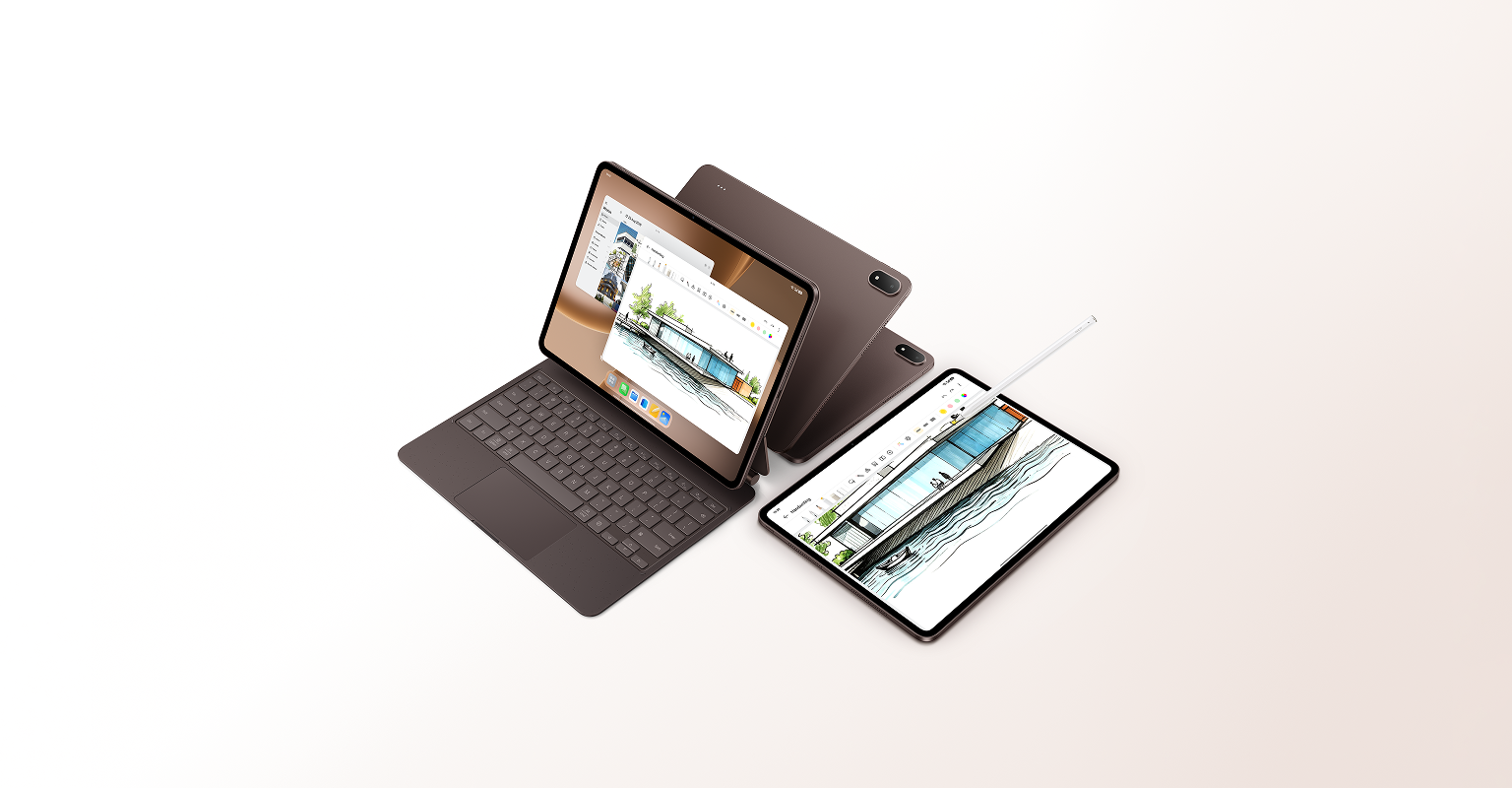
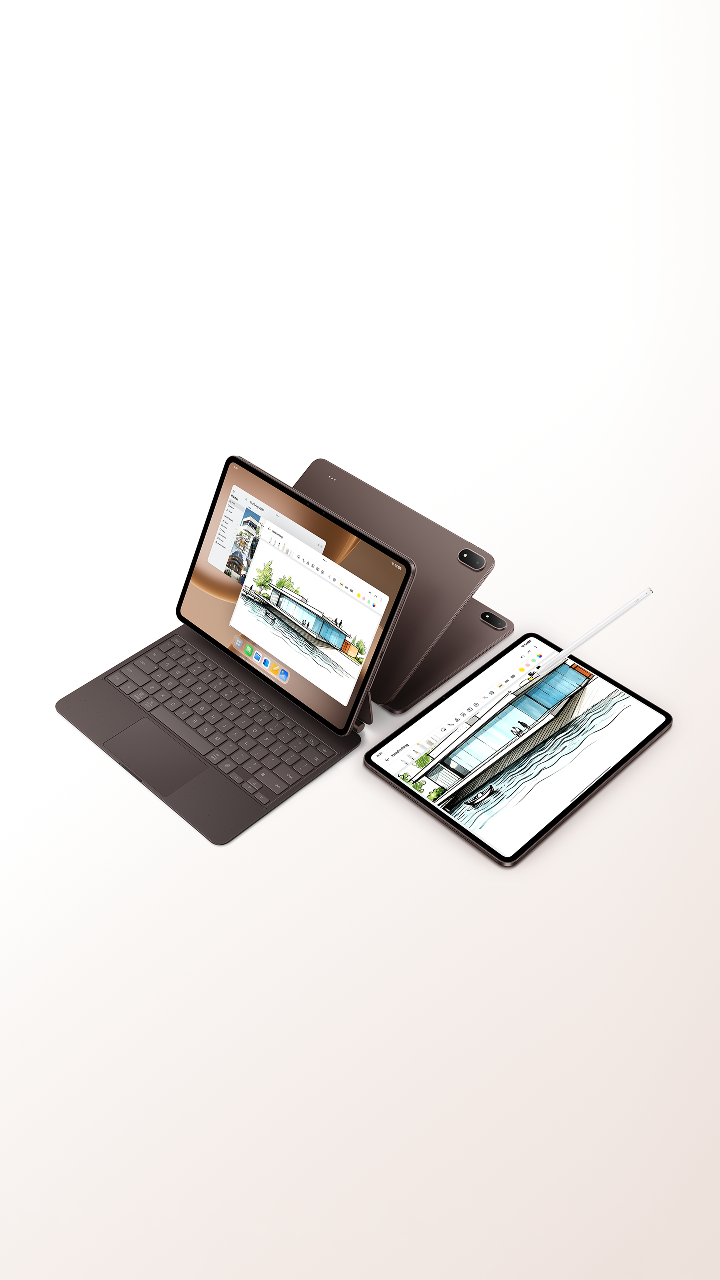


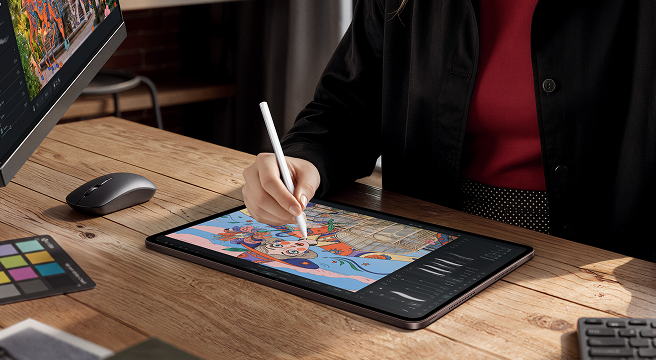





Flagship Specs.
Creative Flow.
Flagship
Creative Tablet
Clearer and Brighter
13.2-inch 3.4K
Professional
Creative Display
13.2-inch1 3.4K flagship display – vivid, smooth, eye-friendly even at night. Accurate colours for pro editing, high brightness for outdoor clarity.

13.2
inches1
315
PPI
7:5
Ratio
144Hz
Refresh Rate2
Up to 540Hz
Touch Sampling Rate
1,000nits
HBM Brightness3
3392*2400
Resolution
ΔE ≈ 0.7
Colour Accuracy4
12-bit
Colour Depth5
98% DCI-P3
Colour Saturation


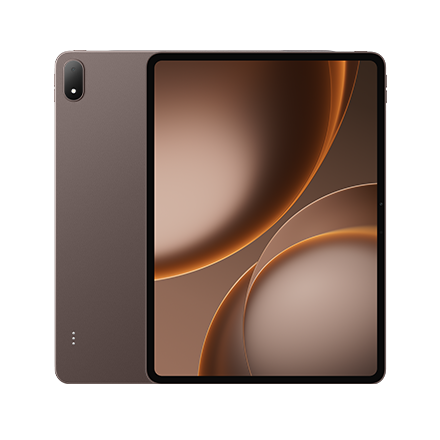
Mocha Brown


Deep, warm brown that blends with any setting. Tucked in your bag, it's your creative companion on the go.
Your AI Creative Partner
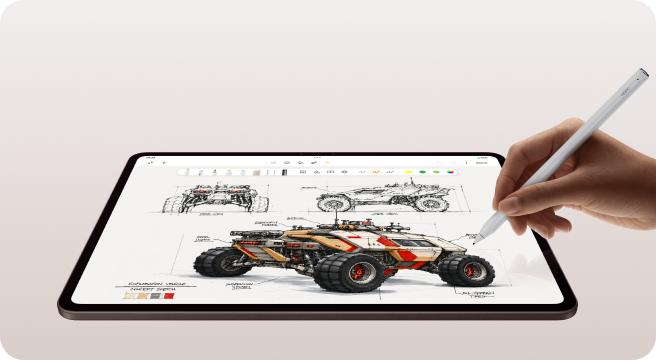
OPPO Pencil 3 Pro6
All-New flagship stylus: natural writing, low-lag, ring-find, and AI smarts. Capture ideas anytime, anywhere.


Paper-Smooth Writing Tip7
The felt tip makes writing quieter and more natural. Whether you're taking notes or creating art, every stroke feels precise and natural.


16000 Levels of Pressure7
Ultra-low latency makes ink appear the instant the tip touches the screen, keeping pace with even your fastest strokes. 16,000 pressure levels deliver natural line weight for drawing and writing.


X-axis Linear Motor7
Writing feels and sounds more paper-like. The haptics for squeeze and double-tap mimic a physical click.


Stylus Finder8
System-level Stylus Finder makes your stylus ring via tablet within 10m. Find it in seconds.
01/04
Capture Inspiration with a Single Circle
Circle to Memoclip
Circle to Capture any image, text, or content – save directly to AI Mind Space. Capture inspiration, elevate your creation.

Drafts to Charts. Sketches to Art.
AI Painter9
Circle notes or doodles – AI Painter creates mind maps or charts. Also turns sketches into art, no skills required – and you can edit freely.
AI Recording Summary
Smarter AI Recording: mark ideas while recording, smart summaries read your marks – catch every insight, boost efficiency.


AI Summary
Read smarter. Built-in AI Summary highlights the key points in long articles and essays, helping you quickly grasp the essentials and focus on what matters most.
AI Writer
Craft reports, reviews, speeches, or posts in seconds. AI suggests ideas when needed. Works seamlessly across social media.


Mind Map
Mind Map extracts key ideas from reports or papers into clear visuals – think sharper, share better, remember more.
AI Editor
A full suite of AI image-editing tools built for professional creative workflows. Your AI retouching assistant makes editing faster and easier.


Flagship Configuration
Create All Day. Flow Unplugged.
13380mAh Massive Battery10
80W
SUPERVOOCTM Flash Charge11
Massive battery powers all-day creation, outdoors or travel. 80W SUPERVOOCTM Flash Charge – a coffee break gives you plenty of power to keep going.


2.52 Days
DoU12
97 mins
from 1%-100%13
Flagship Platform, Ultimate Performance
Snapdragon® 8 Elite Gen
5
Mobile Platform
Built on Qualcomm's advanced 3nm process, Snapdragon® 8 Elite Gen 5 Mobile Platform delivers blazing speed, fluid graphics, and smarter AI.


20%↑
CPU Performance14
35%↓
CPU Power Consumption14
23%↑
GPU Performance14
20%↓
GPU Power Consumption14
37%↑
NPU Performance14


Unleash the Performance Beast
Dual-Drive Cooling System
A flagship-grade cooling system with a total heat dissipation area15 of 40,760mm² fully unleashes flagship-level performance, so your creativity is never held back.


1,843mm²
Vapor Chamber Area15
38,917mm²
Graphite Material Area15
Portable Workstation.
Efficient Creation.
PC on the Go.


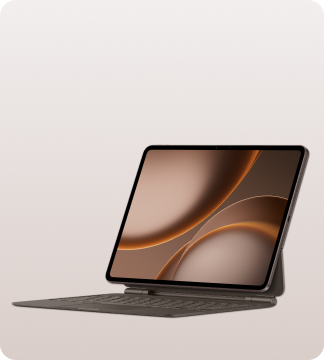
Professional Productivity Accessory
OPPO Pad 5 Pro
Smart
Keyboard16
Lighter Pro keyboard, stable and premium. Magnesium deck and hinge – strong yet portable. Create anywhere, anytime.


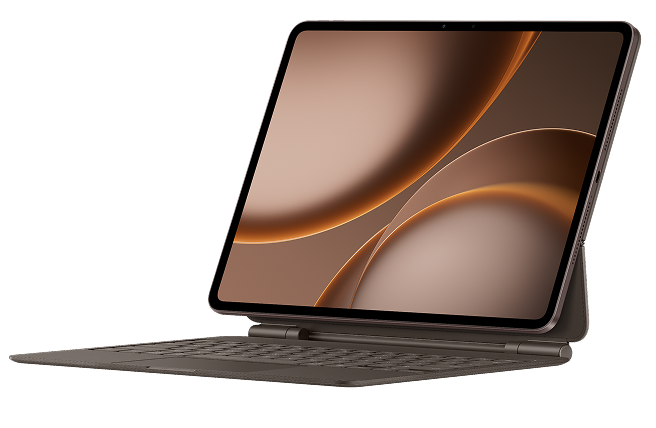


Lighter Pro Keyboard.
Steadier Creation.16
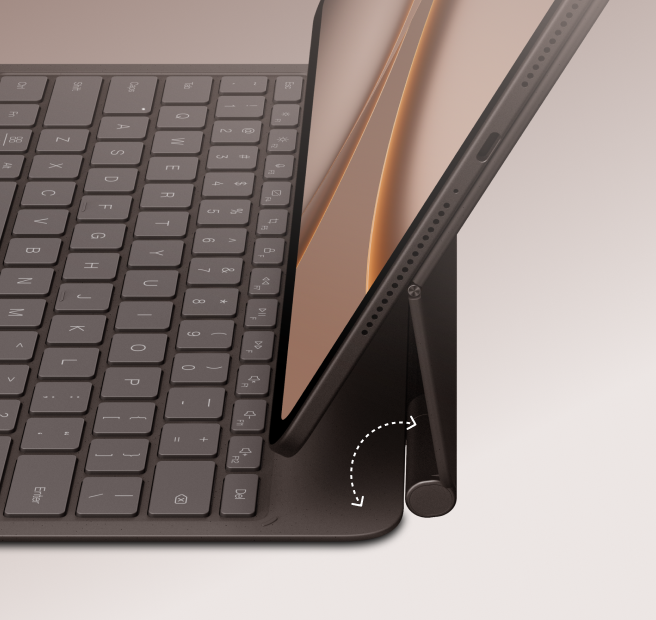


Open and Close in One Step17

Floating hinge opens smoothly, adjusts to any angle. Comfortable setup for efficient creation – seated, at desk, or on the go.
Full-Area Pressure Trackpad17
All-clickable trackpad with refined haptics. Swipe precisely, switch smoothly. Flagship-grade response – boosts productivity.
Auto Key Backlight17
Stepless backlight keeps keys clear in low light. Type faster, more accurately – never fumble for a key.
PC Experience. Creation Efficiency.
Free-Flow Window
Free-Flow Window brings PC-class multitasking to tablet. Open, resize,
move freely – efficiency redefined.
Multiple Documents. View Both.
Multi-Tabs
No more switching back and forth. Compare documents side by side and keep multiple windows in view – all on your tablet.

Organise Creative Assets with Ease
Desktop-Class File Management
ColorOS's all-new file management system brings PC-style file management to your tablet, making it faster and easier to organise creative assets.


Copy assets more easily
Drag and drop files between folders in batches

Find assets more easily
Multiple file-view options

Pin your go-to assets to the desktop
All-new desktop folders


Cut 4K. No Compromise.
Smooth 4K
Video Editing
Edit footage as easily as on a computer. Use professional editing software on your tablet with the full interface and feature set intact. Even 4K ultra-HD footage is easy to edit.
Tablet to Canvas. Instant.
Add-on Screen18
Turn tablet into a pro drawing pad. Drag tools from computer to Add-on Screen, draw freely with real-time preview. Perfect for sketches and retouching – no learning curve.


An HD Secondary Display for Greater Efficiency
Seamless Keyboard
& Mouse18
One keyboard and mouse, two devices. Bidirectional control lets you type and click on either device, then drag, copy, and paste files seamlessly between them for a smoother workflow.


Laptop Home. Assets Anywhere.
PC Remote Control19
Remotely control your PC from tablet with native keyboard & touchpad. Drag files in one step. Access creative assets anywhere, anytime.


Visuals Stun. Audio Wrap.
The Ultimate Cinema for Entertainment
Big-screen Cinema with Immersive Audio
Hi-Fi 8-Speaker
Immersive Sound
4 mid-bass + 4 tweeters, wide frequency. Symmetrical design for spatial richness. Stereo auto-switches with rotation – immersive cinema sound.


ColorOS 16: Smart & Smooth


O+ Connect20
Cross-ecosystem file transfer, seamless connection


5G Network Sharing21
Phone nearby, tablet online


Audio Sharing22
Connect two pairs of earbuds at once, regardless of brand


Disclaimers:
- * Product features and interface contents (including but not limited to UI, UX, background) displayed on the full site are provided for reference only. Please refer to the actual product. Please get in touch with local carriers and sales services for detailed information.
- * An Account login may be required to access certain OPPO AI features.
- * OPPO AI features will vary due to regional laws and cloud-based capability of the user's location. You need an internet connection to use AI-related features.
- * OPPO AI features displayed on the product pages on this website (including but not limited to UI and background) are only to demonstrate the functions. These functions are part of the various software versions and may vary according to the time and place (region) of launch of the different software versions. Please refer to the functions and pages in the actual version.
- * OPPO AI features may behave unpredictably in some cases. Under certain circumstances, this feature might fail. Please refer to actual experience.
- * This page includes AI-generated images, photographs and illustrations.
- * OPPO's laboratory has been accredited by China National Accreditation Service for Conformity Assessment (CNAS), and its test reports are directly mutually recognized in 106 economies worldwide, including those under the International Accreditation Forum (IAF), International Laboratory Accreditation Cooperation (ILAC), and Asia Pacific Accreditation Cooperation (APAC).
- 1. The screen has rounded corners and a diagonal length of 13.2 inches when measured as a standard rectangle.
- 2. The maximum refresh rate is 144Hz, which only works for certain apps.
- 3. The data comes from OPPO Labs. 1000nits brightness is the peak brightness level achieved during testing.
- 4. ΔE ≈ 0.7 is the typical value of the factory average colour accuracy, which is only effective in professional colour mode. The data comes from OPPO Labs. The actual colour accuracy may vary slightly depending on the specific device, testing equipment, testing conditions, and other factors.
- 5. The 12-bit colour depth achieved through display driver IC interpolation technology.
- 6. The OPPO Pencil 3 Pro is sold separately.
- 7. Actual results may vary depending on individual handwriting styles and applications. Actual experience shall prevail.
- 8. This feature is only intended to assist with device finding. Before use, please complete device binding by following the on-screen instructions. Actual results may vary depending on factors such as network environment and individual usage habits. Actual experience shall prevail.
- 9. AI Painter has usage limits for its features: chart generation is limited to 300 uses/month, and drawing illustration generation is limited to 60 uses/month. The usage count automatically refreshes on the 1st day of each calendar month.
- 10. OPPO Pad 5 Pro's battery has an equivalent capacity of about 13380mAh (typical). The image here is for reference only. Please refer to the actual product.
- 11. The SUPERVOOCTM word mark and logos are trademarks owned by Guangdong OPPO Mobile Telecommunications Corp., Ltd. 80W SUPERVOOCTM Flash Charge means that the output power of the charger is 80W. The actual output power may vary due to different environments.
- 12. Data is from OPPO Labs, actual results may differ. Actual battery life may vary depending on network configuration, usage patterns, and other factors, and may differ from theoretical estimates based on the typical capacity.
- 13. Data is based on tests performed in OPPO Labs. The actual charging time may vary depending on differences in environments or individual devices (such as temperature variations and battery age).
- 14. Data is sourced from the official Snapdragon website. Improvement figures are based on comparisons with the previous Snapdragon 8 generation.
- 15. Data and description obtained from OPPO Labs. The actual results may differ due to the usage methods and environment. Please refer to actual experience.
- 16. The OPPO Pad 5 Pro Smart Keyboard is sold separately. The tablet shown in the image is for photography prop display only. The actual product includes only the OPPO Pad 5 Pro Smart Keyboard.
- 17. Screen content and functional interfaces shown are for illustration only. Actual experience may vary.
- 18. The Add-on Screen and Seamless Keyboard & Mouse features currently support Mac products running macOS 11 and above and PC products running Windows 10 1903 (OS build 18362) and above. The latest version of the "OPPO Connect" client must be installed on the computer. The stylus pressure sensitivity feature for computer screen extension requires the tablet to be connected to a paired official stylus. Pressure sensitivity response requires support from third-party applications on the computer. Please refer to actual experience.
- 19. The PC Remote Control feature currently supports Mac products and PC products running Windows 10 or later. You need to install the "OPPO Connect" client from the OPPO Connect official website and upgrade your tablet to the latest system version. When remotely controlling a computer, the size of files that can be dragged and shared is limited by the receiving application. Please refer to actual experience.
- 20. The O+ Connect Tap to Share feature must be used with the OPPO Pad 5 Pro Smart Keyboard. One-Tap Connect and Location Enhancement support use with phones upgraded to ColorOS 14.1 and above, as well as select ColorOS 14.0 models. The specific range of supported models is subject to the versions actually released for the phones; upgrade timing is subject to ColorOS upgrade announcements. The phone and tablet must be signed in to the same OPPO account, and Bluetooth and WLAN must be enabled to use these features.
- 21. The 5G Network Sharing feature require use with phones upgraded to ColorOS 13.1 or above. The specific range of supported models is subject to the versions actually released for the phones; upgrade timing is subject to ColorOS upgrade announcements. The phone and tablet must be signed in to the same OPPO account and have Bluetooth and WLAN enabled to use these features. If the accounts are different or no account is signed in, only Data Sharing can be used.
- 22. The Audio Sharing feature supports OPPO and mainstream-brand Bluetooth earphones. Please refer to actual experience.