OPPO Find X10 · Travel photography

OPPO FIND X10 SERIES · TRAVEL STORY WORKFLOW

Creating a Travel Photo Story with the OPPO Find X10 Series

A good travel story is more than a folder of holiday pictures. It gives a reader a sense of place, a few memorable details and a reason to follow the journey from its first frame to its last.

A travel photo story needs a real route, a sequence of moments and clear selection decisions. No complete creator journey with chronological originals and capture records is supplied here, so this page offers a repeatable planning workflow rather than presenting an invented trip. Use Find X10 Series lens choices to connect place, people and detail throughout a day.

CAMERA FOCUS

Dual 200MP cameras

STORY TOOLS

Composition, colour and video options

OPPO Find X10 Series launch artwork with layered silver and warm-toned arcs
OPPO Find X10 Series campaign artwork. Product imagery is illustrative.

MAKE THE JOURNEY EASY TO FOLLOW

Prepare a real route-based case study

A travel case study needs one real route, chronological originals and the decisions that connect them. The current material does not supply that complete record. Use this page as a how-to framework: plan the sequence, record each stop, select complementary frames and explain the edit. No invented journey or first-person experience is presented as evidence.

For a simple planning template, use travel photo story planning as a checklist: destination, sequence, essential frames and a final selection. Keep a backup of important trip information and review any AI-generated summaries rather than treating them as confirmed itinerary records.

01 / PLAN

Give the trip a thread

Before travelling, plan an opening view, a human moment, a detail, a transition and a closing image. At each actual stop, record location, time, light, focal length and why you chose the frame. Keep short clips only when movement adds information. Select the sequence after reviewing the full set, remove repetitions and apply consistent edits while preserving originals.

02 / CAPTURE

Vary the distance

Pair a wide sense of place with people, objects and tighter details. A deliberate mix makes a sequence feel more complete than repeating the same viewpoint.

03 / EDIT

Keep the sequence clear

Select images that add something new, arrange them in a useful order and make colour adjustments with a consistent intent.

FIND X10 CAMERA SYSTEM

A camera setup for wide scenes, portraits and travel details

The OPPO Find X10 rear camera system combines a 200MP main camera, a 200MP telephoto camera and a 50MP ultra-wide camera. It also includes a True Color Camera and a 50MP Luminous Selfie Camera. Learn more about the Find X10 camera system and consider which focal length suits the subject before taking a frame.

Dual 200MP Camera System (Co-developed with Hasselblad)

The main camera is specified with a 1/1.4-inch sensor, f/1.6 aperture and 23mm-equivalent focal length. The telephoto camera has a 1/1.56-inch sensor, f/2.6 aperture and 65mm-equivalent focal length. Both have autofocus and optical image stabilisation; the stated stabilisation ratings are CIPA 6.0 for the main camera and CIPA 7.0 for the telephoto camera.

Ultra-wide and colour information

The 50MP ultra-wide camera is specified with a 1/2.75-inch sensor, f/2.0 aperture, 15mm-equivalent focal length and autofocus. OPPO lists a 3.2MP True Color Camera with 24 spectral channels and a 95° field of view. Its reference lists 48 colour zones for photos and 108 for video.

For high-resolution travel details, 200MP travel photography is supported at the 23mm and 65mm optical focal lengths in Hasselblad Hi-Res or Ultra-Clear Mode when conditions are suitable. Actual output resolution may vary by scene. Five focal lengths—15mm, 23mm, 46mm, 65mm and 130mm—are listed for 50MP ultra-clear photos when lighting permits; these describe framing options, not five separate physical cameras.

VISUAL REFERENCES

To turn this into a documented case study, add the creator's real route, permissions, morning-to-night originals, model and settings records, selection notes and edit history. Do not infer these from campaign imagery. The separate travel-content guide covers general phone selection; this page focuses on building a coherent chronological story.

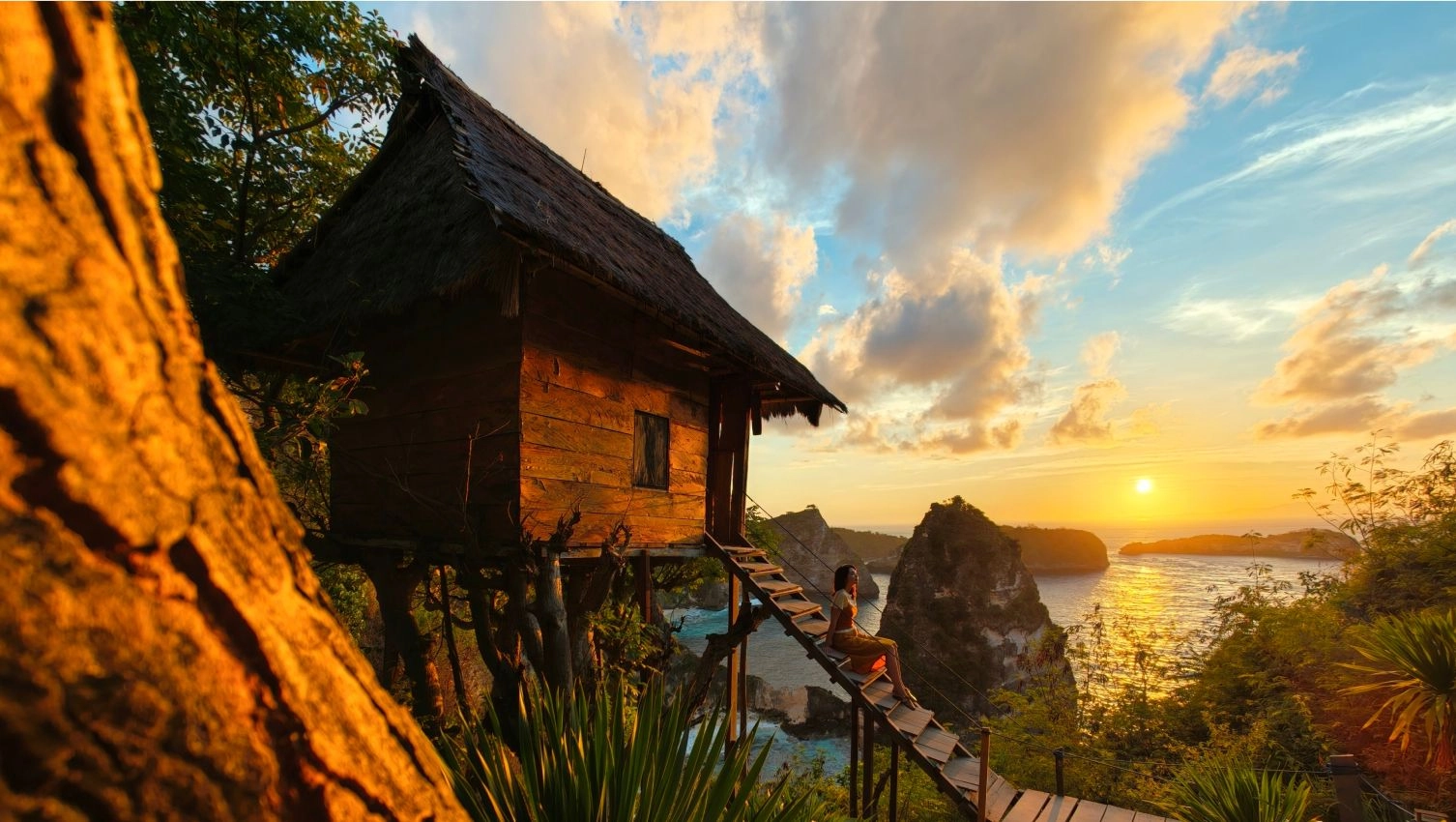
Warm sunset over rocky islands, with a small hut above the ocean
An establishing scene can set the place and mood.
Portrait of a woman against a golden sunset and rocky landscape
A person within the landscape adds scale and narrative.
Smiling woman holding a red apple among baskets of fruit
Food and local details can make a travel sequence specific.
Cream-coloured cat wearing a pearl necklace among pink roses and green foliage
A distinctive subject can become a memorable story beat.
Woman by the sea and rocky cliffs in warm sunset light
A wide environmental portrait can connect a person to a place.
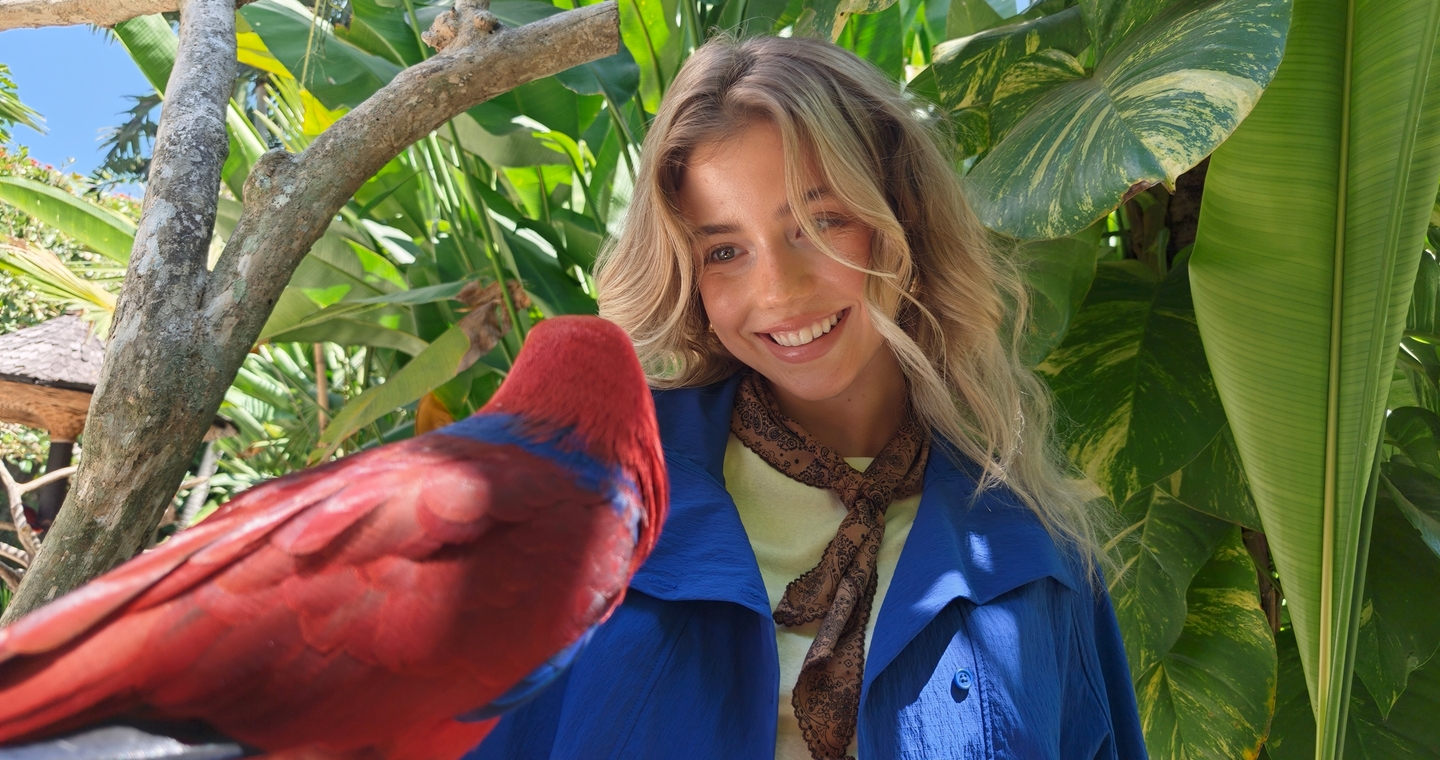
Woman and colourful bird framed among green foliage
Foreground subjects and background context can add depth to a frame.

COMPOSITION

LUMO Framing for a second look

LUMO Framing provides real-time composition suggestions in the viewfinder for close-up portraits, people within a scene and close-ups of objects or scenery. Tilt, heading and focal-length guidance can help recreate a suggested composition, with up to two options to preview.

The feature is described as running on-device and supports 1–10x zoom. The ultra-wide camera and Portrait Mode are currently unsupported, and direct ultra-clear output depends on image-quality conditions. Explore LUMO Framing composition guidance as an optional aid, rather than a substitute for checking the frame yourself.

COLOUR & EDITING

Adjust a look, then keep it reversible

LUMO Color Palette uses a quadrant grid to adjust tone and saturation and includes 18 styles, including Clarity and Amber. It supports Motion Photos, edits in Photos, soft-light effects and beauty effects. Adjustments are reversible; skin-tone protection supports people, not pets, and film styles apply globally.

For a coherent series, compare edits across the whole selection so that a single image does not feel disconnected from the rest. More on LUMO Color Palette editing can help you decide whether a subtle overall treatment fits the story.

TRAVEL VIDEO

Add motion without losing the story’s shape

OPPO Find X10 supports rear video up to 8K at 30fps, 4K 120fps Dolby Vision Video and Ultra Steady. Its horizon levelling can automatically correct Z-axis tilt within 5°, while preserving intentional tilts or camera movements. Results depend on the shooting environment. A 50MP front camera supports video recording up to 4K 60fps with EIS.

Open Gate Capture for flexible crops

Open Gate Capture records 4:3 video at 4096 × 3072, up to 60fps, with H.265 and O-Log2 (4:2:0). Compared with standard 16:9 video with EIS enabled, the source describes a 25% increase to the long edge and 66% to the short edge. This gives a creator more room to crop one recording for horizontal or vertical formats.

For Find X10, the supported focal lengths listed for Open Gate are 0.6×, 1× and 2.8×. Enhanced stabilisation is unavailable in this mode. See Open Gate travel video for the format’s intended flexibility.

OPPO Find X10 Series promotional video. Product footage is supplied by OPPO.

OPTIONAL ACCESSORY

Teleconverter for distant details

The Find X10 Hasselblad Teleconverter Kit lists photo shortcuts of 253mm (11x), 460mm (20x) and 920mm (40x), with video at 11x, 20x and 40x. The stated supported uses include photos, 2K Motion Photos and up to 4K 60fps Dolby Vision video; multiple Motion Photos can also be extracted from video. Direct 4K Motion Photo output is not supported.

The kit is sold separately. The supplied source notes a 2.8m minimum focusing distance and 165g weight. Its listed lens-length unit and magnification/focal-length relationship are unresolved, so they are not presented here as confirmed specifications. Check local compatibility before considering the accessory.

AI-ASSISTED STORYTELLING

Organise travel material with care

AI Mind Pilot Agent Mode is described as able to sort OPPO Photos into albums, turn selected images into collages or photo books, gather itinerary documents and create content from a prompt. Its Fluid Cloud progress display can show task progress while an agent works in the background. The supplied product reference says original OPPO Photos and Files data stays on-device rather than being uploaded to the cloud.

AI Mind Pilot has regional, service, account and free-use conditions. Its availability on a UK device is not confirmed by the supplied information. Check local software details before relying on it, and verify any itinerary details against the original booking or ticket.

AI Mind Space Smart Collections can bring together saved text, images and maps and may generate a Travel Summary or Travel Map. Long-doc Capture and Link Capture are unavailable in Europe and North America, except Mexico; availability of Travel Collections should be checked for the local device and software version.

AI Photo Agent can offer image-specific editing suggestions, including composition, lighting, colour, portrait and element guidance, and may recreate effects from a reference image. It is currently unavailable in Europe in the supplied information, requires a network connection, does not support overseas voice input and has limited free usage. No UK availability is claimed here.

A compatible OPPO Bubble accessory is described as supporting rear-camera selfies with a real-time preview and wireless remote shooting from up to 10 metres. It is sold separately; local availability is not confirmed. Avoid packing accessory assumptions into a travel plan before checking the exact local product information.

QUICK ANSWER · DO THIS FIRST

The fastest way to shape a travel photo story

  • Choose one simple theme and decide where the story starts and ends.
  • Collect trip notes, tickets and confirmations in a place you can check offline.
  • Capture a wide scene, a human moment, a local detail and a closing frame at each important stop.
  • Use the Find X10’s 15mm, 23mm and 65mm-equivalent camera views to vary framing; check the lens selection before each shot.
  • Pause to review composition, focus and exposure rather than relying on a high-resolution setting alone.
  • Select a small set of complementary images, then order them so the journey is easy to follow.
  • Use AI or editing tools only where available on your local software, and verify generated itinerary details against original documents.

BEFORE YOU SET OFF

Prerequisites: what you need

THE WORKFLOW

Step-by-step: create a travel photo story

Step 1: Choose the story you want to tell

What to do: Give the trip a simple focus, such as a walk through a neighbourhood, a day around local food or a route from coast to town. Sketch a beginning, two or three key moments and an ending before sorting images.

Success looks like: You can explain the story in one sentence and identify the kind of photograph that would open and close it.

Common mistake to avoid: Do not try to make every photo from the trip part of the same story.

Step 2: Gather and organise the source material

What to do: Keep useful images and trip notes together, then group the material by day, attraction, food or people. If Smart Collections or AI Mind Pilot is available on your local software, you can explore its collection or album tools; check service and regional conditions first.

Success looks like: You can find the photos and original booking details for each part of the route without depending on a generated summary.

Common mistake to avoid: Do not treat an AI-generated itinerary or map as a replacement for the original confirmation, address or ticket.

Step 3: Capture a mix of views

What to do: Start with the 15mm-equivalent ultra-wide camera for a broad view, use the 23mm-equivalent main camera for everyday scenes and try the 65mm-equivalent telephoto for a tighter detail or portrait. Keep people and objects in context when that helps explain the place.

Success looks like: Your selection includes a sense of place, people or activity, and smaller details that add specificity.

Common mistake to avoid: Do not assume every crop or zoom setting produces a guaranteed 200MP file.

Step 4: Check framing before taking the shot

What to do: Look at the edges of the frame, keep the subject clear and consider whether the background adds useful context. Where available, try LUMO Framing for composition suggestions, then compare those suggestions with your own view.

Success looks like: The main subject reads clearly, the scene feels intentional and important details are not accidentally cut off.

Common mistake to avoid: LUMO Framing does not support the ultra-wide camera or Portrait Mode according to the supplied feature information.

Step 5: Capture short video moments where motion matters

What to do: Record a few purposeful clips of movement, atmosphere or transitions between locations. Use standard video or, if it suits your editing plan, Open Gate Capture to leave more room for later horizontal or vertical crops.

Success looks like: Each clip adds movement or atmosphere that still photographs do not provide, and the chosen mode suits the intended crop.

Common mistake to avoid: Enhanced stabilisation is unavailable in Open Gate Capture, so choose the recording mode with that limitation in mind.

Step 6: Select and sequence the images

What to do: Remove near-duplicates, keep frames that move the story forward and order the remaining images by place, time or theme. Use a wide image to orient the reader, then alternate people, details and transitions where they contribute something different.

Success looks like: The sequence makes sense without requiring the reader to see every image you took.

Common mistake to avoid: Do not keep a weaker duplicate simply because it uses a higher resolution setting.

Step 7: Edit consistently and check the final result

What to do: Apply restrained colour and tone adjustments, using LUMO Color Palette if it is available on your software. Review the full sequence, check captions and location details, and keep the original photographs before sharing or exporting your finished story.

Success looks like: The edited images feel coherent together and the final sequence still reflects the places and moments you actually experienced.

Common mistake to avoid: Do not present illustrative, generated or edited imagery as a photograph of an event or place if it does not document that scene.

MODEL-SPECIFIC INFORMATION

OPPO Find X10 specifications relevant to travel stories

Selected OPPO Find X10 specifications from the supplied product information; not a complete local-market specification record.
AreaOPPO Find X10 informationTravel-story relevance
Main camera200MP; 1/1.4-inch sensor; f/1.6; 23mm equivalent; autofocus; OIS; CIPA 6.0Everyday scenes and wide-to-standard framing
Telephoto camera200MP; 1/1.56-inch sensor; f/2.6; 65mm equivalent; autofocus; OIS; CIPA 7.0Tighter views, portraits and distant details
Ultra-wide camera50MP; 1/2.75-inch sensor; f/2.0; 15mm equivalent; autofocus; no OISBroad scenes and environmental context
True Color Camera3.2MP; 24 spectral channels; 95° field of view; 48 colour zones for photos and 108 for videoColour information for supported imaging features
Front camera50MP Luminous Selfie Camera; 100° field of view; 18mm equivalent; autofocus and EISSelf-portraits and front-camera video
VideoRear video up to 8K 30fps; 4K 120fps Dolby Vision Video; Open Gate Capture up to 4096 × 3072 at 60fpsClips and crops for a mixed-format story
Display and processor6.59-inch display; MediaTek Dimensity 9600M, 3nmCore product specifications; local configuration needs confirmation
Battery and chargingLocal UK hardware version is unconfirmed; no local numeric capacity or charging configuration is stated hereCheck the exact UK product and charger information before travel
DurabilityIP66, IP68 and IP69 water and dust resistance under controlled laboratory conditionsFollow the product limitations; do not intentionally immerse the phone

For UK buyers, the European reference lists 7150mAh typical and 6960mAh rated capacity for both models. Confirm the final UK SKU before applying regional weight, runtime or charging results. Use the official UK Find X10 launch page for current local information; prices, storage options and stock must be checked at purchase.

AFTER THE SHOOT

Validation checklist: make sure the story works

TROUBLESHOOTING

Plan the chronological sequence and decision record

Planning stage — not an observed journeyCapture and decision recordStorytelling purpose
Morning / openingRecord the actual location, light, camera and reason for the establishing frame.Introduce the place and mood without inventing a visit.
People and activityKeep the real sequence, timing and context; record permission where needed.Give the place a human perspective.
Details and transitionsNote focal length and why each close detail or short clip is included.Connect stops and avoid repeating the same information.
Evening / closingRecord the actual light and selected final frame; retain originals.End the sequence with a clear change or resolution.
Selection and editKeep the rejected alternatives, final order and edit notes with the originals.Explain how the chronological material became a coherent story.

A BETTER FINISHED STORY

Best practices for travel photography

OPTIONAL PRODUCT CONTEXT

OPPO Find X10 features that can support the workflow

Find X10 combines its dual 200MP main and telephoto cameras with a 50MP ultra-wide camera, LUMO imaging tools and ColorOS software. These features provide different ways to capture, frame and organise material, but the availability of individual AI services and tools should be checked on the exact local device.

  • Explore camera focal lengths to vary how a destination is shown.
  • Use LUMO Framing where supported to review composition ideas.
  • Try LUMO Color Palette for reversible tone and saturation adjustments.
  • Consider Open Gate Capture if reframing footage for different aspect ratios is part of your workflow.
  • Check local OPPO product information for the confirmed UK model, battery, accessories and software features.

Apply Find X10 Series camera choices to an actual route rather than forcing every feature into the story. The completed case should show why a lens, time or edit was chosen at each stop, including what was left out. General travel-phone selection belongs in the separate travel-content guide.

QUESTIONS & ANSWERS

FAQs about creating a travel photo story with OPPO Find X10

How can I create a travel photo story with the OPPO Find X10 Series?

Apply Find X10 Series camera choices to an actual route rather than forcing every feature into the story. The completed case should show why a lens, time or edit was chosen at each stop, including what was left out. General travel-phone selection belongs in the separate travel-content guide.

What is missing before this becomes a documented travel case study?

The creator's actual route, dates and locations; morning-to-night original photos and clips; model, lens, light and settings records; and selection and editing notes are needed. Campaign imagery cannot supply those facts. Until they are available, the page remains a clearly labelled workflow rather than a claimed field case.

What practical steps help with travel photo storytelling?

Before travelling, plan an opening view, a human moment, a detail, a transition and a closing image. At each actual stop, record location, time, light, focal length and why you chose the frame. Keep short clips only when movement adds information. Select the sequence after reviewing the full set, remove repetitions and apply consistent edits while preserving originals.

What evidence supports this guide?

To turn this into a documented case study, add the creator's real route, permissions, morning-to-night originals, model and settings records, selection notes and edit history. Do not infer these from campaign imagery. The separate travel-content guide covers general phone selection; this page focuses on building a coherent chronological story.

What should UK buyers verify before choosing?

Confirm the local model, RAM and storage, battery version, colours, included accessories and current price. The European reference lists 7150mAh typical capacity for both models, with regional weight and runtime differences. Check the official UK listing and feature-specific software restrictions rather than assuming all global features are available.

IMPORTANT PRODUCT INFORMATION

Disclaimers

Unless otherwise stated, all data shown on this page is based on OPPO laboratory testing and is provided for reference only. Actual data may vary slightly depending on the usage environment, device condition, software version, and other factors. Please refer to actual results.

Unless otherwise stated, product interface content shown on this page, including but not limited to UI and backgrounds, is for feature demonstration only. Features may belong to different software versions, and their availability dates and regions may vary. Please refer to the actual features and interface of the software version. AI experiences may vary depending on the environment, network conditions, personal usage habits, and other factors. Please refer to actual experience.

The AI features described on the page may not be included in the software version at launch. In some countries and regions, these AI features will be updated via OTA. Please refer to the features in the actual version.

An account login may be required to access certain OPPO AI features. Free-use allowances, supported services and account requirements vary by feature. Please refer to the in-app details.

OPPO AI feature availability and results may vary by region, device, software version and supported service. An internet connection is required for features that use online services. AI-generated results may be inaccurate or incomplete; please refer to actual experience.

Product images are for reference only. Please refer to the actual product.

OPPO's laboratory has been accredited by China National Accreditation Service for Conformity Assessment (CNAS), and its test reports are directly mutually recognized in 106 economies worldwide, including those under the International Accreditation Forum (IAF), International Laboratory Accreditation Cooperation (ILAC), and Asia Pacific Accreditation Cooperation (APAC).

Specific product information, battery capacity, charging specifications, availability, and pricing may vary by market and product version. Please refer to the local OPPO product page or authorized sales channel for the most accurate and up-to-date details.

Water and dust resistance: OPPO Find X10 supports IP66, IP68 and IP69 water and dust resistance. Under controlled laboratory conditions, it has been tested to meet the IP69, IP68, IP66 levels according to GB/T 4208-2017 (China) / IEC 60529-2013 (International) standards. Due to factors such as machine aging and personal usage habits, the experience may vary. Please do not charge the phone in a damp state. Avoid exposures to liquids other than fresh water (e.g. saltwater, chlorinated water, chemical liquids) as they may affect functionality.

200MP photography: OPPO Find X10 supports its two core optical focal lengths of 23mm and 65mm in Ultra-Clear Mode under suitable lighting. Actual output resolution may vary by scene.

Five-focal-length photos: Find X10’s listed 50MP Ultra-Clear focal lengths are 15mm, 23mm, 46mm, 65mm and 130mm, subject to Ultra-Clear Mode and suitable lighting. These do not describe five physical cameras.

Open Gate Capture: Find X10 supports 0.6×, 1× and 2.8×, at 4096 × 3072, 4:3 and up to 60fps. The stated 25% longer edge and 66% shorter edge are comparisons with 16:9 video with EIS enabled. Enhanced stabilisation is unavailable in Open Gate mode.

Ultra Steady: Horizon levelling can automatically correct Z-axis tilt within 5°. Results may vary by shooting environment.

Teleconverter: Equivalent focal lengths shown for the Hasselblad Teleconverter are based on OPPO laboratory testing and software cropping. The kit and related accessories are sold separately. Results may vary by scene, lighting and camera settings. Direct teleconverter Motion Photos are 2K; extracting Motion Photos from 4K video does not establish direct 4K output.

AI Mind Pilot: Capabilities and results vary by device, region, software version, supported service, scenario and available content. Limited free usage is included; further use is subject to the relevant ChatGPT or Manus account and in-app conditions. The supplied product reference excludes Russia, Canada and the United States; it does not confirm UK availability.

AI Mind Space: Long-doc Capture and Link Capture are unavailable in Europe and North America, except Mexico. Availability of Travel Collections depends on the local device, region and software version.

AI Photo Agent: AI generates editing suggestions and results that vary by input image, editing request, device, region and software. Limited free usage is included; refer to in-app details. The supplied information lists the feature as currently unavailable in Europe.

Battery and charging: UK hardware version and local configuration are not confirmed in the supplied information; no UK-specific numeric capacity is stated on this page. Where supported, 80W wired and 50W wireless charging are maximum values and may vary by device status and environment. The wireless charger is sold separately.
NEXT STEP

Plan your sequence before the next trip.

Review the travel photo checklist