OPPO Watch | OPPO United Kingdom

OPPO Watch Battery Information

OPPO Watch Battery Information

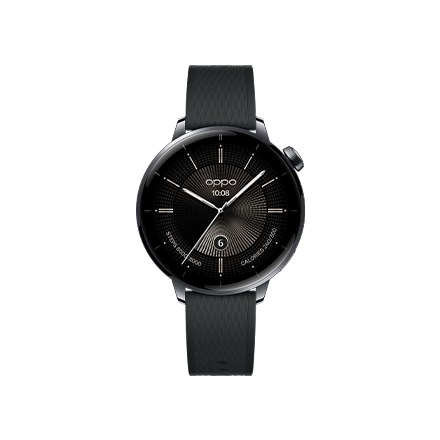
OPPO Watch 46mm (LTE) Version
eSim Standby Battery Life
Up to 10 hours

Battery life is based on the following use: with factory default settings, a phone is paired to the watch with a live eSim, where data is turned on and has no Bluetooth connection; all-day cellular network connection; 45 minutes of GPS use with the screen off during outdoor exercises; 120 times of screen-waking via a wrist-raise motion; 5 uses of Google Assistant, 20 seconds each; 240 vibrating wake-screen notifications display; 200 messages with no notifications; 24 on-screen operations on an active screen, 20 seconds each; 5 minutes of external talk time on a Bluetooth-paired device; 8 active checks of heart rate, 30 seconds each; and 8 hours of sleep monitoring, with background heart rate monitoring always on.

Battery life may vary depending on smartphone data synchronization, watch settings, app versions, third-party app use, and other factors.

Smart Mode Battery Life
Up to 30 hours

Battery life is based on the following use: with factory default settings, a phone is paired to the watch and has normal Bluetooth connectivity; 12 hours of Bluetooth connection, 2 hours of Wi-Fi use, 2 hours of cellular network use, and 8 hours in sleep mode (no Bluetooth connection); 45 minutes of GPS use with the screen off during outdoor exercises; 30 minutes of local music playback while connected to Bluetooth headphones; 120 times of screen-waking via a wrist-raise motion; 5 uses of Google Assistant, 20 seconds each; 240 vibrating wake-screen notifications display; 480 messages with no notifications; 24 on-screen operations on an active screen, 20 seconds each; 5 minutes of talk time on a cellular network; 8 active checks of heart rate, 30 seconds each; and 8 hours of sleep monitoring, with background heart rate monitoring always on.

Battery life may vary depending on smartphone data synchronization, watch settings, app versions, third-party app use, and other factors.

Power Saver Mode Battery Life
Up to 21 days

Battery life is based on the following use: with factory default settings, a phone is paired to the watch and has normal Bluetooth connectivity; Battery life is based on: 30 time-checks via a wrist-raise motion, 10 seconds each; 150 wake-screen message notifications, 5 seconds each; and with heart rate monitoring and step tracking always on.

Battery life may vary depending on smartphone data synchronization, watch settings, app versions, third-party app use, and other factors.

Outdoor Run Mode Battery Life
Up to 6 hours

Battery life is based on the following use: with factory default settings, a phone is paired to the watch with a live eSim; data is turned on, cellular network is used, and has no Bluetooth connection; outdoor run mode is activated with successful GPS location while exercising in an open outdoor space; with 10 wake-screen operations via a wrist-raise motion, 2 seconds each, and 10 active wake-screen checks, 10 seconds each during the run; and 30 notifications every hour.

Battery life may vary depending on smartphone data synchronization, watch settings, app versions, third-party app use, and other factors.

eSim Talk Battery Life
Up to 100 minutes

Battery life is based on the following use: with factory default settings, eSim 4G is on standby and has no Bluetooth connection; answering incoming calls on the watch, and a cycle of 30-minute talk time with 30 seconds in-between.

Battery life may vary depending on smartphone data synchronization, watch settings, app versions, third-party app use, and other factors.

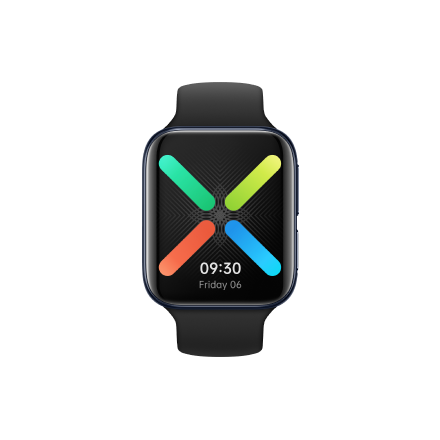
OPPO Watch 41mm (Wi-Fi) Version
Smart Mode Battery Life
Up to 24 hours

Battery life is based on the following use: with factory default settings, a phone is paired to the watch and has normal Bluetooth connectivity; 14 hours of Bluetooth connection, 2 hours of Wi-Fi use, and 8 hours in sleep mode (no Bluetooth connection); 45 minutes of GPS use with the screen off during outdoor exercises; 30 minutes of local music playback while connected to Bluetooth headphones; 120 times of screen-waking via a wrist-raise motion; 5 uses of Google Assistant, 20 seconds each; 240 vibrating wake-screen notifications display; 480 messages with no notifications; 24 on-screen operations on an active screen, 20 seconds each; 5 minutes of external talk time on a Bluetooth-paired device; 8 active checks of heart rate, 30 seconds each; and 8 hours of sleep monitoring, with background heart rate monitoring always on.

Battery life may vary depending on smartphone data synchronization, watch settings, app versions, third-party app use, and other factors.

Power Saver Mode Battery Life
Up to 14 days

Battery life is based on the following use: with factory default settings, a phone is paired to the watch and has normal Bluetooth connectivity; 30 time-checks via a wrist-raise motion, 10 seconds each; 150 wake-screen message notifications, 5 seconds each; and with heart rate monitoring and step tracking always on.

Battery life may vary depending on smartphone data synchronization, watch settings, app versions, third-party app use, and other factors.

Outdoor Run Mode Battery Life
Up to 14.5 hours

Battery life is based on the following use: with factory default settings, a phone is paired to the watch and has normal Bluetooth connectivity; outdoor run mode is activated while exercising in an open outdoor space; with 10 wake-screen operations via a wrist-raise motion, 2 seconds each, and 10 active wake-screen checks, 10 seconds each during the run.

Battery life may vary depending on smartphone data synchronization, watch settings, app versions, third-party app use, and other factors.

Bluetooth Talk Battery Life
Up to 3 hours

Battery life is based on the following use: with factory default settings, a phone is paired to the watch and has normal Bluetooth connectivity; answering incoming calls on the watch; and a cycle of 30-minute talk time with 30 seconds in-between.

Battery life may vary depending on smartphone data synchronization, watch settings, app versions, third-party app use, and other factors.