









Best Camera Phone for Video Tutorials: OPPO Find X9 Ultra Creator Guide
Best Camera Phone for Video Tutorials: OPPO Find X9 Ultra Creator Guide
A useful tutorial needs clear framing, stable footage and a video format that suits the final platform. Recording everything at the highest available resolution can create large files without improving the viewer's understanding.
Choosing the right recording format matters more than simply selecting the highest available resolution. On the OPPO Find X9 Ultra, 4K 30fps provides a practical balance for most spoken tutorials, while 4K 60fps is better suited to demonstrations with more movement. Use 4K 120fps for planned slow-motion sequences, 8K 30fps when you need a high-resolution master, and O-Log2 when the footage will go through colour grading.
Which video setting should you choose?
Choose the video setting according to how much movement you are recording, whether you need slow motion and how the footage will be edited.
- Spoken tutorials can use 4K at 30fps for direct-to-camera speech and longer videos, providing a practical balance of quality, storage and editing.
- Product demonstrations suit 4K at 60fps when hands, tools or products are moving more quickly, although the files will be larger than at 30fps.
- Slow-motion processes can be recorded in 4K at 120fps for exercise, cooking or craft details, with more light and storage required.
- High-resolution master footage can use 8K at 30fps when cropping or reframing is planned, but editing will be more demanding.
- Quick social posts can use Standard video mode for faster recording and publishing, with less flexibility for colour grading.
- Planned brand productions can use O-Log2 when the footage will be colour graded before publishing.
For most YouTube, Reels and product-page content, 4K is the practical starting point. Use 8K when the production specifically needs reframing or a high-resolution master.
Which camera works best for each tutorial shot?
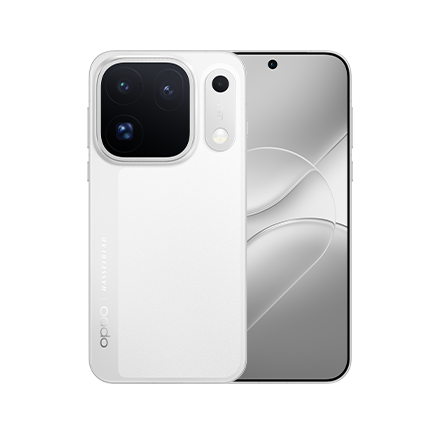
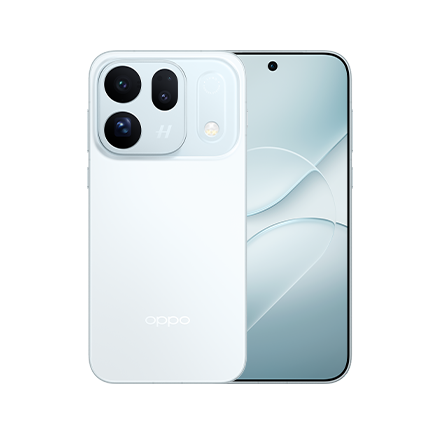
Use the main camera for the presenter and workspace, the 3x telephoto camera for hands or product details, and the 10x optical camera when the phone must remain outside the working area. The 200MP main camera has a 23mm-equivalent focal length and an f/1.5 aperture. It suits introductions, presenters at a workbench and wider views of a product in its surroundings. The 200MP 3x telephoto camera has a 70mm-equivalent focal length, an f/2.2 aperture and a 1/1.28-inch sensor. Its tighter perspective is useful for hands, ingredients and tools. The dedicated Hasselblad 50MP 10x optical camera provides an approximately 230mm-equivalent view. It is useful when the phone needs to remain outside a workshop, cooking or training area.
How can one person record a tutorial?
Use the 50MP autofocus front camera when you need to present and operate the recording setup alone. It records 4K video at 60fps or 30fps.
- Place the phone on stable support.
- Select the required frame rate before recording.
- Mark where you plan to stand.
- Check the background for distractions.
- Record a short test and review the sound, focus and framing.
- Leave extra space if the video is cropped vertically.
Autofocus allows small changes in position without requiring the presenter to remain at one exact distance.
Dual-view video can record the presenter and the rear-camera subject together. This can be useful when viewers need to see both the explanation and the process.
What is the difference between standard video and O-Log2?
Standard video is the better option when you want processed colour that is close to ready for publishing. O-Log2 is intended for footage that will receive deliberate colour grading.
- Colour and contrast are processed in the camera with Standard video, while O-Log2 produces a flatter image intended for grading.
- Publishing is more direct with Standard video after basic editing. O-Log2 footage usually needs additional colour work.
- Editing flexibility is moderate with Standard video and higher with O-Log2.
- The best fit depends on the workflow. Standard video suits quick-content creators, while O-Log2 is designed for experienced editors and production teams.
O-Log2 retains wider tonal information for colour grading. The OPPO Find X9 Ultra also supports the ACES colour workflow for compatible production environments. Custom 3D LUT integration lets you preview a colour treatment in the viewfinder. A LUT can also be burned into the recording when a ready-made appearance is required. A LUT cannot repair poor lighting or incorrect exposure. It should support a consistent production setup rather than replace one.
How can you keep colour consistent?
Use one main light source and keep the background, product and lighting setup consistent between takes. The New-Gen True Colour Camera evaluates ambient light, while the LUMO Imaging Engine manages colour, detail and dynamic range. Hasselblad tuning provides a controlled starting point for food, fabric, beauty and product content. Avoid combining several light sources with different colour temperatures. One neutral main light or consistent window light will usually make product colour easier to manage.
How does the OPPO Find X9 Ultra support longer shoots?
The phone combines a high-capacity battery, fast charging and a cooling system designed to support demanding recording and editing workloads. The OPPO Find X9 Ultra uses the Snapdragon 8 Elite Gen 5 Mobile Platform and a next-generation 3D Cryo-velocity Cooling System. Recording mode, room temperature and session length can still affect heat, so breaks are sensible during intensive recording.
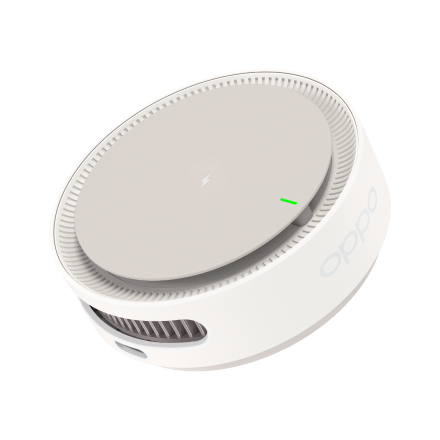
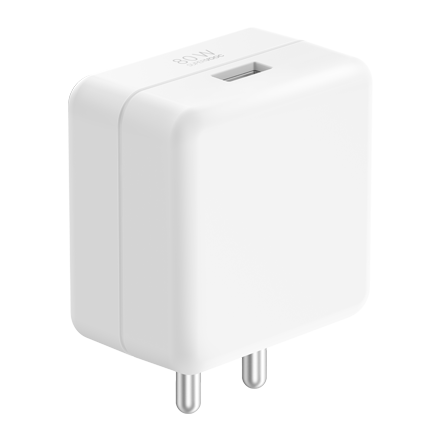
A 7,050mAh typical battery supports shooting, editing and uploading. Charging options include 100W SUPERVOOC wired and 50W AIRVOOC wireless charging.
The display reaches up to 3600 nits peak brightness in outdoor/HBM-boost conditions, improving viewfinder visibility near a bright window or outdoors.
Conclusion
The OPPO Find X9 Ultra provides video options for both simple tutorials and more advanced productions. Its cameras cover wide presentation, close demonstrations and long-distance shots, while O-Log2, ACES and custom 3D LUTs support professional colour workflows.
This range makes the OPPO Find X9 Ultra a best camera phone for video choice for Indian creators who want one device that can grow with their production needs.
Frequently Asked Questions
Q1: Is 8K necessary for a product tutorial?
No. For most tutorials, 4K is easier to store, edit and publish. Use 8K when you specifically need a high-resolution master or more room for reframing.
Q2: Can the front camera record 4K?
Yes. The 50MP front camera records 4K at 60fps and 30fps and includes autofocus.
Q3: What is O-Log2 used for?
O-Log2 retains wider tonal information for colour grading. It is intended for footage that will be edited rather than published directly from the camera.
Q4: Can a LUT be previewed during recording?
Yes. The OPPO Find X9 Ultra supports real-time custom 3D LUT preview and LUT burn-in.
Q5: Does the phone support 4K slow motion?
Yes. It supports 4K recording at up to 120fps, making it suitable for short slow-motion demonstrations.