














Why Photos Look Different on Social Media
You capture a photo that looks sharp, vibrant, and natural on your phone, only to find that it looks different after uploading it to social media. This happens because social platforms process images in different ways, often changing details such as sharpness, colours, and skin tones.
Understanding why this happens can help you take better photos and choose the right camera features for social sharing. This guide helps you understand what affects photo quality before and after upload, and what to look for in a smartphone camera for more consistent results.
Why Your Social Media Photos Don't Match What You Saw
The biggest reason photos change on social media is that platforms optimise images for faster loading and lower data usage. During this process, photo files are often compressed and reprocessed.
The role of image compression
Image compression helps photos upload and load faster by reducing file size, but it can also affect fine details, dynamic range, sharpness, and overall image clarity. As a result, images may appear slightly softer on social media platforms, especially after cropping or editing.
How different platforms process photos
Every social media platform follows its own image-processing workflow.
Some platforms:
Resize large images
Apply additional sharpening
Adjust contrast automatically
Convert files into different formats
As a result, the same photo can look different across Instagram, Facebook, WhatsApp, and other social media platforms. Even when the original file remains unchanged, platform processing can alter the final appearance.
Why Colours and Skin Tones Change After Uploading
Many users notice that colours or skin tones look different after sharing photos online. In most cases, this is caused by a combination of software processing, display technology, and colour management.
Colour profiles and display differences
Photos can appear slightly different across devices because smartphones, tablets, and laptops use different display technologies, colour profiles, and brightness settings, which may make colours look more saturated, warmer, or cooler than intended.
Common skin-tone rendering issues
Skin tones are especially sensitive to image processing, and excessive saturation, over-smoothing, or inaccurate colour balance can make portraits look unnatural instead of true to life.
What Actually Determines Photo Quality Before Upload
Before social media processing even begins, the quality of the original photo depends on the camera hardware and imaging system.
Sensor quality versus megapixels
While megapixels determine image resolution, sensor quality has a greater impact on detail, low-light performance, colour accuracy, and dynamic range, making it a key factor in overall photo quality.
Why lens choice still matters
Different lenses create different visual effects, influencing perspective, background blur, facial proportions, and subject separation. For example, telephoto lenses often produce more natural-looking portraits, while ultra-wide lenses are better suited to group shots and landscapes.
What to Look for in a Smartphone Camera for Sharing Photos
If social media sharing is important to you, look beyond simple specifications and focus on photography consistency.
Consistent colour reproduction
A good smartphone camera should deliver:
Natural colours
Balanced contrast
Realistic skin tones
Consistent results across different lighting conditions
Accurate colour reproduction reduces the chances of photos looking dramatically different after platform processing.
Portrait-friendly focal lengths
Portrait photography benefits from focal lengths that help subjects appear natural and well-proportioned. Look for smartphones that offer:
Dedicated portrait cameras
Telephoto shooting options
Flexible framing choices
Reliable portrait processing
These features make it easier to create photos that remain visually appealing even after social media compression.
How OPPO Reno16 Series Approaches Realistic Photography
After understanding the factors that affect social media photos, it becomes easier to see why modern smartphone imaging systems focus on colour accuracy, portrait quality, and camera versatility.
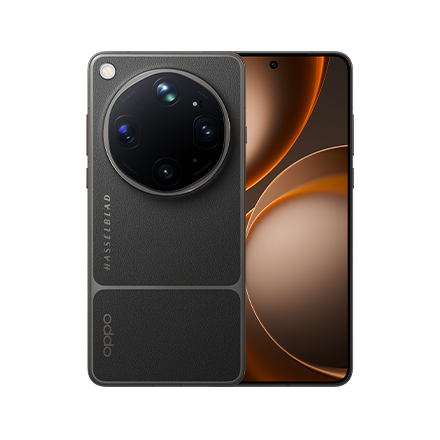
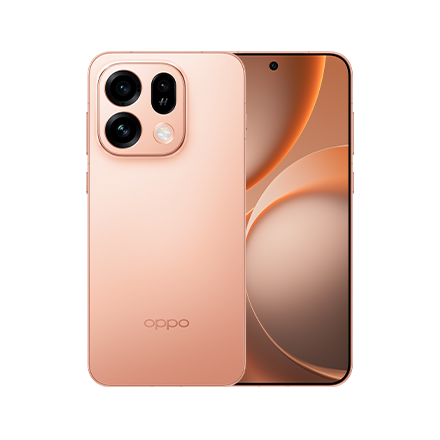
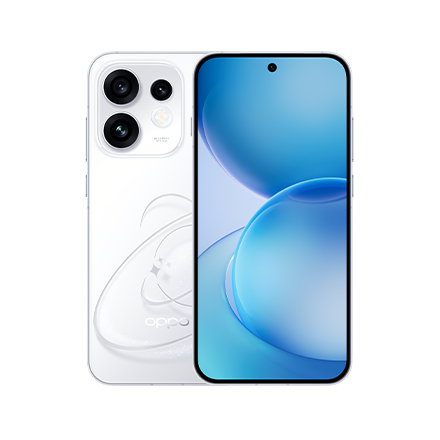
The OPPO Reno16 Series is built around a Trend-Setting AI Portrait Camera experience that combines advanced imaging technology with tools designed for social content creation.
Natural Tone Imaging
One key photography approach in the OPPO Reno16 Series is Natural Tone Imaging, which is designed to deliver true-to-life skin tones and more realistic portrait results, particularly for diverse Indian complexions.
By prioritising natural colour reproduction, Natural Tone Imaging aims to keep:
Skin tones authentic
Facial details realistic
Portraits visually balanced across different lighting conditions
These factors can help photos maintain a more natural appearance after social media processing.
50MP Ultra Wide Selfie Camera and portrait flexibility
The OPPO Reno16 Series combines high-resolution selfie cameras with dedicated telephoto lenses, giving users greater flexibility when capturing portraits, group photos, and social content.
- 50MP Ultra-Clear Main Camera
- 50MP 3.5x Telephoto Vibe Portrait with OIS
- 50MP Ultra-Wide Camera
- 50MP Ultra Wide Selfie Camera with 100° field of view
Its all-50MP camera system provides greater versatility across selfies, portraits, landscapes, and everyday photography, making it well suited for content creators and social media users.
- 50MP Ultra-Clear Main Camera
- 50MP 3.5x Telephoto
- 8MP Ultra-Wide Camera
- 50MP Ultra Wide Selfie Camera with 100° field of view
The camera setup balances portrait photography, selfies, and everyday shooting, while offering a dedicated telephoto lens for more flexible composition and framing.
Combined with Natural Tone Imaging and AI-powered imaging tools, both devices are designed to capture portraits and selfies with realistic skin tones, balanced colours, and clear detail across a variety of shooting conditions.