




















How to Prepare Your Phone for a Full Travel Day
A phone is more likely to last through a full travel day when it is prepared before departure. Download essential resources on Wi-Fi, keep tickets and addresses available offline, check your connectivity arrangements and begin with a realistic charging plan. When choosing a smartphone that lasts all day when travelling, consider both its battery and charging capabilities and how efficiently you can prepare it for navigation, communication, payments and photography.
Complete Essential Tasks Before Leaving
The best time to update, download and organise your travel information is before you leave. Completing data-heavy tasks on a stable Wi-Fi connection can reduce the need to download large files or repeatedly search for information while you are on the move.
Update Apps and Download Large Files on Wi-Fi
Before your travel day, update the apps you expect to use, particularly those for navigation, airlines, railways, hotels, payments and messaging. An unexpected update while you are travelling can consume mobile data and battery, or delay access to something important.
Download entertainment, work files, travel guides and other large content in advance as well. Once you have prepared these resources, you can avoid unnecessary downloads over mobile data and spend less time keeping the screen active while waiting for files to load.
Save Tickets, Bookings and Important Addresses
Keep your flight or train ticket, hotel confirmation, booking reference and local transport details together in an easy-to-find folder. Save copies as PDFs or screenshots where permitted so essential information remains accessible if an app signs you out or the network becomes unreliable.
It is also useful to save the full address and telephone number of your accommodation, station, airport terminal or meeting point. Do not depend entirely on a link inside an email, as opening the link may require connectivity.
Download Offline Maps Where Available
If your navigation app supports offline maps, download the relevant area before departure. Offline access can help you find roads and landmarks without repeatedly loading the same map data.
Mark important locations in advance, including your accommodation, arrival point and key stops. This preparation can reduce repeated searches and make it easier to recover your route when mobile coverage is limited.
Prepare for Limited Network Connectivity
A long travel day involves moving between networks, entering low-coverage areas or connecting after a flight. Preparing for those changes helps the phone remain useful without constantly searching for a stable connection.
Check Roaming and Mobile-Network Settings
For travel outside your regular service area, check whether your mobile plan includes roaming and whether the required network settings are enabled. Review this before departure rather than after arrival, when access to your operator’s app or support service may be less reliable.
If you plan to use a local SIM or another alternative connectivity option, keep the activation information available offline. Make sure you know which number or service will handle calls, messages and mobile data.
Keep Essential Information Available Offline
Save the information that would be most disruptive to lose, such as tickets, booking references, emergency contacts and accommodation details. If a document contains personal or financial information, keep it in an appropriate secure location rather than leaving it openly visible in the photo gallery.
Offline copies do not replace the original booking app or service, but they provide a practical backup when you need access to important details and cannot connect immediately.
Avoid Repeatedly Searching for Unstable Networks
When coverage is weak, a phone may repeatedly try to reconnect. Avoid repeatedly refreshing travel apps, maps or websites when a connection is clearly unavailable.
Use information already saved on the device and reconnect when you reach a better-covered area. Where appropriate and safe, turning off a connection you do not presently need can also prevent unnecessary network searching.
Set Up a Practical Charging Plan
A large battery is important when choosing a smartphone that lasts all day when travelling, but capacity is only part of the answer. You should also consider charging speed, access to power and whether your accessories are compatible with the phone.
Begin the Day with a Full Battery
Charge the phone before you leave, even if you expect to find power later. Navigation, photography, mobile data and a bright screen may all be used heavily during travel, so beginning with a full battery provides the largest practical buffer.
Complete updates and downloads while the phone is already connected to power. This keeps those preparation tasks from consuming part of the battery you need for the journey.
Identify Charging Opportunities
Look at the day’s itinerary and identify places where you may genuinely be able to charge, such as your hotel, airport lounge, train seat or a planned stop. Treat these as backup opportunities rather than assuming a socket will always be free or working.
Fast charging can be especially useful when you only have a short opportunity to recharge. The ability to top up between two parts of the journey may be as relevant as battery capacity when comparing travel phones.
Carry Compatible Charging Accessories
Pack the phone’s compatible charger and cable instead of assuming any available cable will provide the intended charging performance. For international trips, check whether you need a suitable travel adaptor for the destination.
Keep charging accessories easily accessible rather than packed deep inside checked luggage. A compact power bank can provide additional backup where it is permitted, but it should not replace starting the day with the phone fully charged.
Prioritise the Functions You Will Need
Not every travel task has equal importance. Decide which functions must remain available until the end of the day and organise your phone around them.
Navigation and Communication
Maps, calls and messaging are often the highest-priority functions because they help you reach the next stop and stay in touch. Keep key contacts easy to find and share time-sensitive journey details before entering an area where coverage may be poor.
If you are navigating for a long period, check the route during natural pauses rather than keeping the display active continuously when turn-by-turn guidance is unnecessary.
Photos and Short Videos
Travel memories matter, but constant recording, repeated retakes and on-the-go editing can place additional demands on your phone throughout the day. Capture the moments you value, then leave longer edits, uploads and cloud backups until you have reliable Wi-Fi and convenient charging access.
Short, intentional clips are often easier to manage during a packed itinerary. They also reduce the need to review large amounts of footage while travelling.
Tickets, Payments and Booking Details
Keep boarding passes, train tickets, QR codes and booking details ready before reaching the gate or counter. Increasing screen brightness only when a code needs to be scanned can be more practical than leaving the display at maximum brightness throughout the day.
For digital payments, retain an alternative payment method whenever possible. A phone is an important travel tool, but preparation should ensure that one temporary connection or battery problem does not interrupt the entire journey.
How the OPPO Reno16 Series Supports Full-Day Travel
The OPPO Reno16 5G and OPPO Reno16c 5G combine high-capacity batteries, 80W SUPERVOOC and travel-relevant translation features. Both models include AI Menu Translation and AI Live Translation as part of the ColorOS 16 AI suite.
OPPO Reno16 5G with a 6700mAh Battery
The OPPO Reno16 5G starts at ₹66,999 for the 8GB + 256GB configuration, placing its entry variant in the under ₹70,000 range. It features a 6700mAh Battery and 80W SUPERVOOC, providing a high-capacity battery alongside rapid charging for travel preparation and quick top-ups throughout the day.
For an extended journey, the practical routine remains important: charge before departure, download large files on Wi-Fi and keep essential information offline. The larger battery gives these preparations a stronger hardware foundation without removing the need to plan around real usage.
OPPO Reno16c 5G with a 7000mAh Battery
The OPPO Reno16c 5G starts at ₹49,999 for the 8GB + 128GB configuration, placing its entry variant in the under ₹50,000 range. The model combines a 7000mAh Battery with 80W SUPERVOOC.
This combination may appeal to travellers who prioritise long battery life while still following a practical charging and connectivity strategy.
80W SUPERVOOC on Both Models
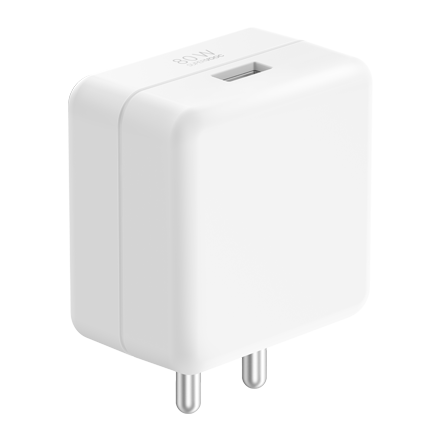
Both the OPPO Reno16 5G and OPPO Reno16c 5G support 80W SUPERVOOC. This makes charging speed an important part of staying powered throughout a travel day, especially when the itinerary includes only brief opportunities to connect to power.
Use a compatible charging setup and avoid assuming that an unfamiliar cable or adaptor will deliver the same charging experience. Before international travel, check that the accessories required for the destination are packed.
AI Menu Translation and AI Live Translation for Travel Situations
Both models include AI Menu Translation and AI Live Translation within the ColorOS 16 AI suite. AI Menu Translation is intended for translating food menus in unfamiliar cities or regions, while AI Live Translation can assist with dialogue and foreign-language content while travelling.
Translation tools can be useful during a trip, but travellers should still keep critical addresses, booking information and emergency details available in a clear offline form. This provides a straightforward backup if connectivity is temporarily unavailable.
A Simple Full-Travel-Day Phone Checklist
Before leaving, check that you have:
- Charged the phone fully.
- Updated essential travel and payment apps on Wi-Fi.
- Downloaded large files and offline maps where available.
- Saved tickets, booking references and important addresses.
- Checked roaming or other mobile-connectivity arrangements.
- Packed a compatible charger, cable and any necessary adaptor.
- Identified realistic charging opportunities.
- Decided which functions must remain available until the end of the day.
Conclusion
To choose a smartphone that lasts all day when travelling, look beyond a battery figure alone. Consider battery capacity, charging speed and connectivity needs, then prepare the device by downloading essential information, saving offline copies and planning realistic charging opportunities.
With a 6700mAh Battery on the OPPO Reno16 5G, a 7000mAh Battery on the OPPO Reno16c 5G and 80W SUPERVOOC on both models, the Reno16 Series provides a strong power foundation for this travel-readiness routine. AI Menu Translation and AI Live Translation add useful support for situations travellers may encounter away from home.
Frequently Asked Questions
How do I choose a smartphone that lasts all day when travelling?
Look at battery capacity, charging speed and the efficiency of the overall device, not just one headline specification. Then prepare the phone before departure by charging it fully, downloading essential resources on Wi-Fi and keeping important information available offline.
What should I download before a full travel day?
Download essential app updates, offline maps where available, tickets, booking confirmations and any large entertainment or work files. Save important addresses and contact details in a format that does not depend on an active connection.
Is fast charging important for travel?
Fast charging is useful when a journey offers only short charging opportunities. It complements a large battery by making a planned top-up more practical, but travellers should still begin the day with a full charge and carry compatible accessories.
Which OPPO Reno16 model has the larger battery?
The OPPO Reno16c 5G has a 7000mAh Battery, while the OPPO Reno16 5G has a 6700mAh Battery. Both models support 80W SUPERVOOC.