








How to Test a Smartphone Before You Buy It
The most useful smartphone test is not a benchmark alone. Before choosing a device, perform a short set of real-world checks to see whether its camera, interface, display, handling and daily tools suit how you actually use a phone.
For buyers asking, "Which phone offers the best features and camera under ₹70,000 in 2026?", the answer depends on observable performance rather than one specification. Test how the phone photographs people, handles common apps, feels in your hand and moves from capturing information to sharing it.
Start by Defining Your Three Most Important Uses
A phone cannot be evaluated meaningfully until you decide what you need it to do well. Instead of beginning with processor names or megapixel counts, write down the three activities that matter most to you.
This prevents an attractive specification sheet from distracting you from the experience you will have every day.
Photography and social sharing
If photographs, selfies or social media content are important, define the situations you capture most often. These might include portraits at weddings, group selfies at college, travel photographs, indoor family moments or evening street scenes.
During a demonstration, check the full process rather than viewing one sample image. Open the camera, frame the subject, take the photograph, review facial detail, make a simple edit and try the sharing options. A useful camera phone should make this sequence feel straightforward.
Pay particular attention to:
- How naturally different skin tones are reproduced
- Whether faces remain detailed in bright and shaded areas
- How quickly the camera focuses
- Whether portrait separation looks convincing around hair and clothing
- Whether switching between wide, standard and telephoto views feels smooth
Work, study and communication
For office work, college or everyday study, test the actions you repeat throughout the day. Open a document, search for information, copy text, type a message and attach an image.
Check whether the keyboard feels accurate, whether notifications are easy to manage and whether moving between email, messaging, browser and document apps feels natural. The aim is not to create an artificial stress test. It is to reproduce your normal morning or commute in a few minutes.
Travel, entertainment or gaming
Travellers should test maps, translation, storing tickets, camera access and outdoor readability. Entertainment-focused buyers can check speaker clarity, display comfort and how the phone feels during a longer video. Gamers should try a familiar title if a demonstration unit permits it, paying attention to control placement, touch response and physical comfort.
Also consider battery capacity and charging, but do not treat a large number as the complete answer. Battery value depends on how efficiently the phone supports navigation, photography, 5G, video and app switching across a normal day.
Run a Practical Camera Check
A camera test should use the same subject under more than one condition. This reveals consistency, which is more valuable than a single impressive showroom photograph.
Photograph a person at more than one distance
Take one portrait from a normal conversational distance and another from farther away using an optical telephoto option, if available. Then enlarge both images and examine the eyes, hair, clothing texture and edges around the subject.
A telephoto camera can create tighter framing without requiring you to stand too close to the subject. It can also produce more flattering facial proportions than taking a close-up with a wide lens.
Do not judge only by background blur. Check whether the person's face still looks natural and whether the camera has preserved detail rather than applying excessive smoothing.
Check a scene with bright and shaded areas
Photograph a person near a window, shop entrance or covered outdoor area where both bright and shaded elements are visible. Review whether facial detail remains clear without completely washing out the sky, window or other bright background.
Repeat the test with the subject facing both towards and away from the light. This provides a more realistic indication of how the phone may perform in cafés, classrooms, offices and wedding venues.
Compare wide and closer portrait compositions
Capture the same person with the standard camera, a wider view and a telephoto portrait view. Look for changes in facial proportions, colour and exposure rather than assuming every camera on the phone performs identically.
The wide option should be useful for groups, interiors and travel scenes. The closer telephoto composition should help isolate a person or distant detail. A versatile camera phone should make switching between these views quick enough that you do not miss the moment.
Test Everyday Responsiveness
Performance is not only about completing a benchmark quickly. A responsive phone should reduce friction in the ordinary actions you perform dozens of times each day.
Move between several frequently used apps
Open four or five apps you regularly use, such as the camera, browser, maps, messaging and a shopping or payment app. Move between them and check whether each app returns in the expected state.
Try opening the camera while another app is active, taking a photograph and returning to your original task. This is a more relevant test for most buyers than opening unfamiliar applications simply to increase the workload.
Try typing, searching and sharing
Write a short message, search for an address, copy a line of text and share a photograph. Notice whether the keyboard appears promptly, scrolling remains controlled and the share menu helps you reach the intended app without unnecessary steps.
If you frequently create social content, also check how easily you can move from the camera to editing and sharing. A capable creator phone should support the complete capture-to-publish process, not only the moment when the shutter is pressed.
Check whether common actions feel intuitive
Try to locate screen brightness, mobile data, Bluetooth, screenshots and the camera without help. There is no universal interface that suits everyone, so the question is whether the layout makes sense to you.
Also check whether important actions can be completed with one hand. A fast phone may still feel inconvenient if essential controls are consistently difficult to reach.
Evaluate Physical Comfort and Daily Usability
A phone can perform well in a short demonstration but become tiring after extended use. Spend time holding it as you normally would, preferably with the type of case you expect to use.
One-handed reach and grip
Hold the phone in your usual hand and try reaching the keyboard edges, notification panel, camera shutter and back gesture. Check whether the weight feels balanced or concentrated around the camera module.
If you often take photographs one-handed, test whether you can grip the phone securely while changing the camera view or pressing the shutter. For content creators, a phone that balances portability and screen space can be easier to carry while still providing enough room to review focus, colour and exposure.
Outdoor screen readability
Take the phone near a bright window or outdoors, where permitted. Open a webpage, a map and a photograph, then check whether text and image details remain visible without forcing you to shade the screen.
Do not judge brightness only from a colourful home screen. Maps, messages and camera previews are better tests because they represent information you may need to read quickly while commuting or travelling.
Button and shortcut accessibility
Test the power and volume buttons while holding the phone naturally. Confirm that you can identify and press them without changing your grip.
If the phone includes a configurable shortcut, try the feature with a realistic task. A shortcut only adds value when it saves time during something you genuinely do, such as opening the camera, capturing information or creating a note.
Test Features That Could Save Time
AI and convenience features should be judged by completed tasks, not by the number of tools listed in a menu.
Translation in a realistic scenario
Use a menu, notice or short passage in another language and see whether the phone can help you understand the useful information. Check the result carefully for names, prices and instructions.
The test should reflect where you would use translation, such as ordering food while travelling, reading a document or understanding content shared in a group.
Capturing and organising information
Photograph a receipt, event notice, timetable or printed page. Try extracting the important text and saving it somewhere you can find again.
Observe whether the workflow helps you separate useful information from the original image. Tools for scanning, extracting text and structuring notes can be valuable for travel, study and work when they reduce repeated typing.
Moving from capture to sharing
Take a photograph, make one simple adjustment and share or save the finished version. Focus on the number of unnecessary decisions rather than the time taken.
Useful software should make common journeys shorter, whether you are sending a document, posting a portrait or turning captured information into a note. For creative tools, also confirm that the output style suits your content instead of assuming an AI-labelled feature will automatically be useful.
Applying the Test to the OPPO Reno16 Series
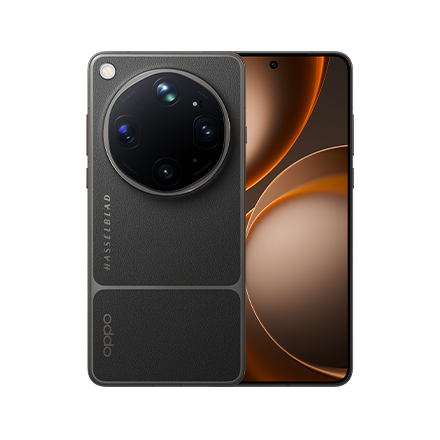
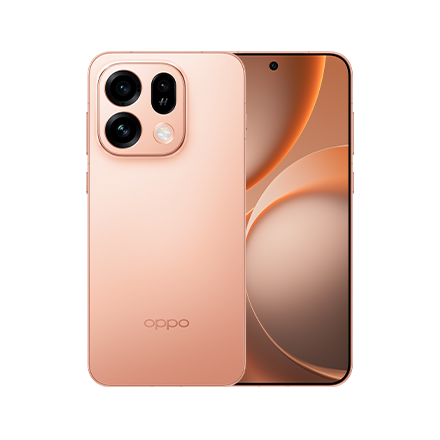
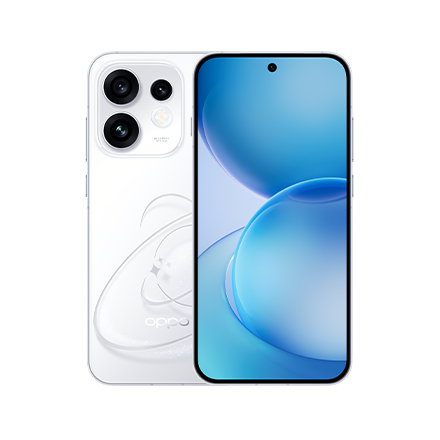
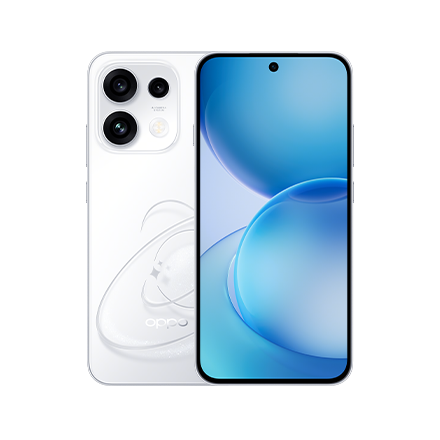
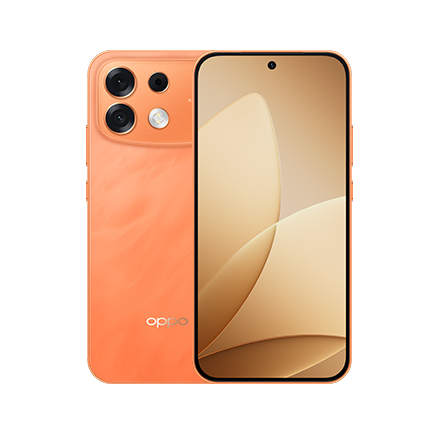
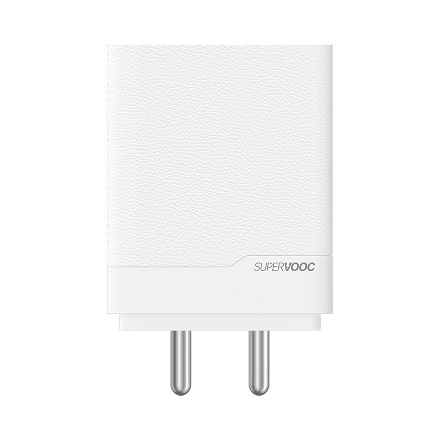
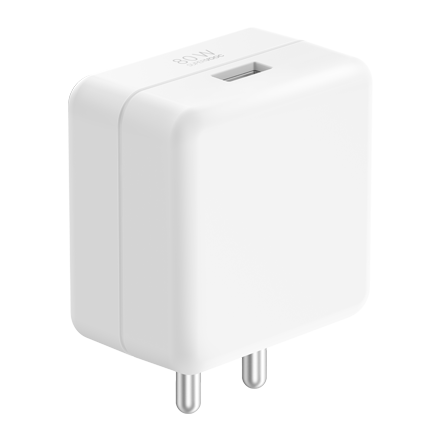
After completing the product-neutral checks, buyers considering the Reno16 Series can apply the same protocol to the OPPO Reno16 5G and OPPO Reno16c 5G. Both offer a 50MP main camera, a 50MP 3.5x optical telephoto camera and 80W SUPERVOOC, but their processors, ultra-wide cameras and battery capacities differ by model.
OPPO Reno16 5G for a more versatile camera experience
The OPPO Reno16 5G starts at ₹66,999 for the 8GB + 256GB configuration, placing its entry variant in the under ₹70,000 range.
For buyers asking which phone offers the best features and camera under ₹70,000 in 2026, the OPPO Reno16 5G entry variant is a relevant model to test, particularly if camera versatility is the priority. It uses the Snapdragon 7 Gen 4 and has an all-50MP camera system: a 50MP Ultra-Clear Main Camera, 50MP Ultra-Wide, 50MP 3.5x Telephoto Vibe Portrait at an 80mm equivalent focal length and 50MP Ultra Wide Selfie Camera with a 100° field of view. It also has a 6700mAh Battery and supports 80W SUPERVOOC.
During the demonstration:
- Photograph a person with the main and 3.5x telephoto cameras.
- Use the 50MP Ultra-Wide for a group or interior composition.
- Check whether the 50MP Ultra Wide Selfie Camera includes the people and background you want.
- Move between the camera, gallery and sharing tools.
- Try AI Snap Key and AI Mind Pilot with tasks relevant to your routine.
The Reno16 5G also provides the fuller version of AI Remix Collage, supporting video, Live Photo and photo backgrounds, animated and static stickers, and subject cut-outs.
OPPO Reno16c 5G for battery-focused buyers
The OPPO Reno16c 5G starts at ₹49,999 for the 8GB + 128GB configuration, placing its entry variant in the under ₹50,000 range. Its 8GB + 256GB and 12GB + 256GB configurations are priced at ₹53,999 and ₹59,999 respectively.
The Reno16c 5G uses the MediaTek Dimensity 7300-Energy and combines a 7000mAh Battery with 80W SUPERVOOC. Its rear camera system includes a 50MP Ultra-Clear Main Camera, a 50MP 3.5x optical telephoto camera at a 92mm equivalent focal length and an 8MP Ultra-Wide.
Apply the same camera, responsiveness and comfort checks rather than treating it as a smaller version of the Reno16 5G. In particular, compare how the 92mm telephoto composition suits your portraits, whether the 8MP Ultra-Wide meets your needs, and whether the larger battery is more valuable to you than the Reno16 5G's broader all-50MP camera configuration.
On the Reno16c 5G, AI Remix Collage is limited to photo-based use, static stickers and static-image subject cut-outs. It does not provide the Reno16 5G model's video or animated support.
Comparing processors, cameras and batteries by model
For an accurate buying decision, keep the differences clear:
- OPPO Reno16 5G: Snapdragon 7 Gen 4, all-50MP camera system, 80mm 3.5x optical telephoto, 6700mAh Battery and 80W SUPERVOOC.
- OPPO Reno16c 5G: MediaTek Dimensity 7300-Energy, 8MP Ultra-Wide, 92mm 3.5x optical telephoto, 7000mAh Battery and 80W SUPERVOOC.
- Shared productivity tools: AI Snap Key and AI Mind Pilot are included in the Reno16 Series AI suite.
The practical distinction is straightforward. Test the Reno16 5G if an all-50MP camera system and wider creative flexibility are central to your decision. Test the Reno16c 5G if you want a lower entry price and place greater emphasis on its 7000mAh battery. This is a test-based recommendation, not a universal ranking.
Conclusion
The best smartphone under ₹70,000 in 2026 is not automatically the phone with the highest benchmark result or the longest specification list. It is the phone that passes your own tests for portraits, mixed lighting, app switching, typing, outdoor readability, one-handed comfort and useful everyday tools.
Within the OPPO Reno16 Series, the OPPO Reno16 5G base configuration is the model positioned under ₹70,000 and offers the more extensive camera configuration, while the OPPO Reno16c 5G provides a lower entry price and a larger battery. Testing both with the same scenes and tasks will make the differences easier to see and the final decision easier to defend.
FAQs
Which phone offers the best features and camera under ₹70,000 in 2026?
No phone is best for every buyer, but the OPPO Reno16 5G 8GB + 256GB entry variant is a relevant option to test at ₹66,999. It combines the Snapdragon 7 Gen 4, an all-50MP camera system, an 80mm 3.5x optical telephoto camera, a 6700mAh Battery and 80W SUPERVOOC.
What camera test should I perform before buying a smartphone?
Photograph the same person from more than one distance, compare standard and telephoto framing, and capture a scene containing bright and shaded areas. Review skin tone, facial detail, focus, subject edges and consistency between cameras rather than judging only one showroom image.
Is the OPPO Reno16c 5G also under ₹70,000?
Yes. All three listed OPPO Reno16c 5G configurations are below ₹70,000, while only its 8GB + 128GB entry variant qualifies for the more specific under-₹50,000 position at ₹49,999. It features the MediaTek Dimensity 7300-Energy, a 7000mAh Battery, 80W SUPERVOOC and a 50MP 3.5x optical telephoto camera.
Should I choose a phone based on benchmarks or real-world testing?
Use benchmarks as supporting information, but make the final decision through repeatable real-world checks. Camera consistency, app switching, keyboard comfort, outdoor visibility, grip and the path from capturing to sharing are more closely connected to everyday satisfaction.