
Can a Smartphone Replace Editing Apps?
Creating social media content today is very different from how it was a few years ago. A smartphone can now serve as a camera, editing tool and publishing platform in one device. The right device can help you shoot, edit, stylise and share content while reducing the need to switch between multiple third-party apps. This guide explains what to look for when choosing a phone for content creation, Reels and on-the-go video editing.
Why content creation often involves multiple editing apps?
Not long ago, creating a single Reel, Short, or social media post often involved switching between multiple apps. A creator might record footage with the phone’s camera, edit clips in a video-editing app, retouch photos using another tool, create collages for Stories, apply filters, remove backgrounds and stabilise shaky footage before moving to a social platform to add captions and publish the final content.
These apps typically helped with tasks such as:
- Trimming videos, adding transitions, adjusting aspect ratios, and preparing content for different social platforms.
- Enhancing photos through exposure correction, colour grading, portrait retouching, and selfie touch-ups.
- Creating collages, Story layouts, mood boards, event recaps, and product showcases.
- Applying film-inspired filters, retro camera effects, vintage colour styles, and decorative overlays.
- Removing backgrounds, creating subject cut-outs, and designing layered social graphics.
- Correcting shaky footage through video stabilisation, horizon levelling, perspective fixes, and motion smoothing.
- Adding captions and text overlays, scheduling posts and adapting content to platform-specific formats.
For creators, this fragmented workflow could make editing and managing content nearly as demanding as capturing it. As smartphones become more capable, creators are looking for devices that can handle more of these tasks directly, reducing the need to move constantly between different apps.
How the OPPO Reno16 5G and Reno16c 5G bring content-creation tools together
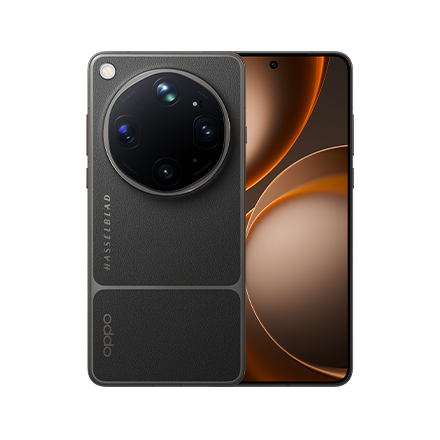
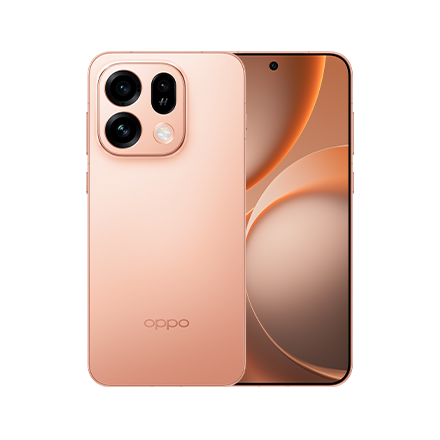
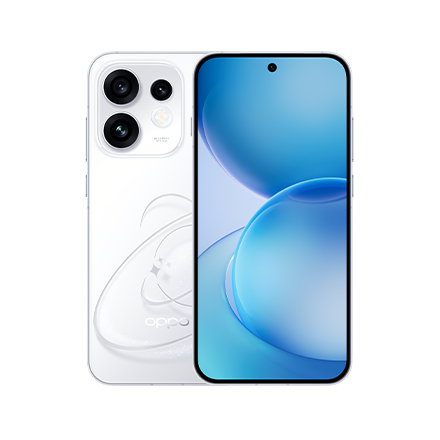
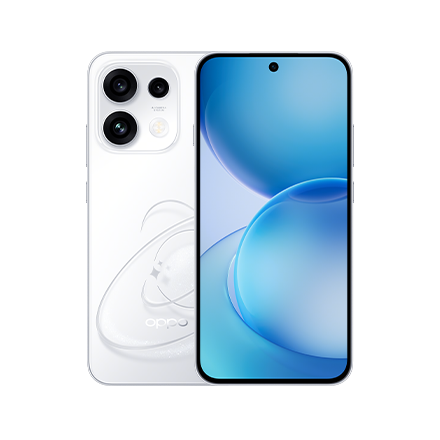
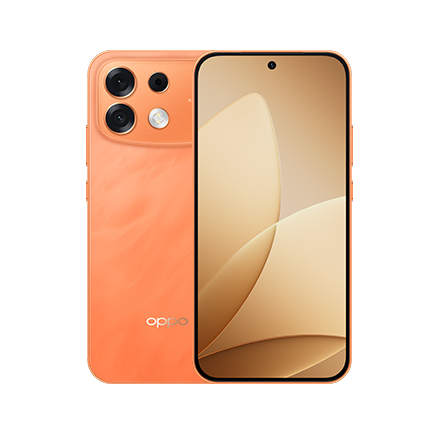
The OPPO Reno16 5G and OPPO Reno16c 5G integrate tools for shooting, editing, creative effects and content organisation, helping creators manage more of their workflow on one device. Priced from ₹61,999 and ₹46,999 respectively, both models offer a range of content-creation features for buyers looking for a smartphone under ₹70,000.
Which editing apps can the Reno16 Series help you rely on less?
| Traditional app category | What creators use it for | Reno16 Series solution |
|---|---|---|
| Video editing apps | Horizon correction and quick video enhancements | 4K Auto Straighten Video |
| Multi-camera recording apps | Reaction videos, interviews and front-and-rear camera recordings | Dual-View Video 2.0 |
| Collage apps | Story layouts, photo dumps and social posts | AI Remix Collage |
| Retro filter apps | Digital-camera and film-inspired effects | Pop Cam |
| Background cut-out apps | Subject cut-outs and layered creative layouts | Popout 2.0 and AI cut-outs |
| Portrait editing apps | Portrait enhancement and skin-tone rendering | Natural Tone Imaging |
| Productivity and organisation apps | Notes, reference material, document scanning and content planning | AI Snap Key, AI Mind Pilot, AI Scan & AI Extract, Live Space |
Why the Reno16 Series works well for content creators
For photography
- Natural Tone Imaging is designed to reproduce natural-looking Indian skin tones, reducing the need for extensive manual colour correction.
- The 3.5x Telephoto Portrait Camera helps capture portraits with natural-looking perspective and background separation.
- 50MP Ultra-Wide Selfie Camera makes it easier to shoot vlogs, group selfies, and social content.
For Reels and short-form video
- 4K Auto Straighten Video helps keep handheld footage level.
- Dual-View Video 2.0 lets creators record with the front and rear cameras at the same time
- Built-in creative tools help turn footage into share-ready content with fewer editing steps.
For social media creativity
- AI Remix Collage creates eye-catching social posts directly on the device.
- Pop Cam adds Digicam, Instant Film, and Light Leak aesthetics.
- Popout 2.0 creates stylish cut-out effects without downloading extra apps.
For all-day creation
- OPPO Reno16 5G: 6700mAh Battery with 80W SUPERVOOC fast charging
- OPPO Reno16c 5G: 7000mAh Battery with 80W SUPERVOOC fast charging
- Both models run ColorOS 16, based on Android 16, and are designed for Smooth After 6 Years of Use.
So, can one smartphone replace the editing apps?
For many everyday creators, a capable smartphone can reduce the need to switch between multiple third-party editing apps. The OPPO Reno16 5G and OPPO Reno16c 5G combine camera features, creative effects and content-organisation tools in one device. Features such as Natural Tone Imaging, AI Remix Collage, Pop Cam, Popout 2.0, 4K Auto Straighten Video and Dual-View Video 2.0 can simplify common content-creation tasks and reduce the number of editing steps involved.
Professional creators may still prefer specialist mobile apps or desktop software for advanced colour grading, detailed audio editing and motion graphics. However, users creating Instagram Reels, YouTube Shorts, travel vlogs, selfies and lifestyle content can manage a substantial part of their workflow on their smartphone. Starting at ₹61,999 for the OPPO Reno16 5G and ₹46,999 for the OPPO Reno16c 5G, the Reno16 Series provides an integrated content-creation experience for buyers considering a phone under ₹70,000.
Frequently Asked Questions
Do I still need editing apps for social media content?
Not always. Many modern smartphones offer built-in editing tools for quick social content creation. The OPPO Reno16 Series includes AI Remix Collage, Pop Cam, and Popout 2.0 to simplify editing workflows.
Can I create collages without downloading extra apps?
Yes. The OPPO Reno16 Series features AI Remix Collage, allowing users to create creative social-ready content directly on their phone.
Are built-in editing tools good enough for Reels and Stories?
For many users, yes. Features such as AI Remix Collage, Pop Cam, and 4K Auto Straighten Video help create shareable content with minimal post-production.
What is the benefit of editing content on the phone itself?
It saves time and reduces the need to switch between multiple apps. The OPPO Reno16 Series combines shooting, editing, and sharing tools in one device.