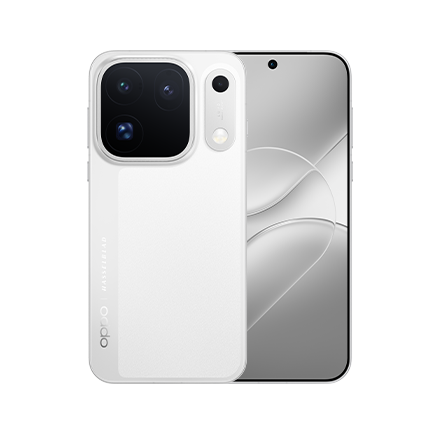
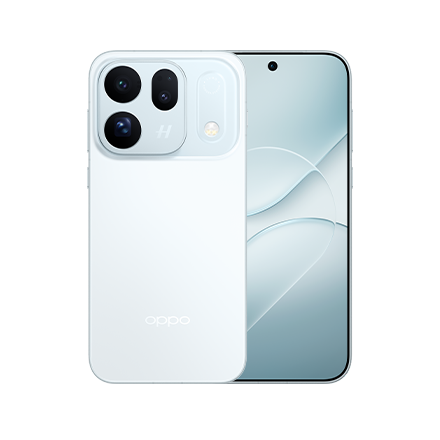
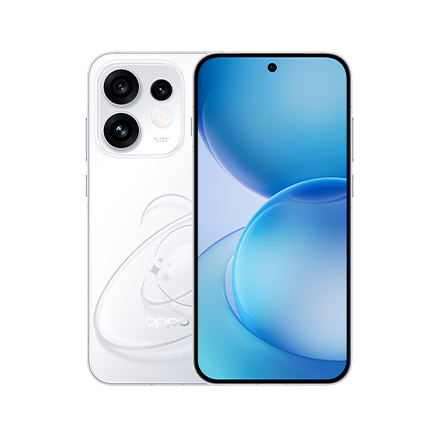

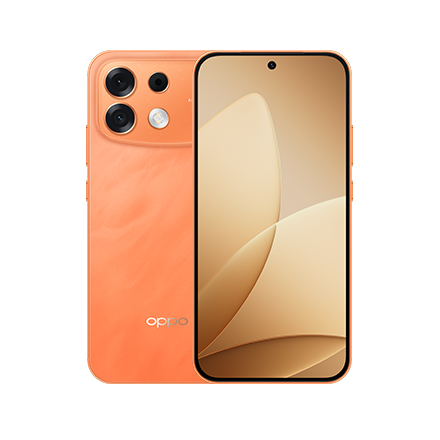



OPPO Find X10 Pro Max for Mobile Video Creation and Editing
For people who regularly create videos on their smartphones, shooting is only the beginning of the creative process.
When shooting outdoors, you may need to record 4K videos continuously. If there is no time to return to your accommodation, you may also need to select footage, adjust colors and edit clips while on the move. Once the video has been exported, you still need to review the final result before uploading it to social media or other platforms. Handling several tasks in succession puts considerable demands on the processor, memory scheduling, thermal management and battery. For creators who want to use a single smartphone for both shooting and basic post-production, sustained performance and energy efficiency are equally important.
The OPPO Find X10 Pro Max features the Laminar Flow Engine x Dimensity 9600 Pro platform, based on TSMC's 2nm N2P process, and combines it with Falcon Scheduler, Adaptive Scheduling Architecture and the 3D Cryo-velocity Cooling System. Its focus is not simply on how quickly a single operation can be completed, but also on how performance and power consumption are managed during continuous imaging tasks.
2nm Chip and Intelligent Scheduling for Smoother Shooting and Multitasking
Frequent video recording places different demands on a smartphone compared with everyday app usage. During recording, the system needs to process image data continuously while handling real-time previews, autofocus and video encoding. If you open an editing app immediately after shooting, loading footage and generating previews place additional demands on system resources.
- Dimensity 9600 Pro
The Dimensity 9600 Pro in the OPPO Find X10 Pro Max features a CPU architecture comprising two Prime cores and six Performance cores. TSMC's 2nm N2P process provides a stronger foundation for energy efficiency, while different cores support independent frequency adjustments according to task requirements.
This means the system does not need to keep every core running at a high frequency all the time. When handling complex imaging tasks, it can allocate the necessary computing resources. For everyday operations such as browsing footage and switching between apps, resource allocation can be adjusted according to the workload.
- Falcon Scheduler
Built on Linux sched_ext, Falcon Scheduler integrates workload awareness, resource scheduling, dynamic frequency control and memory management. For creators who frequently use their cameras, this approach has practical benefits. Even when other apps are running in the background, the camera can receive priority access to critical resources, helping reduce unnecessary waiting during launch and operation.
Another related feature is Chip-Level Frame Tracking 2.0, co-launched with MediaTek. Rather than waiting for lag to occur before responding, it identifies key tasks based on current user interactions and schedules system resources in advance.
For example, when quickly browsing a photo gallery in a third-party app or switching pages and loading media in a social media app, the system can schedule resources ahead of time. These seemingly minor operations make up a large part of everyday mobile content creation.
From Professional Shooting to Post-Production Color Grading: A Flexible Video Workflow
Blackmagic Camera App: Take Control of Your Shooting Parameters
The app features an interface similar to that of Blackmagic cinema cameras. It allows manual adjustments to parameters such as frame rate, shutter angle, white balance and ISO, while also providing tools including timecode, histograms, audio level meters, focus assistance and framing guides.
These features are not necessary for every recording session. Automatic mode is convenient enough for everyday footage. However, when creators want to maintain consistent exposure and color across different shots, manual controls become useful.
For example, when recording an extended interview, you can set the white balance and exposure in advance to reduce noticeable color differences between clips. During recording, the histogram also helps you assess the distribution of brightness in the frame, rather than relying solely on the screen preview to judge exposure.
O-Log2: Preserve More Flexibility for Post-Production Color Grading
If you plan to adjust colors after recording, O-Log2 is worth considering.
The OPPO Find X10 Pro Max supports O-Log2 in the Blackmagic Camera App, along with a conversion LUT that transforms O-Log2 footage into Rec.709. This allows creators to adjust colors and tonal characteristics according to their post-production requirements, rather than relying entirely on the final look established during recording.
It is worth noting that O-Log2 is more suitable for creators who intend to perform post-production color grading. If you simply shoot everyday short videos and want to publish them immediately after recording, the more convenient Photo modes are perfectly reasonable. There is no need to introduce additional post-production work simply for the sake of using a professional format.
Open Gate Capture: Preserve More Room for Reframing
Another feature worth considering is Open Gate Capture.
In Professional Video mode, it supports a 4:3 aspect ratio, a resolution of up to 4096 × 3072 and a frame rate of up to 60fps. Its practical advantage is that it records a more complete native frame. The same footage can then be cropped into landscape or portrait versions during post-production, depending on publishing requirements.
For content creators who need to produce multiple versions of their videos, this approach offers greater flexibility than fixing the aspect ratio at the beginning. However, Enhanced Electronic Image Stabilisation (EIS) is not available in Open Gate Capture mode, so users should consider stability requirements in advance if they expect to move the phone frequently while recording.
Continuous Editing and Exporting: Thermal Management and Battery Life Matter Too
The OPPO Find X10 Pro Max features the 3D Cryo-velocity Cooling System, equipped with a 4650 mm² VC vapour chamber. Graphene foam is also positioned beneath the imaging area to reduce interfacial thermal resistance.
These designs primarily focus on managing heat generated during sustained image processing. The phone may still warm up during continuous high-specification video recording or extended editing sessions, and actual performance can also be affected by ambient temperature, screen brightness and workload. The cooling system helps manage heat rather than guaranteeing that the device will never become warm under any circumstances.
In terms of battery capacity, the Indian market version features an 8000mAh Large Battery. For users who need to shoot outdoors, review footage on location and even complete basic editing during breaks, the large battery provides more capacity and reduces the need for frequent charging.
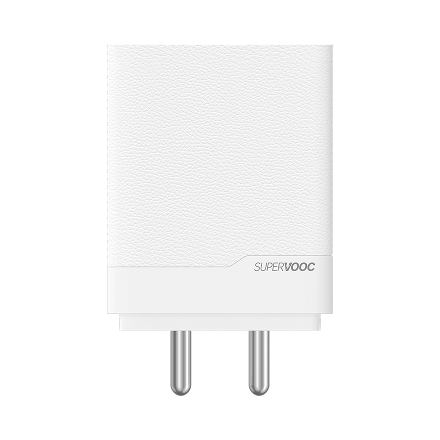
When additional power is needed after shooting, the phone supports 80W SUPERVOOC Flash Charge. Creators can take advantage of breaks or mealtimes to recharge, leaving more battery capacity for subsequent editing and sharing.
Conclusion
The OPPO Find X10 Pro Max is suitable for users in India looking for a smartphone that can handle shooting, editing and uploading social media content with a smooth experience. It combines the 2nm Dimensity 9600 Pro, Falcon Scheduler and Chip-Level Frame Tracking 2.0 to support resource allocation between demanding tasks and everyday operations. Meanwhile, the Blackmagic Camera App, O-Log2 and Open Gate Capture offer more options for shooting control and post-production color grading.
Combined with an 8000mAh Large Battery, 80W SUPERVOOC Flash Charge and the 3D Cryo-velocity Cooling System, it provides a comprehensive hardware foundation for a mobile creative workflow, from on-location shooting and post-production to final publishing.
FAQ
Q1: I want to edit the same video into both landscape and portrait versions. How should I shoot it?
A: The OPPO Find X10 Pro Max supports the 4:3 aspect ratio in Open Gate Capture, preserving a more complete native frame that can be cropped later to meet different platform requirements.
Q2: Will the phone heat up during extended 4K video editing?
A: Some temperature increase is normal during demanding processing tasks. The OPPO Find X10 Pro Max features a 4650 mm² VC vapour chamber combined with dedicated thermal management around the imaging area to help manage heat during sustained workloads.
Q3: I frequently switch between the camera, gallery and video editing apps while shooting. Can the system keep up?
A: The OPPO Find X10 Pro Max features Falcon Scheduler and Chip-Level Frame Tracking 2.0, which allocate system resources according to workload demands, helping support performance during shooting and app switching.
Q4: When shooting a Vlog, how can I keep the subject in focus while they are walking and talking?
A: The OPPO Find X10 Pro Max supports video autofocus. You can also use focus assistance in professional camera apps to check whether the subject is in focus. Recording a short test clip beforehand is much easier than discovering a focus problem after recording the entire video.