













How to Crop Photos Without Losing Detail?
When taking photos, we often encounter situations like these: you want to photograph a building, but the frame includes too much irrelevant background; a distant person appears too small in the image; or, when reviewing travel photos after returning home, you notice that a particular corner of the landscape deserves to be kept as a separate image. Cropping, however, comes with a challenge: the smaller the selected area, the fewer pixels remain. If the original photo does not have sufficient resolution, enlarging it can easily result in blurred details and unnatural textures.
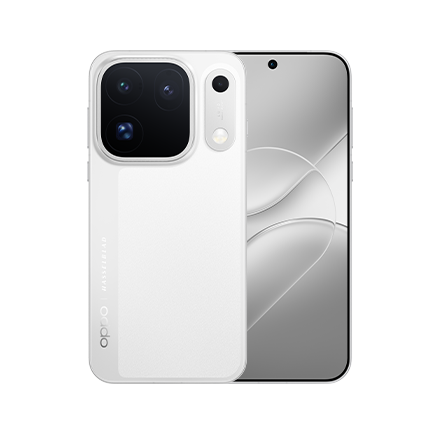
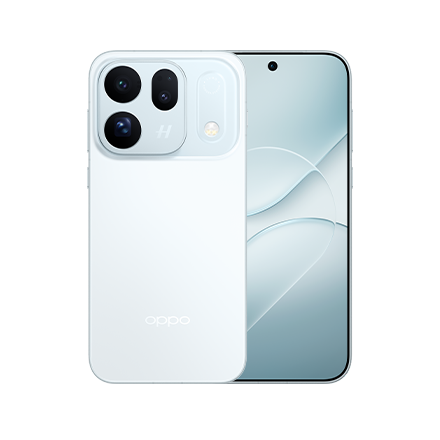
The OPPO Find X10 Pro Max features a Triple 200MP Camera System (Co-developed with Hasselblad), combined with the LUMO Hyper Pixel Engine. It supports various imaging options, from everyday zoom photography to 200MP high-resolution output, giving users more flexibility for enlargement and reframing during post-production.
Triple 200MP Cameras: Retaining More Original Image Information for Cropping
Whether a photo can withstand enlargement depends first on how much useful detail is captured when the image is taken.
All three rear cameras on the OPPO Find X10 Pro Max feature 200MP resolution, covering 13mm ultra-wide, 24mm main and 70mm telephoto focal lengths.
This allows users to select the appropriate focal length according to the shooting distance and capture more image information using high-resolution modes.
Hasselblad Imaging Specifications
| Item | Specification details |
|---|---|
| Hasselblad 200MP Ultra HDR Main Camera | Hasselblad 200MP Ultra HDR Main Camera · 24mm · f/1.5 · 1/1.3″ · AF · OIS |
| Hasselblad 200MP Ultra-Sensing Telephoto Camera | Hasselblad 200MP Ultra-Sensing Telephoto Camera · 70mm · f/2.1 · 1/1.56″ · AF · OIS · 10 cm telemacro |
| Hasselblad 200MP Ultra-Sensing Ultra-Wide Camera | Hasselblad 200MP Ultra-Sensing Ultra-Wide Camera · 13mm · f/2.2 · 1/1.56″ · 124° · AF · 4cm macro · no OIS |
High-Resolution Images: More Room for Secondary Cropping
If you want to enlarge a particular area of a photo after taking it, a high-resolution image provides more pixels for secondary cropping. For example, after photographing an entire building, you can crop out a window, wall texture or architectural decoration to create a new visual focus.
Flexible Imaging: Retaining More Details Even with Everyday Zoom Photography
Simply increasing the number of pixels does not completely solve the problem of detail loss when enlarging photos. How image processing preserves textures and reduces smudging is equally important.
The OPPO Find X10 Pro Max supports Hasselblad Hi-Res Mode, which produces 50MP ultra-clear photos at 13mm, 24mm, 47mm, 70mm and 140mm focal lengths. It also supports Ultra-Clear at Any Zoom (0.5x–9.9x, Live Off). This means photos, with at least 25MP resolution, can be produced across the 0.5x–9.9x zoom range when Motion Photos is turned off. There is no need to switch to a separate setting to obtain high-resolution photos at different zoom levels, and changing the zoom while shooting does not automatically result in blurred frames.
LUMO True Image Engine: Keeping Textures Natural Even After Enlargement
When enlarging photos, the way details are rendered matters just as much as the pixel count. Some photos may look sharp when viewed at a smaller size, but closer inspection can reveal excessively sharpened edges, unnatural artificial textures on skin and buildings, or noticeable smudging.
The LUMO True Image Engine is optimised for detail reproduction. It helps reduce smudging, artificial textures and excessive sharpening while retaining a degree of natural image noise, allowing details to appear more natural.
For example, when enlarging a portrait, you want to see natural skin texture and individual hair details. When enlarging an architectural photo, you want to preserve the original textures of walls, stone and decorative elements. These are the details that LUMO imaging technology focuses on, rather than simply making images appear sharper through excessive sharpening.
Conclusion
If you frequently need to reframe photos or want to crop distant details after taking a picture, the OPPO Find X10 Pro Max is worth considering. It offers a range of options, from everyday high-resolution photography to Hasselblad 200MP Ultra-Clear Photo, giving your images more room for creative adjustments even after capture.
FAQ
Q1: Is this smartphone suitable for photographing buildings or landscapes when I want to crop out small details in the distance?
A: Yes. Hasselblad 200MP Ultra-Sensing Telephoto Camera supports high-resolution imaging, allowing you to choose the appropriate focal length according to the shooting distance.
Q2: Do I need to enable 200MP mode every time I take a photo?
A: No. For everyday photography, you can use Ultra-Clear at Any Zoom across the 0.5x–9.9x range with Motion Photos turned off. Hasselblad 200MP Ultra-Clear Photo is available when you want to retain more local details.
Q3: Does it support high-resolution cropping?
A: Yes. Hasselblad 200MP Ultra-Clear Photo supports photography at 13mm, 24mm and 70mm focal lengths, providing more flexibility for cropping after capture.
Q4: How does this smartphone avoid the smudged appearance caused by excessive computational processing?
A: It relies on the LUMO True Image Engine and True Color Camera, focusing on reproducing natural optical effects rather than relying on aggressive algorithmic smoothing and color brightening.