
OPPO A Series · UAE
Best Phone for Portrait Photography & Background Blur? A7 Pro 5G Guide
Choosing a portrait phone means looking beyond megapixels: subject separation, skin tones, framing and how a camera handles hair and busy backgrounds all matter. The OPPO A7 Pro 5G has a 50MP rear main camera, a wide 50MP selfie camera and portrait-editing features. The available product information does not, however, establish a rear portrait mode or measured background-blur performance, so this guide separates confirmed features from what still needs hands-on checking.
UAE-focused information. Features, availability and software may differ by region and configuration.
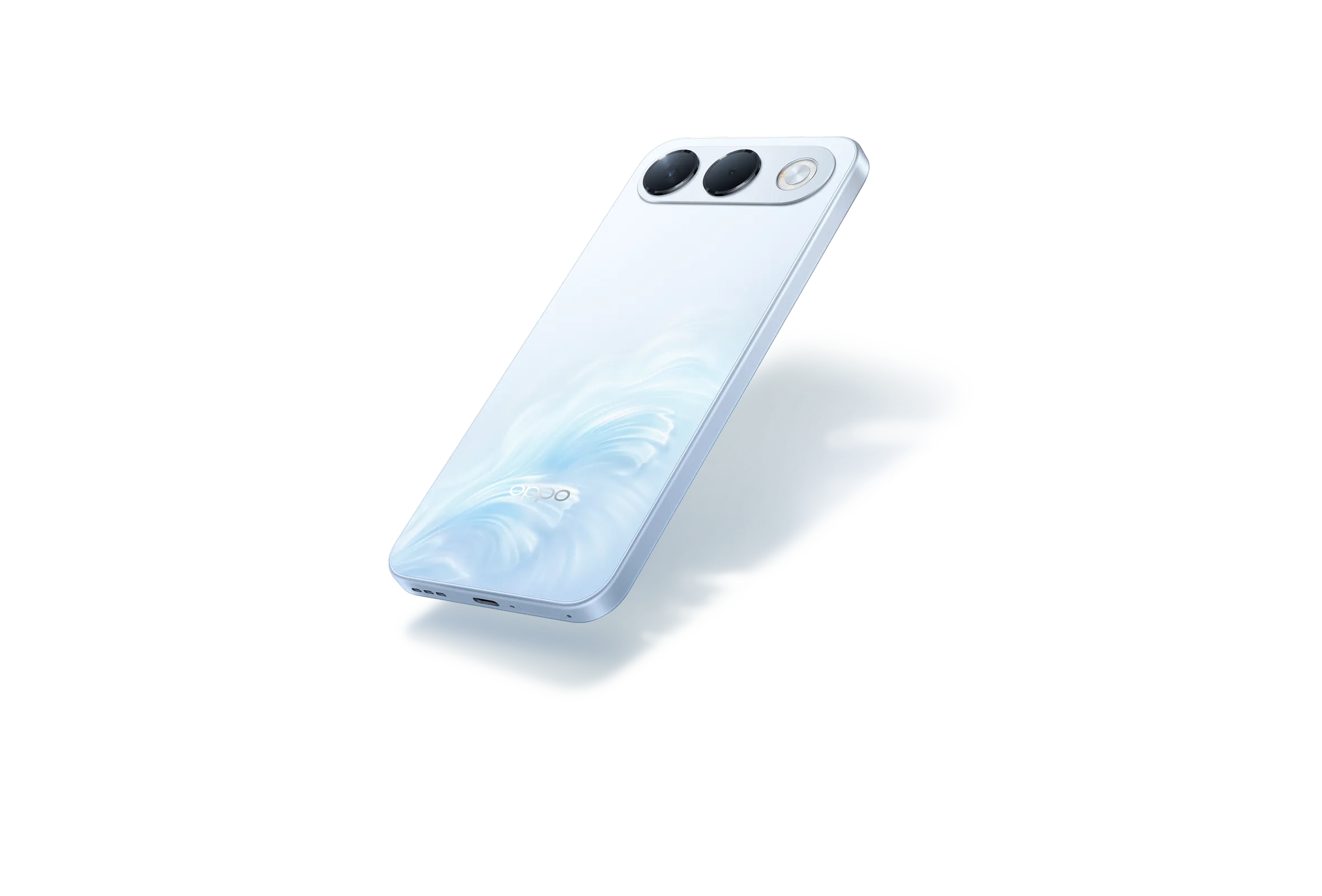 Surfing Blue · UAE colour option
Rear main camera
50MP
Autofocus, f/1.9 aperture and a 79° field of view.
Front camera
50MP · 100°
Autofocus and wide selfie framing; default capture is 12.5MP.
Portrait editing
AI Portrait Glow
Four documented relighting effects applied during photo editing.
Portrait camera assessment
What the A7 Pro 5G can—and cannot—be confirmed to do
The documented hardware gives portrait photographers a high-resolution rear main camera with autofocus and a front camera designed for broad selfie framing. OPPO also names Natural Tone and AI Portrait Glow as tools for adjusting the look of people photos. Those details are useful, but they are not a substitute for evidence about background separation: the supplied materials do not describe a rear portrait-mode workflow, selectable blur strength, bokeh simulation or tests of fine edges such as hair.
If natural-looking background blur is your deciding factor, check the current camera app on the UAE device or review sample images taken in the specific mode you plan to use. For portrait photography phones, compare consistent scenes and inspect both full images and close crops.
Portrait and selfie imagery
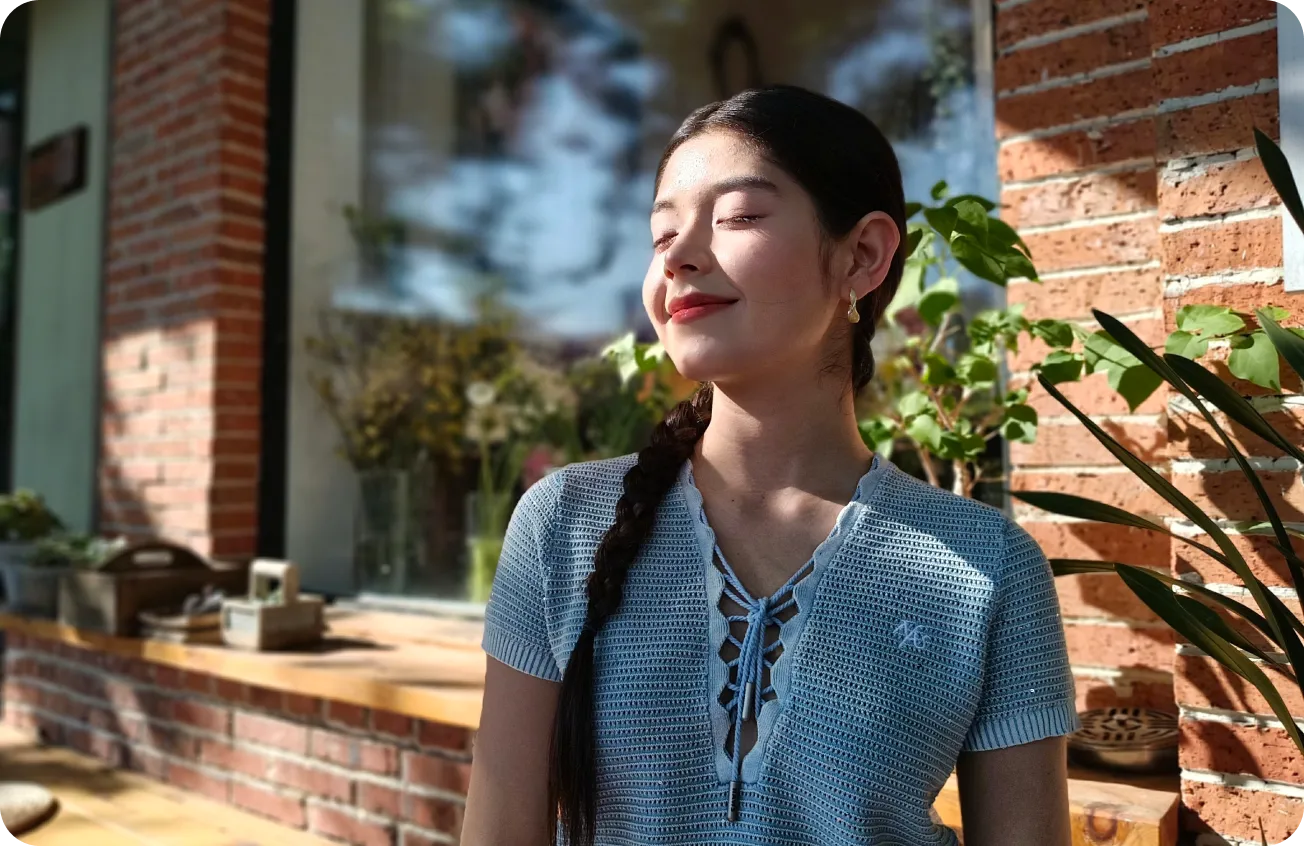
Portrait presentation
A portrait image from OPPO’s product presentation. It illustrates the feature theme, not a controlled test of background blur or edge accuracy.

Wide selfie framing
An official camera-presentation image associated with the front camera’s wider framing. It is a manufacturer example, not independent image testing.
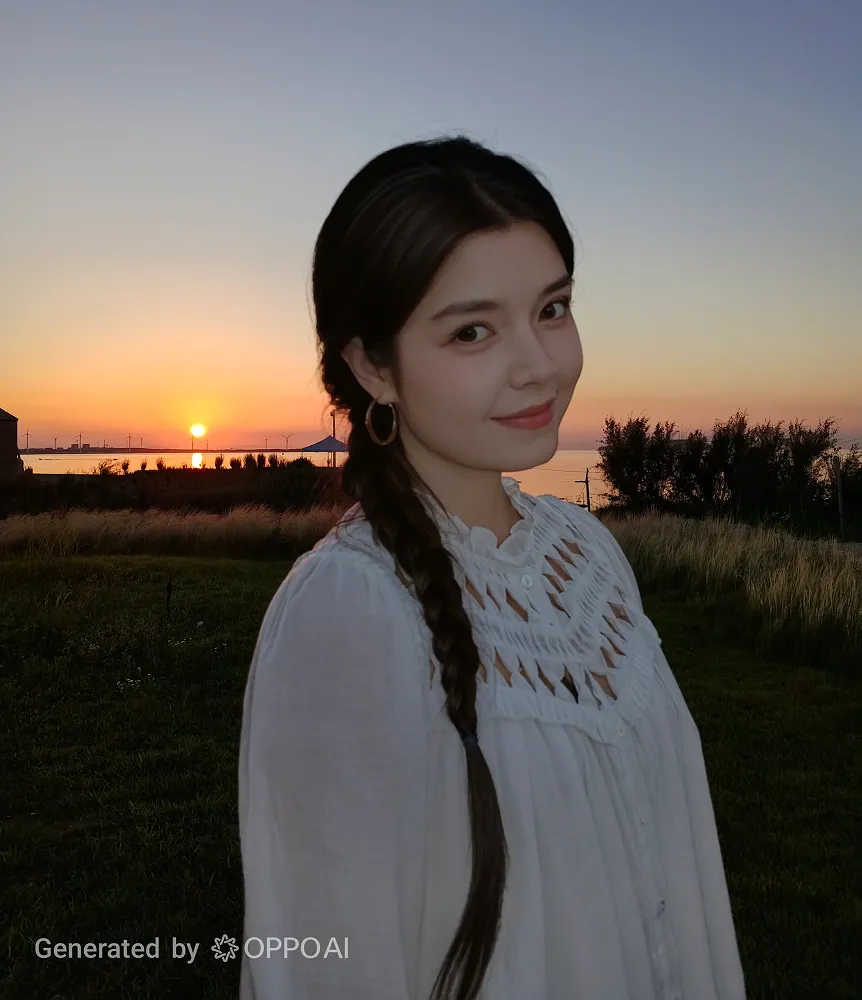
AI Portrait Glow example
The product presentation shows an enabled lighting effect. AI Portrait Glow is a photo-editing feature; this example does not show a live capture effect.

Outdoor camera subject
An official rear-camera showcase image featuring birds outdoors. It is useful as a product example, not a verified independent camera sample.
Product images and sample visuals are provided for illustration. They do not establish capture provenance, unedited output or equivalent results in every scene.
Separate product spec details
OPPO A7 Pro 5G camera specifications
These specifications describe the UAE-focused product information supplied for this page. The camera details help set expectations for portrait use, but a specification alone does not prove the appearance of blur, skin rendering or subject-edge handling in a finished photograph.
| Camera or feature | Documented details | Portrait relevance | Evidence limit |
|---|---|---|---|
| Rear main camera | 50MP; 1/2-inch CMOS; f/1.9; 79° field of view; 5P lens; autofocus. | The primary documented rear camera for everyday photography and portraits. | No supplied portrait-mode workflow, blur control or portrait edge-quality test. |
| Rear auxiliary camera | 2MP; f/2.4; 89° field of view; 3P lens. | A secondary camera is listed in the product guide. | Called “Portrait Depth Camera” in one place and “Monochrome” in the specifications; its role in blur is not clarified. |
| Front camera | 50MP; f/2.1; 100° field of view; 5P lens; autofocus. | Wide selfie framing can include more people or surroundings. | Default photo resolution is 12.5MP; manually select High Resolution for 50MP. This is not a rear ultra-wide camera. |
| AI Portrait Glow | Natural, Flash, Rim and Studio effects, with adjustable intensity. | Provides relighting options for portraits during photo editing. | The materials do not establish live capture effects or background blur. |
| Natural Tone | Described as tuning skin tones, colour and texture in everyday scenes. | Relevant to the look of people photos and selfies. | Not an independent colour-accuracy test; stated to be unavailable in low light. |
| AI Portrait Retouching | Described as adjusting selfie beautification to the environment. | A selfie-editing option. | The source description is incomplete, so additional behaviour is not specified. |
Editing tools
Relight a portrait after taking it
AI Portrait Glow offers four named lighting styles—Natural, Flash, Rim and Studio—with adjustable intensity. The documented route is Photos → Edit → AI Editor → AI Portrait Glow. This is post-capture photo editing; it should not be mistaken for a confirmed camera mode or a background-blur tool.
For more on AI portrait editing, keep an original copy and compare the result at normal viewing size as well as in a crop. Editing can change the lighting impression, but it cannot be assumed to restore detail that was not captured.
Explore OPPO AISelfie resolution and framing
A wide front camera for individual and group selfies
The 50MP front camera has autofocus and a 100° field of view. According to the supplied specifications, the default is 12.5MP; 50MP output requires selecting High Resolution manually. The wide framing is intended for selfies and does not mean the rear camera has an ultra-wide lens.
If your main use is wide group selfies, consider how close you usually hold the phone and whether you prefer including more background. A field-of-view figure describes framing; it is not a guarantee that every face will look equally natural near the edge.
See the official product informationWhat a media review adds
In a review published by The Cornea Impression on 28 September 2026, Mayur Makwana described a week of daily use in the UAE. His review noted natural-looking daylight images and useful selfie framing, while also observing occasional interface hesitation and limited rear-camera versatility. These are the reviewer’s observations, not controlled portrait comparisons or measured background-blur results.
Absolute Geeks also published an A7 Pro 5G review with an outdoor portrait/selfie image in its gallery. The image’s capture provenance was not independently verified, so it should not be treated as proof of rear-camera portrait performance. Read the Absolute Geeks review and gallery with that distinction in mind.
Neither review supplies the controlled, matched portrait comparisons needed to rank this phone for background blur. For a fair personal check, photograph the same person against both a simple and a busy background, then inspect hair edges, skin tone, focus and the transition between subject and background.
How to assess portrait results
- 01Subject separation — check whether the person stands out without a harsh or inconsistent outline.
- 02Hair and fine edges — inspect flyaway hair, glasses and spaces between fingers against the background.
- 03Skin tone and texture — compare the face with the scene’s lighting and look for excessive smoothing.
- 04Distance and perspective — repeat at a consistent distance; moving closer can change facial proportions.
- 05Light and background — try daylight and indoor light, and include both simple and detailed backgrounds.
- 06Compare like with like — use the same camera, framing and settings, and review both the full image and a crop.
Choose by the portrait you take
- If you mostly take selfies → consider the 50MP front camera, autofocus and 100° framing; remember 50MP requires manual High Resolution selection.
- If you need rear-camera background blur → verify the camera app’s portrait controls on the UAE model before purchase; the supplied documents do not confirm them.
- If you edit portraits after capture → review the four AI Portrait Glow styles and adjustable intensity in the editing workflow.
- If natural skin colour is a priority → assess Natural Tone in suitable lighting; it is not documented for low-light use.
- If camera flexibility matters most → check sample images and the available rear-camera modes directly, since the supplied materials do not establish telephoto or rear ultra-wide capability.
UAE configuration context
The documented UAE configurations are 6GB RAM with either 128GB or 256GB storage, in Surfing Blue or Shine Titanium. Both use ColorOS 16. Bloom Pink appears in global product materials but is not listed in the supplied UAE launch information, so it is not presented here as a local colour option.
For general OPPO A7 Pro 5G specifications, use the UAE product page and confirm current local availability and details before purchasing.
More camera guides
Portraits are only one part of a phone camera’s everyday use. If you are comparing a phone for selfie photography, focus on framing, autofocus and the output resolution you actually select.
For shared pictures, the notes on group photos with a wide front camera can help you decide what to test in person. For dim scenes, see phone photography in low light and keep in mind that the A7 Pro 5G materials do not give portrait-specific night test results.
FAQs
What does portrait photography with background blur mean?
Portrait photography gives a person or subject visual emphasis, while background blur softens what appears behind them. A phone may create that separation optically or with software, and results can depend on distance, light and subject edges. The supplied OPPO A7 Pro 5G information does not confirm rear portrait controls or measured blur quality.
Does the OPPO A7 Pro 5G have confirmed rear-camera background blur?
The provided specifications list a 50MP rear main camera and a 2MP auxiliary camera, but do not document a rear portrait workflow or adjustable blur. The auxiliary camera is called a “Portrait Depth Camera” in one part of the guide and “Monochrome” in another, leaving its role unclear. If blur is essential, check the current UAE device and camera app before buying.
What portrait features are documented on this phone?
AI Portrait Glow provides Natural, Flash, Rim and Studio editing effects with adjustable intensity. Natural Tone is described as tuning skin tones, colour and texture in everyday scenes, and the materials state that it is unavailable in low light. These features do not establish live portrait effects or background blur.
Is the 50MP front camera always set to 50MP?
No. The documented default selfie output is 12.5MP, and 50MP capture requires manually selecting High Resolution. The front camera has a 100° field of view and autofocus for selfie framing. Those specifications do not guarantee a particular portrait result or describe rear-camera ultra-wide photography.
Next step
Check the camera details for your UAE model
Review the official OPPO A7 Pro 5G product information, then confirm current regional features and availability if portrait blur is a priority.
Important information
- Specifications and feature availability can differ by region, hardware configuration and software version. Confirm details for the UAE model with OPPO before purchase.
- AI features may require software updates, an OPPO account or an internet connection; availability can vary by region and application. Product images, sample visuals and interface representations are illustrative and do not establish identical results for every user.
- Camera descriptions are based on supplied product materials. No controlled comparison of portrait blur, subject-edge handling, skin tones or low-light portraits was provided. Review observations are attributed opinions, not laboratory measurements.
- The listed selfie camera output defaults to 12.5MP; 50MP requires manual High Resolution selection. Actual image appearance depends on scene, settings, software and shooting conditions.
- UAE colours and memory configurations listed here reflect supplied launch information; current stock, prices and availability were not verified for this page.
Sources: OPPO A7 Pro 5G UAE product information and supplied camera guide; The Cornea Impression review published 28 September 2026; Absolute Geeks review. External images and reviews remain the property of their respective publishers.